LinkedIn est le plus grand réseau professionnel au monde, mais pour les développeurs, les spécialistes du marketing et les entreprises, c'est également une ressource riche en données si vous savez comment y accéder.
Alors, que faites-vous lorsque l’extraction manuelle des données n’est pas une option sur LinkedIn ?
C'est là qu'intervient l'API LinkedIn. Vous pouvez l'utiliser pour extraire des données LinkedIn. Perplexe ? Vous ne connaissez pas le jargon ? Vous êtes sur le bon blog. Dans cet article, nous vous dévoilerons sa définition, son utilisation et ses complications.
Alors, entrons dans le vif du sujet.
Qu'est-ce que l'API LinkedIn ?
L'API (Application Programming Interface) de LinkedIn permet aux développeurs et aux entreprises d'interagir avec la plateforme LinkedIn par programmation. Au lieu de vous connecter et d'effectuer des actions manuellement, vous pouvez utiliser l'API pour :
- Accéder aux données du profil utilisateur
- Récupérer les métriques de la page de l'entreprise
- Gérez des campagnes publicitaires et plus encore

Accédez aux données LinkedIn en temps réel avec notre API
Récupérez des publications, des hashtags, des profils et plus encore — conçu pour les développeurs, les spécialistes du marketing et les marques
Types d'API LinkedIn à connaître en 2026
Voici quelques types d’API LinkedIn, ainsi que leurs descriptions.
a.) API marketing LinkedIn
L'API marketing permet aux développeurs de gérer les pages d'entreprise, d'extraire des indicateurs d'engagement et d'automatiser les actions marketing. Elle facilite également l'intégration avec les fonctionnalités marketing de LinkedIn, telles que la croissance du nombre d'abonnés, les actions sociales et l'analyse du contenu sponsorisé, idéales pour les marques souhaitant développer leur présence sur LinkedIn.
b.) API d'apprentissage LinkedIn
L'API Learning donne accès au catalogue et aux métadonnées des cours LinkedIn Learning. Les organisations peuvent attribuer des modules de formation, suivre l'achèvement des cours et personnaliser les parcours d'apprentissage. Elle est particulièrement utile pour les plateformes EdTech et les entreprises axées sur la formation interne et les programmes de développement professionnel.
c.) API de profil LinkedIn
Cette API permet aux applications d'accéder aux données de base des profils LinkedIn, telles que le nom, le titre, l'entreprise, le poste et la formation. Elle est utile pour enrichir les CRM, évaluer les prospects et intégration de LinkedIn L'identité est intégrée aux flux de travail métier. Elle nécessite également une authentification OAuth et des autorisations spécifiques.
d.) API LinkedIn Sales Navigator
Conçue pour les utilisateurs de LinkedIn Sales Navigator, cette API prend en charge la gestion avancée des leads et la prospection commerciale. Elle permet l'intégration des listes de leads, la synchronisation CRM et l'analyse des comptes. Utile pour les équipes commerciales qui utilisent les données LinkedIn afin d'améliorer leur prospection B2B et la visibilité de leur pipeline. Pour une mise à l'échelle fluide, de nombreuses équipes s'associent à un service de prospection commerciale pour automatiser ces fonctionnalités, transformant ainsi les données de l'API en leads qualifiés sans développement spécifique.
e.) API LinkedIn Ads
L'API Ads facilite le contrôle programmatique des campagnes publicitaires LinkedIn. Vous pouvez créer des publicités, définir des budgets, définir des ciblages et extraire des indicateurs de performance. Elle est idéale pour les plateformes de technologie publicitaire et les équipes marketing qui gèrent plusieurs campagnes sur plusieurs comptes clients ou régions.
f.) API de messagerie LinkedIn
Cette API permet aux partenaires approuvés d'envoyer des messages directs (y compris InMail) aux utilisateurs de LinkedIn. Elle est couramment utilisée pour les processus de communication et d'engagement commercial des recruteurs ; elle exige le strict respect des politiques de messagerie et un accès limité en raison des contrôles de confidentialité.
g.) API de recherche LinkedIn
Cette API restreinte permet aux développeurs d'effectuer des recherches dans la base de données LinkedIn de personnes, d'entreprises, d'emplois et de publications. Utile pour créer des outils de recherche, des moteurs de recommandation ou des applications de prospection, elle est réservée aux partenaires agréés.
h.) API LinkedIn Recruiter
Conçue pour les systèmes de suivi des candidatures et les technologies RH, cette API permet aux entreprises d'accéder aux profils, aux offres d'emploi et aux communications des candidats. Elle intègre les solutions de gestion des talents de LinkedIn aux processus de recrutement pour optimiser le sourcing, le filtrage et l'engagement plus rapide des meilleurs candidats.
i.) API de conversion LinkedIn
Cette API permet aux annonceurs de suivre les conversions, comme les achats ou les soumissions de formulaires. Elle permet une meilleure attribution et une optimisation des campagnes, notamment lorsque les cookies de suivi basés sur le navigateur sont peu fiables en raison de restrictions de confidentialité.
j.) API de flux LinkedIn
L'API Feed offre un accès limité au contenu partagé par les utilisateurs ou les pages de l'organisation. Elle est souvent utilisée dans les outils de curation de contenu, les tableaux de bord d'analyse ou l'affichage. Widgets de flux LinkedInL'accès est restreint et généralement accordé uniquement aux partenaires LinkedIn.
| Nom de l'API | Description |
| API marketing LinkedIn | Bonnes pratiques lors de l'utilisation de l'API LinkedIn |
| API d'apprentissage LinkedIn | Accédez aux bibliothèques de contenu et suivez l'achèvement des cours |
| API de profil LinkedIn | Récupérer des données de profil utilisateur limitées |
| API LinkedIn Sales Navigator | Pour une prospection avancée et une gestion de compte |
| API des publicités LinkedIn | Utilisé pour créer, gérer et analyser des campagnes publicitaires |
| API de messagerie LinkedIn | Accès limité pour envoyer des messages aux partenaires approuvés |
| API de recherche LinkedIn | Rechercher des emplois, des entreprises ou des informations utilisateur limitées |
| API LinkedIn Recruiter | Utilisé par les plateformes ATS à des fins de recrutement |
| API de conversion LinkedIn | Suivez les performances des annonces via le suivi des conversions côté serveur |
| API de flux LinkedIn | Lire le contenu publié par les utilisateurs et les pages (accès limité) |
Ce que vous pouvez faire avec l'API LinkedIn
Voici quelques actions que vous pouvez effectuer avec l’API LinkedIn :
a.) Exécuter des campagnes publicitaires automatiquement
L'API publicitaire LinkedIn aide les marketeurs à créer et optimiser leurs campagnes publicitaires grâce à des outils externes. Vous pouvez créer, gérer et modifier des créations publicitaires, configurer des campagnes, définir le ciblage, contrôler les budgets et générer des rapports de performance détaillés sans avoir à vous connecter manuellement à LinkedIn Ads Manager. Cette fonctionnalité est particulièrement utile pour les agences et les grandes marques qui mènent des campagnes simultanément.
b.) Enrichir les données CRM
Grâce à l'API LinkedIn Profile, les entreprises peuvent enrichir leur système de gestion de la relation client avec des données professionnelles. Celles-ci incluent des informations clés telles que les intitulés de poste, l'entreprise actuelle, la localisation, la formation, les compétences, etc. Cela aide les équipes commerciales et marketing à mieux comprendre et segmenter leurs prospects.
Par exemple, les entreprises B2B peuvent utiliser ces données pour prioriser leurs actions de prospection en fonction de l'ancienneté ou de la pertinence sectorielle d'un prospect. Enrichir votre CRM avec davantage de données permet d'optimiser la personnalisation des campagnes et la qualification des prospects.
c.) Créer des outils de recrutement
L'API LinkedIn Recruiter permet aux systèmes de suivi des candidatures, aux plateformes RH et aux logiciels de recrutement d'intégrer le vivier de talents de LinkedIn à leurs processus de recrutement. Grâce à cette API, les développeurs peuvent récupérer les profils des candidats, consulter leur parcours professionnel, gérer les offres d'emploi et fluidifier la communication entre recruteurs et candidats potentiels. Elle contribue également à l'automatisation des principales étapes du recrutement, comme la publication de nouvelles offres ou la mise en correspondance des candidats selon des filtres. De plus, les entreprises peuvent envisager le développement d'applications mobiles intégrant l'API, permettant ainsi aux responsables RH de recruter des talents en mobilité. Cette intégration aide les RH à réduire les délais de recrutement et à optimiser le ciblage des candidats.
d.) Suivre les progrès de l'apprentissage
Les entreprises et les EdTech peuvent intégrer l'API LinkedIn Learning pour offrir des expériences d'apprentissage personnalisées et suivre l'engagement des participants aux cours. L'API permet aux organisations de récupérer les métadonnées des cours disponibles et d'attribuer les modules pertinents en temps réel.
e.) Rechercher sur LinkedIn
Grâce à l'API de recherche LinkedIn, les développeurs peuvent créer des applications qui effectuent des recherches dans la vaste base de données professionnelles de LinkedIn. Celle-ci inclut des entreprises, des offres d'emploi, des publications et des données de profil utilisateur limitées. Cette API est idéale pour les outils d'études de marché, de prospection commerciale, de recrutement ou d'analyse sectorielle. Les applications approuvées peuvent appliquer des filtres complexes tels que le secteur d'activité, la localisation, le poste ou la taille de l'entreprise pour obtenir des informations précieuses. Elle est particulièrement performante pour la création de tableaux de bord ou de moteurs de recommandation pour les produits B2B. Cependant, LinkedIn réserve cette API aux partenaires approuvés, et le scraping ou l'utilisation non autorisée peut entraîner des poursuites judiciaires et la suspension du compte. Veuillez toujours respecter les conditions d'utilisation de LinkedIn.
Bonnes pratiques lors de l'utilisation de l'API LinkedIn
Il existe plusieurs bonnes pratiques à garder à l’esprit lors de l’utilisation de l’API LinkedIn.
1. Utilisez toujours la documentation officielle de l'API LinkedIn
Avant de commencer à développer, lisez le API officielle de LinkedIn Documentation. Elle décrit les points de terminaison, les autorisations, les portées, les limites de débit et les formats de requêtes pris en charge. Cela permet à votre application de rester à jour avec les modifications des API et d'éviter l'obsolescence des fonctionnalités.
2. Respectez les limites de débit
LinkedIn applique des limites de débit API strictes en fonction des terminaux et du type d'application. Le dépassement de ces limites peut entraîner la suspension de l'application. Si votre application envoie trop de requêtes trop rapidement, LinkedIn affiche un message d'erreur du type : 429 Trop de demandes
Votre application doit donc être suffisamment intelligente pour
- faire une pause ou ralentir.
- Réessayez plus tard après une courte attente
- Enregistrez le problème et évitez de spammer à nouveau.
C'est ce qu'on appelle la gestion gracieuse des erreurs, où votre application ne spamme pas et ne plante pas, elle s'ajuste en fonction des besoins du moment.
3. Évitez le scraping, utilisez le point de terminaison officiel
Le scraping de données LinkedIn peut sembler une solution simple, mais c'est risqué et illégal. Cela peut également entraîner une interdiction d'adresse IP et des poursuites judiciaires. Essayez d'utiliser les API officiellement prises en charge par LinkedIn et demandez un accès élevé si nécessaire.
Problèmes courants rencontrés par les développeurs lors de l'utilisation de l'API LinkedIn
Bien que l'API LinkedIn offre des fonctionnalités puissantes, les développeurs rencontrent souvent quelques problèmes courants qui peuvent freiner la progression s'ils ne sont pas résolus rapidement.
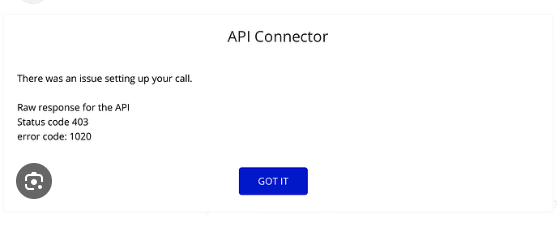
a.) Erreurs d'accès refusé
Les erreurs d'accès refusé sont un problème fréquent pour les développeurs, généralement dû à des champs d'application incorrects et à une authentification utilisateur manquante. Pour éviter cela, vérifiez systématiquement les autorisations demandées et assurez-vous que les utilisateurs ont accordé les champs d'application nécessaires lors de l'autorisation OAuth.
💡 L'autorisation OAuth est un processus sécurisé et standardisé qui permet aux applications d'accéder aux données d'un utilisateur sur une autre plateforme sans avoir besoin de son mot de passe.
b.) Expiration du jeton
Un autre problème est l'expiration des jetons défectueux. Les jetons OAuth de LinkedIn ont une durée de vie limitée pour des raisons de sécurité. Il est donc essentiel de mettre en œuvre un mécanisme de rafraîchissement des jetons pour maintenir un accès permanent sans nécessiter de réautorisation fréquente des utilisateurs.
Comment utiliser l'API LinkedIn sans coder
Il est indéniable que l'API LinkedIn est complexe. Entre l'authentification OAuth, les mises à jour des politiques et les autorisations d'accès strictes, même les développeurs expérimentés peinent à l'utiliser et à la gérer. Pour les utilisateurs non techniques, cela semble presque impossible. C'est pourquoi de nombreux marketeurs et entreprises se tournent désormais vers des solutions sans code ou à faible code.
Des plates-formes comme Taggbox et Common Ninja simplifient le processus. Ces outils proposent des tableaux de bord intuitifs qui gèrent l'authentification, les autorisations et la récupération des données.
Cela vous permet d'intégrer des publications d'entreprise, des analyses d'engagement, des indicateurs publicitaires ou des offres d'emploi en quelques clics. Il vous suffit d'un compte professionnel LinkedIn et d'une conformité de base. Le reste, agrégation de contenu, affichage visuel et synchronisation en temps réel, est pris en charge.
Principaux avantages de l’intégration de l’API officielle :
1. Protocoles de sécurité améliorés
La sécurité est au cœur de cette intégration. Grâce à l'API officielle de LinkedIn, nous avons mis en œuvre des mesures de sécurité de niveau entreprise qui protègent vos données tout au long du processus d'agrégation. Cela signifie que chaque contenu collecté via Taggbox est traitée selon les normes de sécurité les plus strictes.
2. Performances fiables et stables
Notre intégration directe avec l'infrastructure API de LinkedIn garantit des performances constantes et stables. Les utilisateurs peuvent s'attendre à :
- Streaming de contenu ininterrompu.
- Mises à jour en temps réel des profils LinkedIn et des pages d'entreprise.
- Risque réduit d’interruptions de service.
3. Conformité totale à la protection des données
À une époque où la protection des données est primordiale, notre intégration API LinkedIn garantit une conformité totale avec :
- Normes de protection des données de LinkedIn.
- Réglementations sur la confidentialité de l'industrie.
- Exigences de sécurité de l'entreprise.
- Directives d'utilisation du contenu professionnel.
4. Accès direct autorisé
L’élimination des techniques de scraping de données au profit de l’accès officiel aux API signifie :
- Connexions directes et authentifiées à LinkedIn
- Sources de contenu vérifiées
- Processus de collecte de données transparents
- Attribution fiable du contenu
Impact sur les utilisateurs professionnels :
Pour les entreprises utilisant TaggboxCette intégration offre de multiples avantages qui améliorent leurs Social Media Stratégie:
a). Affichage de contenu professionnel
Les organisations peuvent désormais présenter en toute transparence leur contenu LinkedIn sur différentes plateformes, notamment :
- Affichages d'affichage numérique
- Incorporations de sites Web
- Campagnes de marketing
- Communication d'entreprise
b). Crédibilité de la marque
L'intégration officielle de l'API ajoute plus de crédibilité à votre stratégie d'intégration de contenu LinkedInVos parties prenantes peuvent être sûres que tout le contenu affiché est collecté via des canaux autorisés, préservant ainsi l'image professionnelle de votre marque.
c). Flux de travail simplifié
Les équipes marketing et les gestionnaires de contenu bénéficient des avantages suivants :
- Processus de collecte de contenu simplifiés
- Réduction des frais techniques
- Des mises à jour de contenu plus fiables
- Contrôle amélioré sur le contenu affiché
La note finale
Ce blog vous apprendra ce qu'est l'API LinkedIn, comment l'utiliser et les problèmes courants rencontrés. Pour certains d'entre vous, cela peut sembler impossible, car sa configuration et son exécution nécessitent du code. Cependant, nous avons également évoqué des solutions sans code. Alors, qu'est-ce qui vous empêche de le faire ?

Wagisha Adishree est une gestionnaire de contenu chevronnée chez Taggbox Forte de 5 ans d'expérience en création et stratégie de contenu numérique, elle se spécialise dans la planification de contenu multicanal, l'amplification du contenu généré par les utilisateurs et l'analyse de l'engagement du public, autant d'éléments qui contribuent à une croissance mesurable de la marque.

 Yuvraj
 Jennette

 Rohan Singh