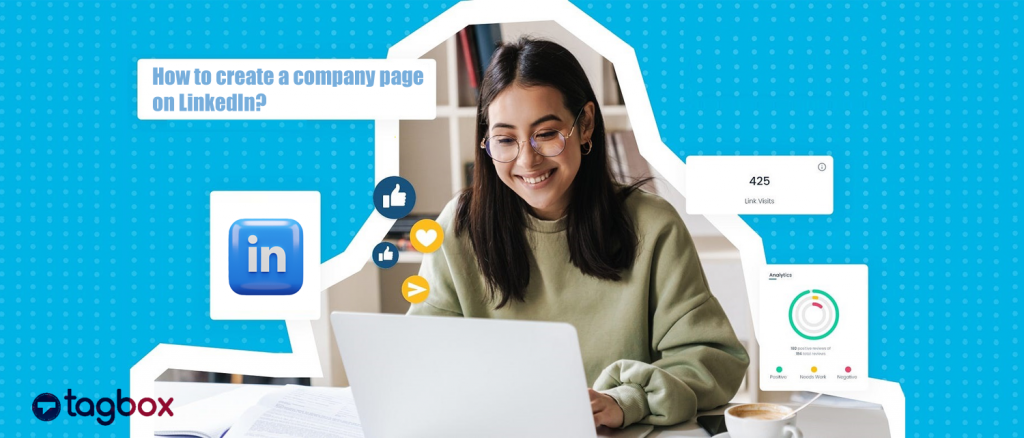
LinkedIn è una piattaforma leader per il networking B2B, il reclutamento e la visibilità del marchio, con oltre 1 miliardi utenti in tutto il mondo. Sapere come creare una pagina aziendale su LinkedIn è molto importante per qualsiasi marchio che voglia costruire la propria presenza professionale online.
Una pagina aziendale consente ai marchi di mostrare i propri servizi, condividere gli ultimi aggiornamenti e interagire con un pubblico mirato. Offre inoltre l'opportunità di attrarre i migliori talenti, con il 75% dei candidati che utilizzano questa piattaforma per trovare opportunità di lavoro. Le pagine dei marchi inoltre offrono strumenti di analisi per misurare il coinvolgimento, fornendo preziose informazioni sugli interessi del loro pubblico.
Una pagina aziendale LinkedIn ben gestita aumenta la credibilità del marchio, crea autorevolezza e posiziona il marchio come leader del settore. Aiuta anche a sviluppare relazioni significative con clienti, partner e dipendenti, rafforzandone la reputazione complessiva.
Scopriamo come puoi massimizzare la tua visibilità su LinkedIn creando una pagina aziendale LinkedIn!
Mostra gratuitamente i post aziendali di LinkedIn sul tuo sito web


Con API ufficiali | Temi multipli
Cos'è una pagina aziendale LinkedIn?
Una pagina aziendale LinkedIn è il profilo pubblico del tuo marchio che rappresenta la tua organizzazione su LinkedIn. È progettata per aiutare la tua attività a far crescere la sua presenza sulla piattaforma. Per un marchio, è un profilo individuale che funge da presenza digitale in cui le persone possono saperne di più. Ciò include gli aggiornamenti, le ultime notizie, le offerte di lavoro, gli eventi e la vita nella tua azienda.
A differenza di una pagina di profilo personale, una pagina aziendale parla esclusivamente della tua azienda e include diverse sezioni personalizzabili come Home, Informazioni, Prodotti, ecc. Puoi utilizzare efficacemente LinkedIn for Business Marketing per aumentare la visibilità della pagina aziendale aggiungendo un elemento umano mettendo in risalto i membri del tuo team.
Come creare una pagina aziendale su LinkedIn: una guida completa:
Per qualsiasi azienda, creare una pagina aziendale LinkedIn è un approccio strategico per aumentare la propria presenza online. Cerchiamo di capire come impostare una pagina aziendale LinkedIn e quali informazioni includere. Segui i passaggi sottostanti per creare una pagina LinkedIn ottimizzata in modo che la tua azienda possa sfruttare SEO LinkedIn.
1. Accedi all'opzione "Crea pagina"
Sarebbe meglio se prima avessi effettuato l'accesso al tuo profilo per creare una pagina aziendale LinkedIn. Per creare e gestire la tua pagina aziendale, hai bisogno di un account personale come amministratore. Tocca “Per affari” menu a discesa nell'angolo in alto a destra per visualizzare più opzioni sulla barra di navigazione. Vai alla fine dell'elenco e scegli “Crea una pagina aziendale” nel menu a tendina.

2. Scegli un tipo di pagina da creare
Una nuova pagina ha tre opzioni per il tipo di pagina che vuoi creare. Puoi selezionare:
- Pagina aziendale – Puoi selezionare questa opzione per creare una nuova pagina non didattica per una piccola, media o grande azienda.
- Pagina vetrina – Puoi selezionare questa opzione per creare una sottopagina collegata a una pagina aziendale esistente. Se stai creando la tua pagina LinkedIn da zero, fai attenzione a non scegliere questa opzione.
- Istituto Educativo – Seleziona questa tipologia per creare una pagina per una scuola, un'università o un altro istituto educativo.

3. Inserisci i dettagli della tua pagina
Dopo aver toccato la pagina aziendale, apparirà una nuova pagina e ti verrà chiesto di inserire informazioni importanti sulla tua azienda. Secondo LinkedIn, le pagine con informazioni del profilo complete ottengono il 30% in più di visualizzazioni settimanali e sono spesso preferite dagli utenti. Algoritmo di LinkedInI primi tre servono per identificare la tua azienda. Non hai ancora un nome commerciale? Nessun problema, puoi usare un generatore di nome aziendale per trovare un nome decente in pochi secondi. Tra questi:
- Nome- Per renderlo ricercabile, includi il nome della tua azienda.
- URL pubblico di LinkedIn- In base al nome inserito per la pagina della tua azienda, LinkedIn ti suggerirà un URL personalizzato mentre digiti il nome della tua azienda.
- Sito web- Devi accedere al sito web della tua azienda.
Devi compilare altre informazioni aziendali aggiuntive. Devi digitare il tuo settore, le dimensioni e il tipo di azienda.

4. Verifica
Prima di procedere, devi spuntare la casella di verifica. Ciò conferma che possiedi l'autorità di agire per conto dell'azienda o dell'istituzione per cui stai creando la pagina.
5. Carica un logo e uno slogan
Il caricamento del logo della tua azienda è il passo successivo. Quando inizi a capire come creare una pagina aziendale su LinkedIn, il logo della tua azienda è una componente cruciale che deve essere radicata nella personalità del tuo marchio.
Poi, inserisci il tuo slogan, che è mostrato subito sotto il tuo nome e logo. È meglio mantenere lo slogan conciso perché lo slogan di LinkedIn ha un limite di caratteri di 120 caratteri. Una volta terminato, tocca il 'Crea pagina' e la tua pagina LinkedIn sarà pronta.
6. Crea la tua pagina
Infine, tocca 'Inizia a creare la tua pagina' per personalizzare e rifinire ulteriormente la pagina del profilo della tua aziendaQui puoi aggiungere maggiori dettagli sulla tua azienda, post e altri contenuti che potrebbero coinvolgere i potenziali follower.
Seguendo tutti i passaggi sopra descritti, potrai creare facilmente una pagina profilo aziendale su LinkedIn, dando alla tua attività una facciata digitale professionale.
Come gestire una pagina aziendale su LinkedIn?
Dopo aver creato la pagina, costruire un pubblico e una presenza con la giusta strategia richiede tempo, proprio come con qualsiasi piattaforma social. Per gestire la tua pagina aziendale LinkedIn, puoi usare Page Admins. Diamo un'occhiata a questo:
Per prima cosa, hai bisogno dell'accesso amministratore alla pagina per gestire la tua pagina LinkedIn. Ecco come fare:
1. Accedi al tuo account LinkedIn e vai alla home page.

2. Vedrai una sezione My Pages sul lato sinistro della tua homepage di LinkedIn. Questo segmento mostra ogni pagina di cui sei un amministratore su LinkedIn. Tocca la pagina corretta che vuoi gestire dall'elenco.

3. Ora verrai reindirizzato a una pagina di amministrazione. Ora puoi completare il tuo profilo e gestire tutto, inclusi Feed, Attività e Strumenti di analisi di LinkedIn.

4. Monitora le tue analisi LinkedIn usando lo strumento di analisi integrato. Puoi controllare la data e il numero di follower, visitatori, lead, contenuti e concorrenti. Puoi esportare il tuo report dopo averlo filtrato per data, tipo e dati demografici.

5. Puoi aggiungere più concorrenti alla tua pagina e monitorare le metriche dei loro follower, le metriche dei contenuti organici e i post di tendenza dei concorrenti.

Inizia a sfruttare la pagina aziendale LinkedIn:
Se vuoi risultati, devi sviluppare un Strategia di generazione di lead su LinkedIn ottimizzando la tua pagina aziendale. Sarebbe meglio se ti occupassi dei seguenti aspetti:
1. Condividi le novità e gli aggiornamenti aziendali
Come qualsiasi altro social network, LinkedIn presenta un flusso di contenuti in cui le persone condividono e discutono aggiornamenti e articoli importanti. La tua pagina è il luogo perfetto per pubblicare aggiornamenti e notizie della tua azienda affinché clienti, dipendenti, investitori e fan possano consultarli. Puoi anche estendere la portata di questi aggiornamenti utilizzando un Widget per il feed di LinkedIn per il sito web per mostrare i post aziendali selezionati direttamente sul tuo sito.
2. Pubblica annunci di lavoro e connettiti con potenziali dipendenti
LinkedIn è un social network professionale che consente agli utenti di trarre vantaggio da aggiornamenti, interazioni e connessioni relative al lavoro e alla carriera. I membri possono scoprire e discutere opportunità di lavoro, comprese quelle presso la tua azienda. LinkedIn è il posto perfetto per condividere se la tua azienda ha posizioni aperte.
3. Sviluppare una comunità
Ogni piattaforma di social media vanta la sua capacità di sviluppare un senso di comunità, e LinkedIn non fa eccezione. Per sviluppare una comunità di membri LinkedIn interessati alla tua attività, ai tuoi aggiornamenti e ai tuoi lavori, la tua pagina aziendale LinkedIn è il posto giusto. Nella tua azienda, possono connettersi e collaborare sui loro interessi comuni. Per coinvolgere il tuo pubblico e creare autorevolezza sulla tua pagina, pubblica domande interessanti, aggiornamenti unici o informazioni dietro le quinte.
4. Migliora la tua visibilità sui motori di ricerca
Come qualsiasi altro sito web o social network, le pagine aziendali di LinkedIn sono classificate nelle pagine dei risultati dei motori di ricerca (SERP). Creare una pagina aziendale ti dà un'altra possibilità di essere scoperto da coloro che cercano i tuoi prodotti, servizi o marchi. Per aumentare la tua visibilità, puoi utilizzare gli strumenti di aggregazione dei social media per mostra il tuo LinkedIn alimentare sul tuo sito web.
5. Fornire una prova sociale
La prova sociale è essenziale per ogni azienda per conquistare la fiducia dei propri clienti perché ci rivolgiamo agli altri quando non siamo sicuri di cosa fare. Fornire una prova sociale può aiutare i potenziali clienti che sono ancora sul punto di prendere una decisione definitiva. Una volta ottenuta una testimonianza di un cliente, una menzione sui media o una funzionalità in una pubblicazione, è necessario aggiungerla alla pagina "Informazioni". Una pagina "Informazioni" è un ottimo modo per presentare la tua azienda ai potenziali clienti. Puoi convertirli in un post e incorporare post LinkedIn sul tuo sito web, che può anche fungere da prova sociale.
Conclusione
La tua pagina aziendale LinkedIn è una risorsa preziosa per stabilire una solida presenza online per la tua azienda. Per creare una pagina aziendale LinkedIn efficace sono necessarie un'attenta pianificazione ed esecuzione. Le aziende possono utilizzare efficacemente questa piattaforma per migliorare la loro presenza online, connettersi con i professionisti e sfruttare le opportunità di crescita. Questo blog fornisce una guida completa su come creare una pagina aziendale su LinkedIn e aiutarti ad attrarre un pubblico più ampio di potenziali clienti.
Attira più attenzione sulla tua attività creando subito una pagina aziendale su LinkedIn!


 sanscrito
 Yuvraj
 Wagisha
 Jennet