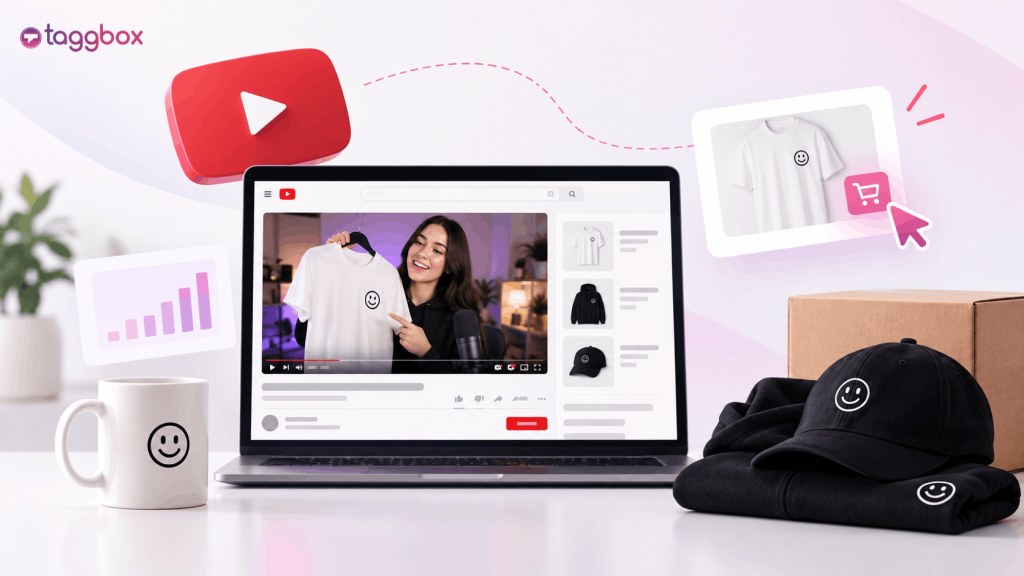
La mejor manera de vender productos en YouTube es conectar tu tienda de merchandising a tu canal mediante YouTube Shopping, que añade tus productos a la tienda de tu canal, a las descripciones de tus vídeos y a un estante de productos junto a ellos. Combina esto con etiquetas de producto en los vídeos donde aparecen tus productos (unboxings, detrás de cámaras, tutoriales) y enlaces en la descripción y en los comentarios fijados para guiar a los espectadores desde la visualización hasta la compra con la menor cantidad de pasos posible.
Un espectador puede adorar tu vídeo y tu producto, pero aun así no comprarlo, simplemente porque existe una dificultad entre "Lo quiero" y "Lo compré". Tiene que salir del vídeo, buscar tu tienda, recordar lo que quería y completar la compra en otro sitio. Cada paso adicional supone la pérdida de un porcentaje de compradores potenciales.
Esta brecha entre la atención y la compra es la principal razón por la que los creadores no alcanzan las ventas esperadas a pesar de tener un alto número de visualizaciones. Cerrar esa brecha es la clave, más que el propio producto.
Pero si tienes una audiencia en YouTube, ya has resuelto la parte más difícil de vender productos: captar su atención. La pregunta ahora es cómo convertir esa atención en ventas reales, y eso es lo que vamos a resolver a continuación.
Configura tu canal para vender productos
La mayoría de los creadores intentan mejorar las ventas de merchandising optimizando primero su contenido. Pero si tu canal no está configurado técnicamente para vender, ni el modelo de merchandising adecuado, ni el programa correcto, ni las integraciones correctas, ni siquiera tu mejor vídeo lograrán convertir ventas. Esto es lo que necesitas tener en cuenta primero:
1. Elige tu modelo de merchandising
- Impresión bajo demanda (Teespring/Spring, Fourthwall, Streamlabs Merch): sin inventario, márgenes más bajos, lanzamiento más rápido.
- Inventario autogestionado: mayores márgenes, más control, más trabajo inicial.
- Productos con licencia/fabricados: ideales para marcas consolidadas con volumen de ventas.
2. Ingresa al Programa de Socios de YouTube.
Las funciones de compra se desbloquean a través del Programa de Socios de YouTube (YPP). El acceso anticipado comienza con 500 suscriptores, 3 cargas públicas válidas en los últimos 90 días y 3,000 horas de visualización públicas válidas en los últimos 12 meses o 3 millones de visualizaciones públicas válidas de Shorts en los últimos 90 días. Programa de Desarrollo Juvenil Ampliado Solo está disponible en ciertos países; fuera de ellos, el único requisito es alcanzar los 1,000 suscriptores. Tu canal tampoco puede estar configurado como "Hecho para niños" ni tener una advertencia por incitación al odio. Consulta tu estado en YouTube Studio, en la sección "Ganancias".
3. Conectar una fuente compatible
YouTube admite una lista definida de plataformas de comercio electrónico (Fourthwall, Shopify, Spring, Spreadshop, TeePublic, Wix, Shopline, además de opciones específicas de la región como Cafe24 y BASE) y una larga lista de minoristas de productos, incluidos Streamlabs, Bonfire y Crowdmade. La impresión bajo demanda y el soporte de YouTube no son lo mismo, así que verifique la lista de compatibilidad actualAntes de comprometerte con una plataforma, una vez conectado y aprobados tus artículos, tus productos aparecerán automáticamente en las descripciones de tus videos y en una pestaña de Tienda en la página principal de tu canal.
Cómo realizar un seguimiento del rendimiento de las ventas de productos en YouTube
Realiza un seguimiento de la tasa de clics desde tu catálogo de productos y pantallas finales, la tasa de conversión una vez que los usuarios llegan a tu tienda y el valor promedio de los pedidos provenientes del tráfico generado por video. Una advertencia que la mayoría de las guías omiten: YouTube Analytics solo informa datos de ventas y pedidos para ciertas plataformas conectadas, actualmente Shopify, Spring, Spreadshop y Cafe24. En Fourthwall, TeePublic, Wix o una integración con un minorista, deberás realizar el seguimiento de las conversiones en tu tienda. Si los clics son altos pero la conversión es baja, el problema radica en tu proceso de pago, no en tu contenido.
Herramientas integradas de YouTube para vender productos
Antes de buscar en otro lugar, es importante saber que YouTube ya ofrece a los creadores la mayor parte de lo que necesitan para vender. Sin embargo, muchos no lo utilizan todo o lo hacen en el orden incorrecto.
- Estante de productos: Muestra productos al lado o debajo de tus vídeos. Dato importante: No todos los canales que cumplen los requisitos consiguen aparecer en la sección de productos destacados, así que considéralo un extra.
- Pestaña de la tienda y descripción de productos: Estas opciones se rellenan automáticamente una vez que tu tienda esté conectada y tus artículos sean aprobados, lo que las convierte en la superficie más fiable.
- Etiquetado de productos: Etiqueta artículos específicos en videos, Shorts y transmisiones en vivo para que aparezca el producto correcto cuando se muestre (hasta 60 artículos por video o fuente, 30 por transmisión en vivo).
- Botón de compra: Aparece en el contenido etiquetado y muestra tus productos sin que los usuarios abandonen la página inmediatamente.
- Pantallas finalesDirige a los espectadores a tu tienda o a un vídeo específico de tus productos justo cuando termine el vídeo.
- Comentario fijados: Mantén un enlace directo visible debajo de cada vídeo, especialmente útil para el contenido antiguo que aún recibe visitas.
- Enlaces de descripciónEl lugar más olvidado. Siempre pon el enlace a tu mercancía al principio, no lo ocultes entre las marcas de tiempo.
Incrementa las tasas de compra con vídeos interactivos.
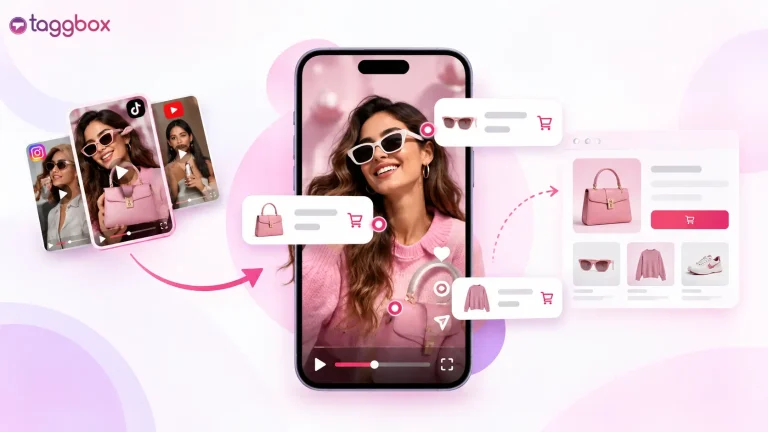
Incluso con todo esto implementado, todavía existe un problema importante: los espectadores tienen que abandonar el video para realizar una compra. Por eso, cada vez más marcas y creadores se están volcando hacia vídeo comprable Formatos: contenido donde los productos se pueden etiquetar y comprar en pocos pasos, a veces sin salir de la página donde está incrustado el video.
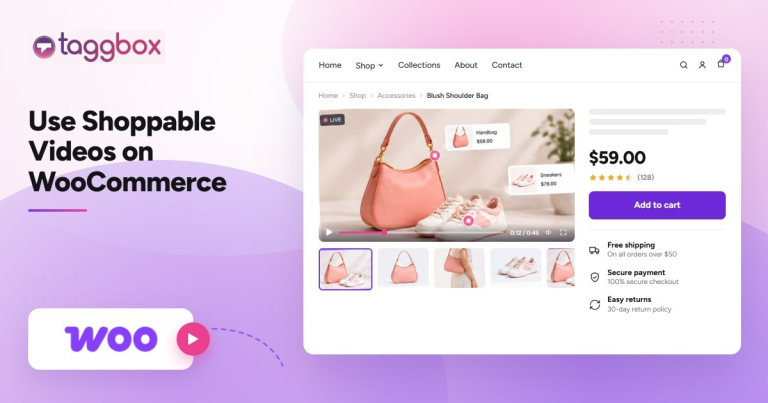
Plataformas en este espacio, como Taggbox Las herramientas de vídeo comprable o de YouTube comprable le permiten insertar vídeos con etiquetas de productos en las que se puede tocar directamente en su sitio web o página de destino, de modo que el proceso de "ver para comprar" se realiza en un solo lugar en lugar de tres. Para las marcas de comercio electrónico que utilizan WooCommerce, una Guía para usar vídeos con opción de compra en WooCommerce Puede ayudar a conectar el contenido de vídeo con el descubrimiento y la compra de productos en la tienda online. No se trata tanto de reemplazar las herramientas de YouTube, sino de extender esa funcionalidad de compra a cualquier otro lugar donde se encuentre tu vídeo: tu página de inicio, las páginas de tus productos o tus campañas de correo electrónico.
Lea también Vídeo comprable en YouTube: significado y beneficios
Descubre qué es el vídeo con opción de compra y cómo lo utilizan las marcas líderes.
Formatos de contenido que convierten:
Las herramientas solo funcionan si el contenido ofrece a la gente un motivo para comprar. Veamos los formatos que generan conversiones de forma consistente:
- Desempaquetados y compras: Mostrar el producto en persona genera deseo más rápido que cualquier descripción.
- Vídeos del detrás de cámaras/cómo se hizo: Crea una narrativa y una autenticidad en torno al producto.
- Tutoriales o contenido práctico: Destaca tus productos de forma natural y proporciona utilidad en lugar de depender de una estrategia de marketing agresiva.
- Encuestas comunitarias sobre nuevos lanzamientos: Permite que tu público sienta que el producto que publicas es suyo, lo que aumenta las ventas del primer día.
Cómo vender productos en YouTube gratis
No todas las estrategias de merchandising requieren un presupuesto enorme. Algunas de las estrategias de merchandising con mayor tasa de conversión solo cuestan tiempo y constancia.
- Utilice la impresión bajo demanda para evitar costes iniciales de inventario.
- Apuesta por formatos orgánicos: vídeos cortos, publicaciones de la comunidad, comentarios fijados en lugar de promoción paga.
- Reutiliza el contenido de vídeo existente (subidas antiguas) con enlaces de merchandising y pantallas finales actualizados.
- Comparte tus vídeos en otros canales gratuitos que ya tengas (Instagram, TikTok) para generar tráfico hacia YouTube y tu tienda.
¿Dónde más promocionar el contenido de tu merchandising?
- Cortos de YouTube: Contenido breve y de alta frecuencia que mantiene la visibilidad de los productos entre las publicaciones de formato largo.
- Pestaña Comunidad: Encuestas, imágenes de adelanto y anuncios de reposición de existencias.
- Publicación cruzada: Reutilizar los clips que muestran productos en Instagram Reels, TikTok y X.
- Correo electrónico/boletín informativoPara los creadores que tienen una lista, esto suele generar mejores resultados que cualquier herramienta integrada en la plataforma.
¿Tienes curiosidad por saber hasta dónde puedes llevar el proceso de "ver un reloj para comprarlo"?
Cómo hacerlo funcionar para tu canal de YouTube
En definitiva, vender productos en YouTube no se trata de elegir una táctica u otra. Se trata más bien de implementar pequeñas mejoras a lo largo de todo el proceso: configurar correctamente el canal, usar adecuadamente las herramientas nativas de YouTube, crear contenido que motive a la gente a comprar y acortar la brecha entre ver el contenido y comprarlo, independientemente de la plataforma.
Si no estás seguro de dónde se manifiesta esa brecha específicamente en tu canal, o si quieres que alguien más revise tu proceso de conversión de vídeo a compra, siempre estamos dispuestos a hablar contigo. Hable con nuestro equipo en Taggbox. Dedicamos nuestro tiempo a analizar precisamente este problema en diferentes marcas y podemos señalar dónde es probable que se esté produciendo una fuga en tu embudo de ventas antes de que inviertas más tiempo o presupuesto en adivinar.
¿Tienes preguntas? ¡Tenemos las respuestas!
#1. ¿Cómo puedo vender productos en mi canal de YouTube?
Para vender productos en tu canal de YouTube, únete al Programa de Socios de YouTube, conecta una tienda de productos compatible en YouTube Studio (en la sección "Ganancias") y etiqueta tus productos para que aparezcan en las descripciones, la sección de productos y la pestaña "Tienda". Usa las pantallas finales y los comentarios fijados para reforzar el enlace.
#2. ¿Cómo puedo vender productos en YouTube gratis?
Para vender productos en YouTube de forma gratuita, utiliza la impresión bajo demanda para evitar los costes de inventario y, a continuación, confía en el contenido orgánico, como los Shorts, las publicaciones de la comunidad y los comentarios fijados, en lugar de la promoción pagada, para generar tráfico hacia tus productos.
#3. ¿Necesito un número determinado de suscriptores para vender productos en YouTube?
Necesitas acceso al Programa de Socios de YouTube para usar YouTube Shopping. El acceso anticipado al YPP comienza con 500 suscriptores y 3,000 horas de visualización o 3 millones de visualizaciones de Shorts. Sin el YPP, aún puedes vender manualmente mediante enlaces en la descripción y comentarios fijados que dirijan a una tienda externa.
#4. ¿Qué es un vídeo con opción de compra y cómo ayuda a vender productos?
Los vídeos con opción de compra permiten a los espectadores comprar productos etiquetados directamente desde un vídeo sin salir de la página. Herramientas como Taggbox Permitan que las marcas lo integren en su propio sitio web, no solo en YouTube.
#5. ¿Puedo vender productos en YouTube sin usar YouTube Shopping?
Sí, puedes vender productos en YouTube sin usar YouTube Shopping. Muchos creadores venden usando solo enlaces en la descripción, comentarios fijados y pantallas finales que dirigen a una tienda externa, sin conectar la tienda a YouTube Shopping.
#6. ¿Por qué las ventas de mi mercancía de YouTube no coinciden con el número de visualizaciones?
Las ventas de tu mercancía de YouTube y el número de visualizaciones generalmente no coinciden debido a la fricción. Los espectadores tienen que salir del video para realizar una compra. Herramientas como TaggboxLos vídeos con opción de compra de [nombre de la empresa] cierran esa brecha al permitir que la gente compre sin salir del contenido.
#7. ¿Cuál es el mejor tipo de contenido de vídeo para vender productos?
El mejor tipo de contenido de vídeo para vender productos incluye vídeos de desempaquetado, compras y tutoriales que muestren tu producto de forma natural. Estos vídeos generan mayor conversión porque crean deseo mediante la demostración, en lugar de un discurso de venta directo.

Sanskriti es especialista en marketing de contenidos en TaggboxEspecializada en contenido generado por el usuario, marketing en redes sociales, experiencias web y confianza digital. Con más de 3.5 años de experiencia en marketing SaaS y B2B, combina investigación de mercado, conocimiento del cliente, estrategias de comercialización y ejemplos de marcas reales para ayudar a los profesionales del marketing a crear experiencias digitales más auténticas y de alto rendimiento.
Más de Sanskriti
 yuvraj