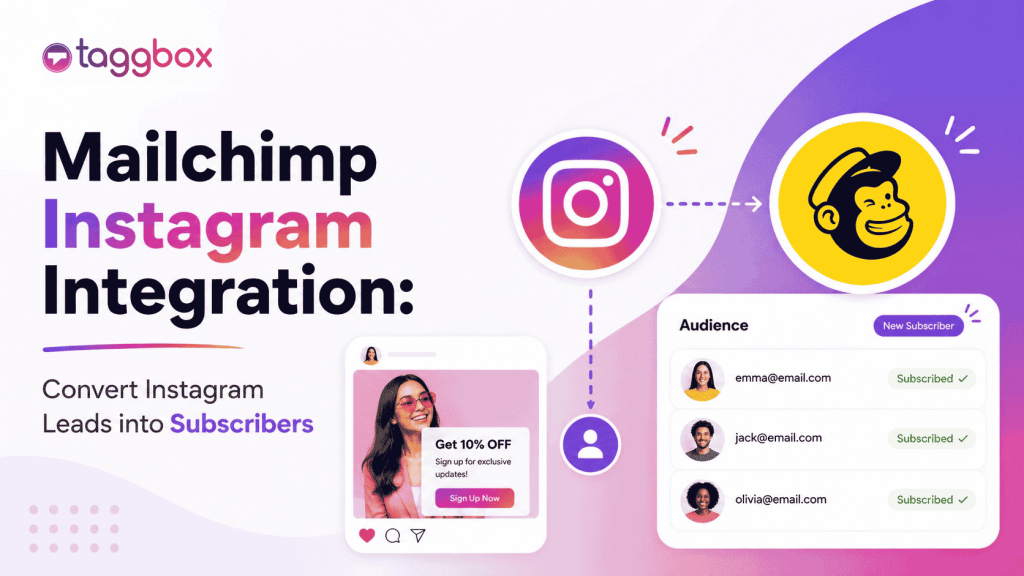
El marketing ya no se limita a una sola plataforma. Los usuarios no te descubren en una plataforma y se convierten automáticamente. Investigan, se aseguran de que el nombre de tu marca aparezca en múltiples plataformas, desde Instagram hasta tu sitio web, pasando por tus correos electrónicos, e incluso a veces viceversa. Este es el proceso que va desde el descubrimiento hasta la compra, donde la integración de Mailchimp con Instagram juega un papel fundamental.
Instagram genera notoriedad. Mailchimp convierte clientes potenciales. Y cuando combinas ambas herramientas, ya no adivinas dónde está tu público; lo guías a través de un recorrido conectado.
En lugar de tratar Instagram y el correo electrónico como canales separados, las marcas hoy en día están creando una experiencia unificada mediante:
- Alguien descubre tu marca en Instagram.
- Los suscriptores ingresan a tu embudo de correo electrónico
- Los clientes reciben atención personalizada a través de campañas.
- Son reorientados en Instagram más tarde.
Este ciclo continuo es donde se produce el crecimiento sostenible.
¿Qué es la integración de Mailchimp con Instagram?
Integración de Mailchimp con Instagram Conecta tu presencia en Instagram con tus esfuerzos de marketing por correo electrónico, de modo que ambos trabajen juntos en lugar de competir por la atención.
Imagínelo como un ecosistema donde el contenido, las audiencias y las campañas fluyen entre plataformas.
Esta integración funciona de varias maneras:
1. Bloques de contenido de Instagram (función nativa de Mailchimp)
Mailchimp te permite insertar publicaciones de Instagram directamente en tus correos electrónicos mediante bloques de contenido integrados. Esto hace que tus correos sean visualmente atractivos sin esfuerzo adicional.
2. Audiencias personalizadas de Instagram
Utilizando herramientas como LeadsBridge, puedes sincronizar tu audiencia de Mailchimp con los anuncios de Instagram. Esto te permite volver a dirigirte a tus suscriptores de correo electrónico directamente en Instagram.
3. Herramientas para insertar perfiles de Instagram
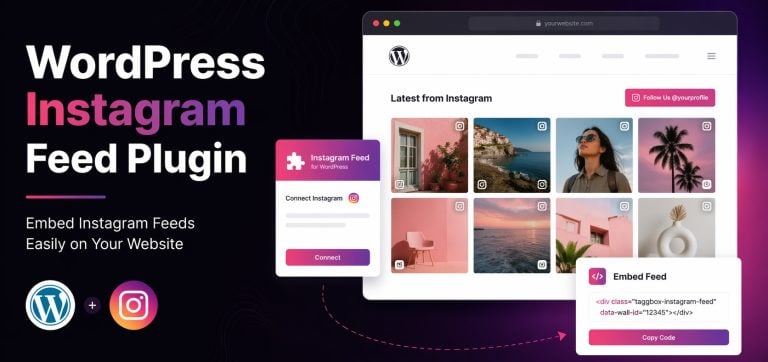
Plataformas como Taggbox ayuda mostrar tu perfil de Instagram dentro de correos electrónicos o experiencias web, aumentando el crecimiento de seguidores.
4. Flujos de trabajo de automatización
Herramientas como Pabbly Connect permiten automatizar los flujos de trabajo entre Instagram y Mailchimp, como por ejemplo, la creación de listas de correo electrónico para nuevos seguidores o la activación de campañas.
En resumen, la integración de Instagram con Mailchimp no se trata tanto de una sola función, sino de conectar tu embudo de marketing de principio a fin.
Tipos de integraciones de Mailchimp + Instagram
Analicemos cómo las marcas utilizan esto en el marketing real.
1. Bloques de contenido de Instagram (función nativa de Mailchimp)
Esta es la forma más sencilla de empezar. Mailchimp te permite:
- Insertar publicaciones de Instagram directamente en los correos electrónicos
- Mostrar una o varias publicaciones en una cuadrícula
- Enlaza cada publicación de vuelta a Instagram.
Según la documentación oficial de Mailchimp, esto funciona mediante un proceso de autorización seguro en el que tu cuenta de Instagram se conecta al creador de correos electrónicos y sincroniza el contenido de forma dinámica.
Esto es perfecto para las marcas que ya crean contenido en Instagram y quieren reutilizarlo en sus boletines informativos.
2. Inserción de perfiles de Instagram en correos electrónicos
En lugar de solo publicaciones, puedes mostrar toda tu presencia en Instagram.
Esto ayuda:
- Dirige a tus suscriptores de correo electrónico a tu Instagram.
- Aumentar seguidores de tu audiencia actual
- Fomentar la coherencia de la marca en todos los canales.
Aunque Mailchimp no admite de forma nativa la inserción de perfiles completos, existen herramientas de terceros como Taggbox rellena el hueco.
3. Sincronización de audiencias personalizadas de Instagram (Marketing avanzado)
Aquí es donde las cosas se ponen interesantes. Con integraciones como LeadsBridge:
- Tus contactos de Mailchimp se sincronizan con Anuncios de Instagram
- Puedes volver a dirigirte a los suscriptores que no se convirtieron.
- O bien, crear audiencias similares para escalar.
Esto convierte tu lista de correo electrónico en una potente herramienta de segmentación publicitaria. En lugar de dirigirte a audiencias desconocidas, te diriges a personas que ya conocen tu marca.
4. Integraciones de automatización de terceros
Herramientas como Pabbly Connect y LeadsBridge permiten una automatización más profunda.
Puedes, por ejemplo:
- Activa campañas de correo electrónico a partir de acciones de Instagram.
- Sincroniza los datos del CRM con las campañas publicitarias.
- Crea automatización de embudo completo
Por ejemplo:
Alguien interactúa con tu Instagram → se une a tu lista de Mailchimp → recibe una secuencia de correos electrónicos personalizada → posteriormente se le vuelve a dirigir publicidad.
Eso es un ciclo de crecimiento completo.
Cómo conectar Instagram con Mailchimp
Vamos a ver cómo configurar la integración de Instagram con Mailchimp.
Requisitos previos a la configuración:
Antes de comenzar, asegúrese de tener:
- An Cuenta de Instagram Business
- Una página de Facebook conectada a tu Instagram.
- Una cuenta de Mailchimp con el nuevo creador de correos electrónicos.
Sin estos elementos, la integración no funcionará correctamente.
Configuración de integración (bloques de contenido)
Aquí te explicamos cómo conectar Instagram usando la función integrada de Mailchimp:
- Ve a tu panel de control de Mailchimp
- Abre el creador de campañas de correo electrónico.
- Arrastra y suelta el “Bloque de contenido de Instagram”.
- Inicia sesión en tu cuenta de Instagram.
- Autorizar permisos
- Selecciona las publicaciones que deseas mostrar.
Una vez conectado, Mailchimp importa los elementos seleccionados. Mensajes de Instagram en el diseño de tu correo electrónico.
Esta es una de las maneras más fáciles de comenzar la integración de Mailchimp con Instagram sin necesidad de herramientas adicionales.
Cómo integrar Instagram con Mailchimp a través de Taggbox
Para configurar la integración de Mailchimp con Instagram, puede usar Taggbox Recopila contenido de Instagram y agrégalo a tus campañas de correo electrónico o páginas de destino. Este método te ayuda a reutilizar publicaciones de Instagram y convertir la interacción en conversiones.
Paso 1: Crea tu Taggbox Widget
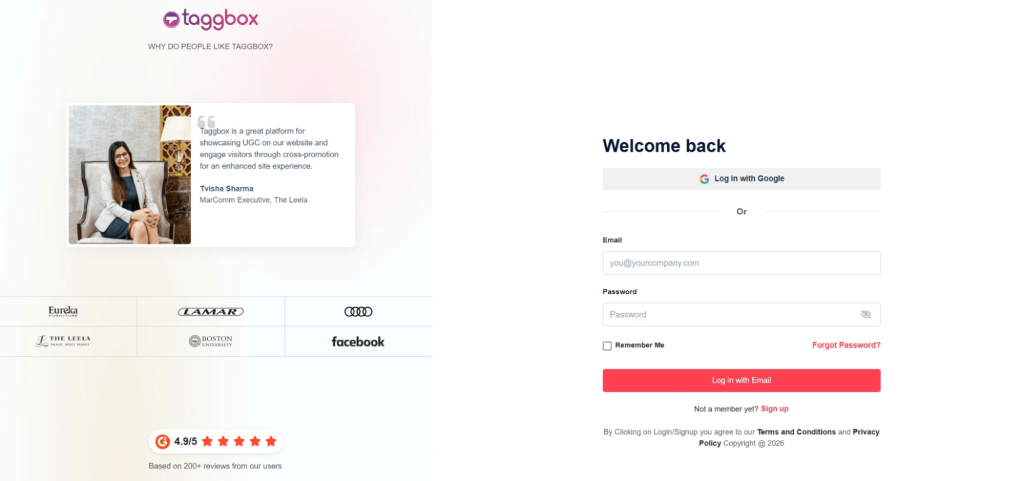
Regístrese en Taggbox y crea un widget de Instagram eligiendo tu fuente (usuario, hashtag o menciones). Esto reúne tu contenido en un solo feed.
Paso 2: Personaliza tu feed de Instagram
Modera y diseña tu feed para que coincida con tu marca. Puedes elegir diseños como una cuadrícula o una Widget deslizante de Instagram para que tu contenido sea más atractivo.
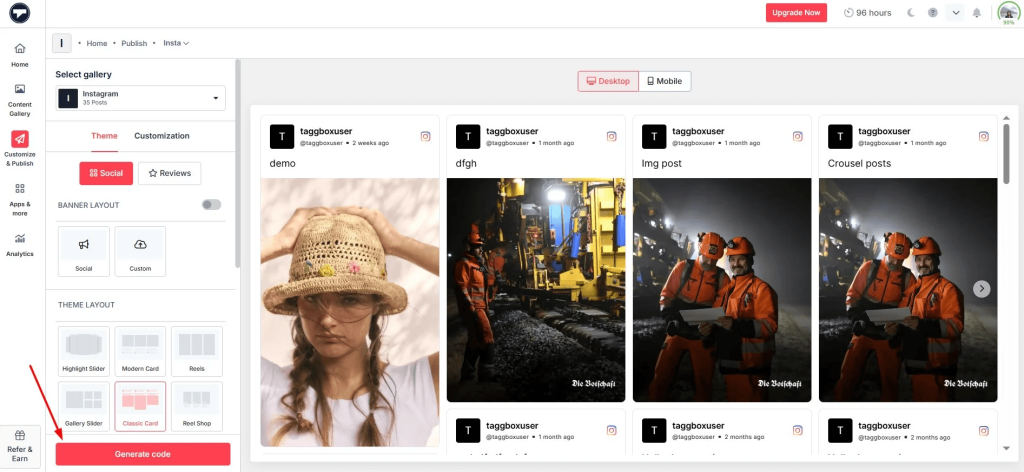
Paso 3: Generar código de inserción
Una vez que tu feed esté listo, copia el código de inserción. Esto te permitirá insertar un feed de Instagram en una página de destino o sitio web enlazado en tu correo electrónico.
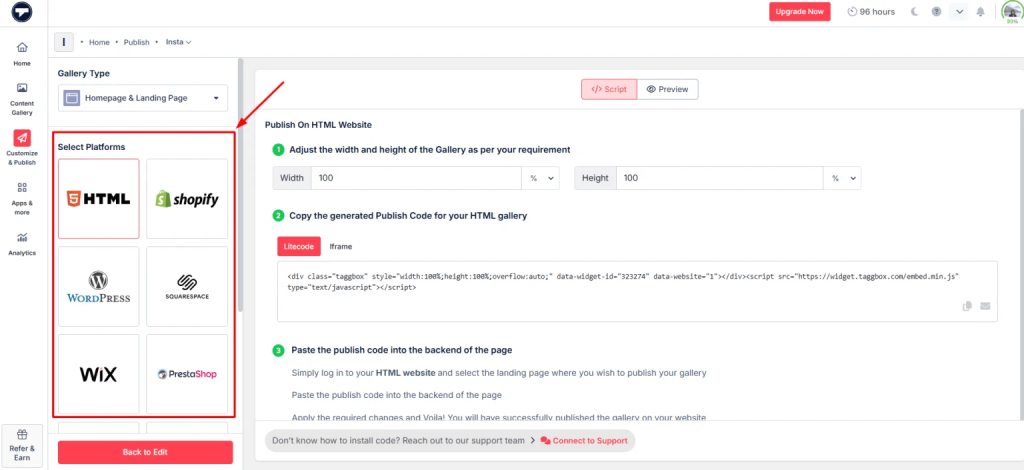
Paso 4: Añade el feed a tu campaña de Mailchimp.
En Mailchimp, añade la página de destino o utiliza el código de inserción en tu plantilla de correo electrónico (mediante un bloque HTML).
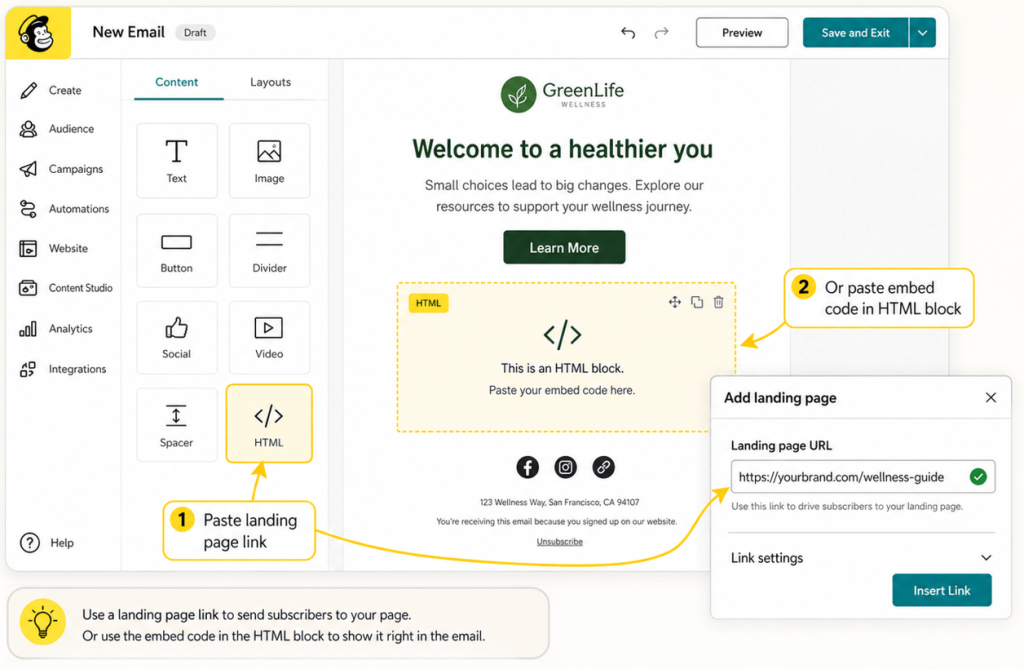
Paso 5: Publicar y realizar un seguimiento del rendimiento
Envía tu campaña y monitorízala participación.El contenido visual, como la inserción de Reels de Instagram en sitios web, vídeos e historias, suele mejorar las tasas de clics.
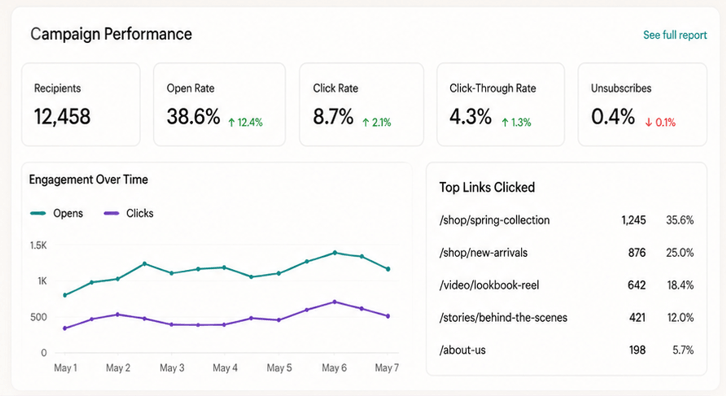
Desconectar o cambiar una cuenta de Instagram
Hay algunas limitaciones que conviene tener en cuenta:
- Solo puedes conectar una cuenta de Instagram por configuración de Mailchimp.
- Al desconectarse, se elimina todo el contenido incrustado de los correos electrónicos.
- Deberás volver a conectarte si cambias de cuenta.
Mailchimp también sigue un flujo de autorización estricto, por lo que el acceso debe ser aprobado nuevamente si cambian los permisos.
Cómo Mailchimp utiliza el contenido de Instagram
Una vez integrado, Mailchimp te permite hacer mucho más que simplemente insertar publicaciones.
Puedes mostrar:
- Una sola publicación de Instagram
- Una fila de postes
- Imágenes clicables que enlazan a Instagram
- Nombre de perfil y logotipo para el reconocimiento de marca
Esto añade profundidad visual a los correos electrónicos, haciendo que parezcan menos promociones y más experiencias.
Y funciona.
Los correos electrónicos con contenido visual tienden a:
- Obtenga tasas de clics más altas
- Mantenga a los usuarios interesados por más tiempo
- Genera más tráfico hacia los canales sociales
Casos de uso comunes de la integración de Mailchimp con Instagram
Así es como lo utilizan realmente diferentes industrias.
1. Marcas de comercio electrónico
Las marcas de comercio electrónico prosperan gracias a los elementos visuales.
Con la integración de Instagram y Mailchimp, pueden:
- Muestra imágenes de productos en situaciones de la vida real.
- Utiliza Instagram como una capa de prueba social.
- Generar tráfico desde el correo electrónico → Instagram → sitio web
En lugar de mostrar fotografías estáticas de los productos, estás mostrando cómo se ven los productos en la vida real.
2. Marketing influyente
El contenido de influencers suele tener mejor rendimiento que el contenido de marca.
Las marcas pueden:
- Integra las publicaciones de influencers en tus campañas de correo electrónico.
- Resaltar el contenido generado por el usuario (UGC)
- Genera confianza al instante
Esto funciona especialmente bien cuando se combina con herramientas que permiten insertar un feed de Instagram o seleccionar contenido a gran escala.
3. Empresas SaaS
Incluso las marcas de software como servicio (SaaS) se benefician de Instagram.
Se puede:
- Comparte las actualizaciones de productos visualmente.
- Desglosar las características en contenido de formato corto
- Aumentar la participación en el boletín informativo
Agregar fragmentos visuales de Instagram hace que los correos electrónicos sean menos densos en texto y más atractivos. Lea este artículo para aprender cómo insertar un feed de hashtags de Instagram en un sitio web.
4. Negocios locales
Para las empresas locales, Instagram suele ser el principal canal de difusión.
Con la integración de Mailchimp, pueden:
- Promociona eventos usando publicaciones de Instagram.
- Enviar actualizaciones visuales a los suscriptores
- Mantenga la marca consistente
Esto funciona especialmente bien cuando se combina con un Widget de Instagram para HTML Su sitio web en línea.
Buenas prácticas al usar la integración de Mailchimp con Instagram
Ahora que has llegado hasta aquí, es importante recordar que la simple integración no es suficiente; necesitas usar la integración de Instagram con Mailchimp de forma inteligente para maximizar los resultados.
1. Utilice únicamente contenido de alto rendimiento.
No todas las publicaciones de Instagram deben ir a tu correo electrónico. Elige publicaciones con un alto nivel de interacción.
2. Unificar el contenido en todos los canales.
Tu Instagram y tu correo electrónico deben estar conectados. Mismo tono, mismo mensaje y misma campaña.
3. Segmenta antes de sincronizar los anuncios.
Si utilizas la sincronización de audiencias, segmenta tus listas primero. Una mejor segmentación equivale a un mejor retorno de la inversión.
4. No sobrecargues los correos electrónicos.
Demasiados elementos visuales pueden ralentizar la carga y abrumar a los lectores. El equilibrio es fundamental.
5. Prueba A / B de todo
Prueba:
- Diferentes formatos de publicación
- Numero de imagenes
- Ubicación en el correo electrónico
Pequeños ajustes pueden generar grandes mejoras.
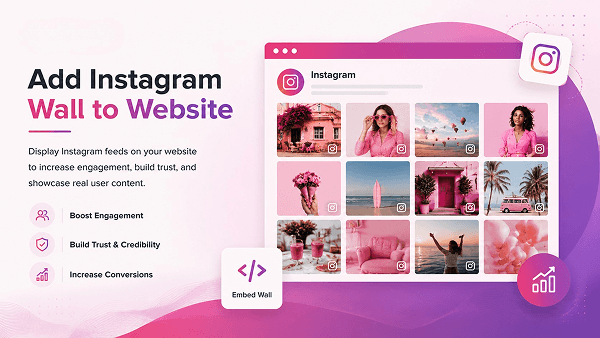
Más allá del correo electrónico: cómo extender el contenido de Instagram a tu sitio web.
Si bien Mailchimp se encarga del correo electrónico, es en tu sitio web donde suelen producirse las conversiones.
Ahí es donde herramientas como Taggbox Adelante.
En lugar de limitar el contenido de Instagram a los correos electrónicos, puedes:
- Integra un feed de Instagram en tu página de inicio.
- Insertar Reels de Instagram en el sitio web para contenido dinámico
- Inserta un vídeo de Instagram para demostraciones de productos
- Insertar historias de Instagram para actualizaciones en tiempo real
- Insertar feed de hashtags de Instagram en el sitio web para campañas de UGC
Incluso puedes crear:
- Un widget deslizante de Instagram para la navegación interactiva.
- Un widget completo de Instagram para HTML que se actualiza automáticamente.
Esto crea coherencia entre:
Instagram → Correo electrónico → Sitio web
Eso es precisamente lo que necesita el marketing moderno.
Conclusión
La integración de Mailchimp con Instagram no se trata solo de insertar publicaciones; se trata de crear un ciclo de marketing completo.
Instagram atrae la atención. Mailchimp la convierte en acción. El retargeting hace que los usuarios regresen. Al conectar estos canales, ya no persigues clientes, sino que los guías. Y en este proceso, pasan de ser simples prospectos a compradores, o de simples visitantes a compradores, que es precisamente lo que buscas para tu negocio.
Si de verdad quieres crecer, no trates las plataformas por separado.
Haz que trabajen juntos.
Ahí es donde se ven los resultados reales.

Rohan Singh es un redactor de contenido sénior en Taggbox Con 6 años de experiencia creando contenido que posiciona a las marcas como líderes del sector, su experiencia abarca el liderazgo de opinión, el análisis de tendencias y la narración estratégica que genera confianza y fomenta la fidelidad de la audiencia.
Más de Rohan Singh
 Harshita Rajoria

 yuvraj
 Jenete