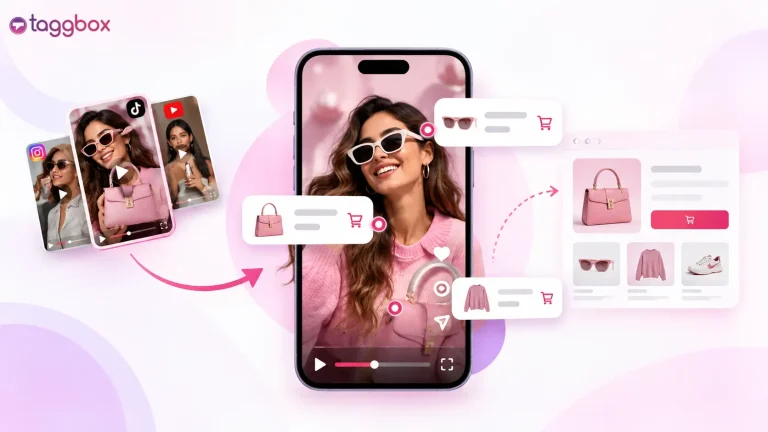
To make your link in bio shoppable, publish your posts on one hosted page, tag each post with its exact product URL, and add that page’s link to your Instagram profile. Taggbox’s ShopOn.Bio handles this in four steps: choose your posts, tag products, publish and add the link, then test it on your phone.
A follower watches your Reel, wants the product, taps your bio link, and lands on a homepage with no clue where to find it. Some will search, and others will scroll on.
This guide shows how to sell products through your Instagram bio with Taggbox, ShopOn.Bio, using one reel as an example.
How to Add a Shoppable Link to Your Instagram Bio with Taggbox
If you’re thinking, “How can I make my link in bio shoppable”, before you start, have three things ready: the posts or Reels you want to feature, the exact product page URLs for each one, and access to edit your Instagram profile.
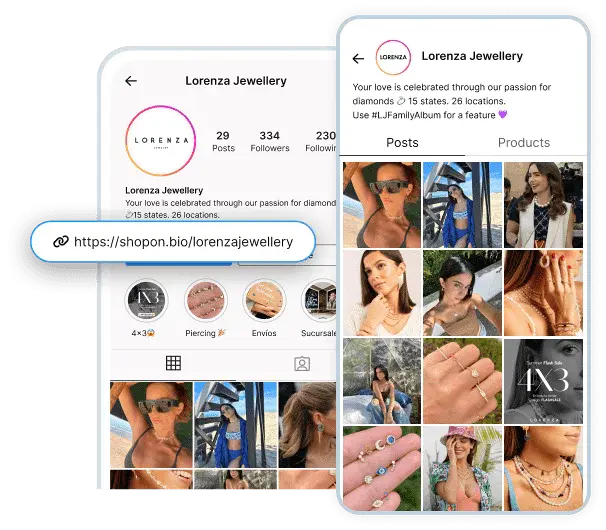
If you’re featuring customer content, make sure you have the creator’s permission before you add it, and request UGC rights on Instagram.
Choose the Posts You Want People to Shop
Start with a few recent posts, Reels, or customer videos that show products you currently sell. Pick the ones where followers already ask “where can I get this?”
ShopOn.Bio is available with Taggbox’s Growth plan and above. Check the de Precios de Servicios Contables antes de comenzar
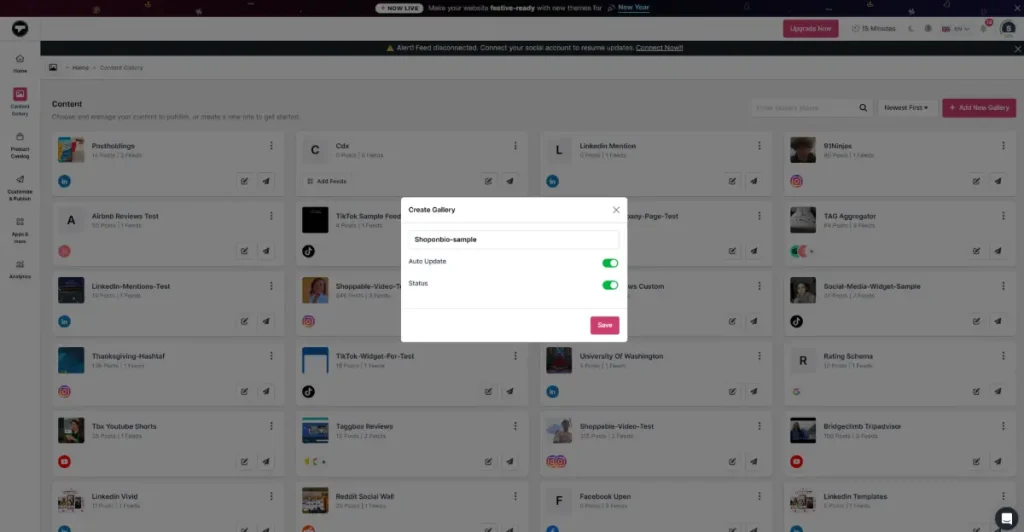
Paso 1: Sign up or sign in to Taggbox, go to Connect Gallery, click Add New Gallery, name it, and click Save.
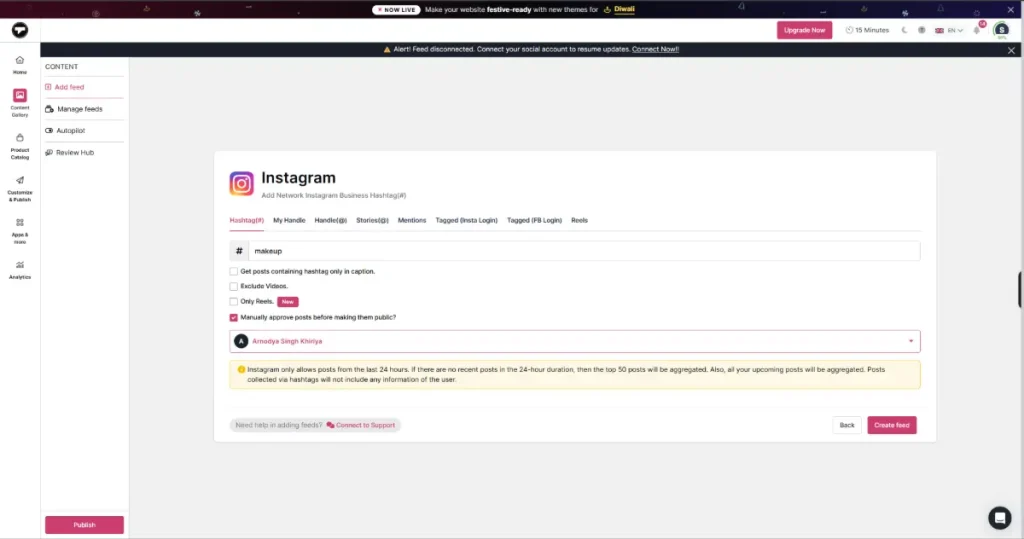
Paso 2: Select Instagram as your source network. You’ll now see options like Hashtag, Handle, Reels, etc. to select a way to embed posts. In this walkthrough, I’ve selected “Hashtag” as the source. Then, click “Create Feed”.
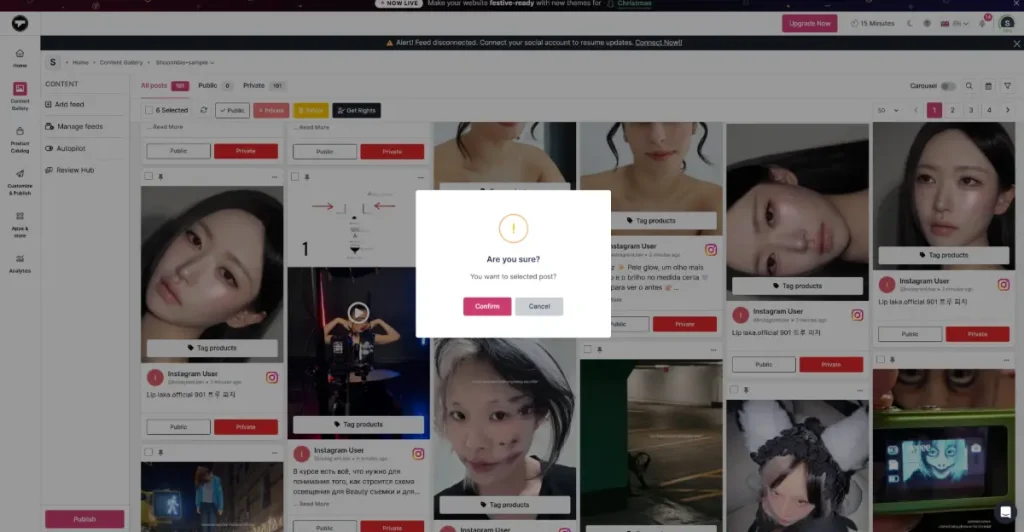
Your feed is now live in the dashboard. Moderate it manually or use Autopilot for predefined filters and AI moderation. Keep only the posts that show products available to buy today.
Tag the Products Featured in Each Post
Paso 3: Once your feed is fetched, you’ll see the “Tag products” option. Connect your product catalog and add the relevant product to each post.
Paso 4: Once tagged, click Publish. These tags appear on your hosted gallery, so that shoppers can go from post to product in one tap.
If you also want native tags inside Instagram itself, follow our guide on how to set up an Instagram Shop.
Publish your ShopOn.Bio page and add it to your profile
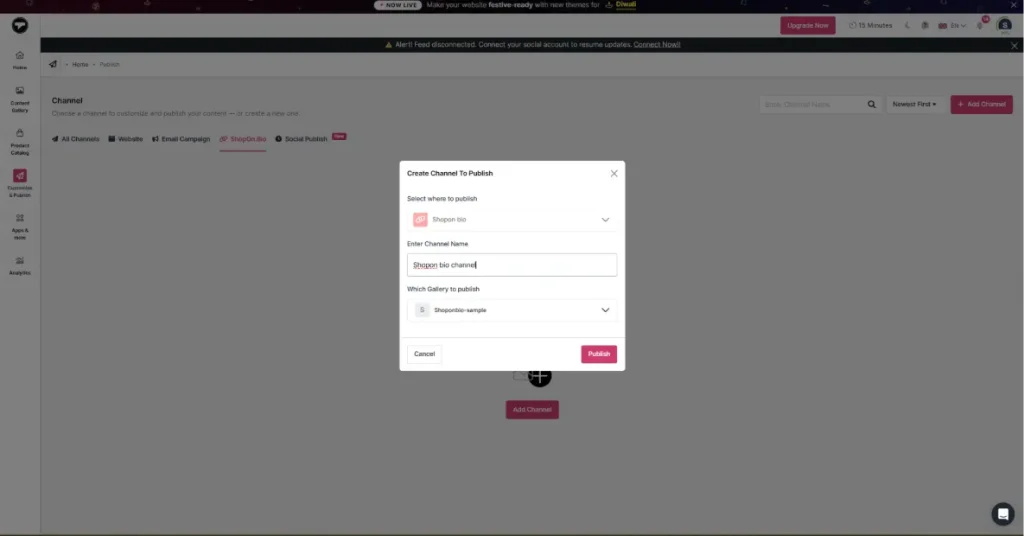
Paso 5: Click ShopOn.Bio, then Add Channel. Give the channel a name and click Publish.
Paso 6: Add your profile image, username, and bio, then pick a theme or set a custom URL. Click Save when you’re done. Use Preview in Taggbox to check your page on both desktop and mobile.
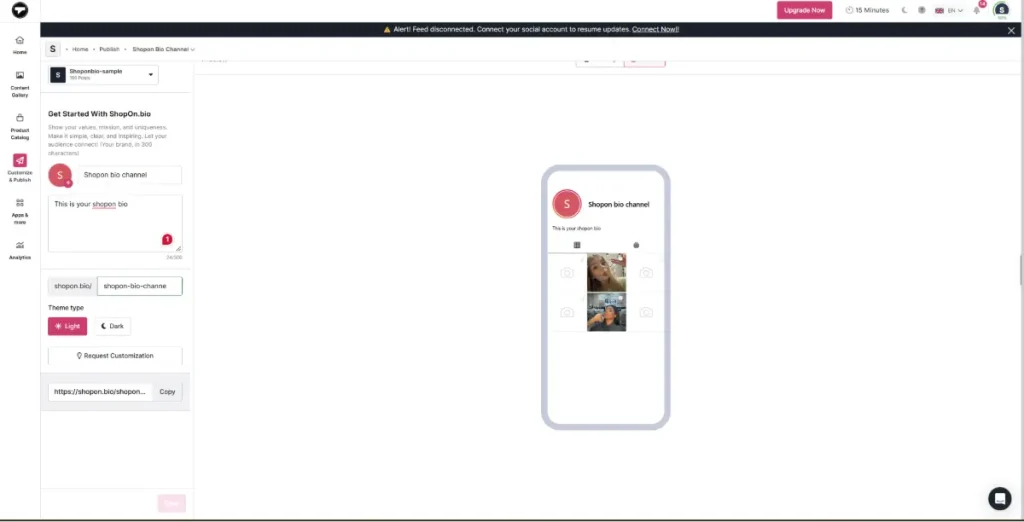
Paso 7: Now copy your ShopOn.Bio URL.
In Instagram, go to Edit Profile → Links and paste it in. Use a clear label like “Shop Our Posts” and match it with a caption CTA such as “Shop the flavor in this Reel through our bio.”
On TikTok, if your account has a clickable website field, paste the same URL there.
Test the Shopping Journey on Your Phone
Then do the real test: open your public Instagram profile on your phone, tap the bio link, and preview all details. Check if products open on the right page.
Check that it opens the correct product and variant. If it sends shoppers to your homepage or a 404, update the product URL in Taggbox and repeat the test from your public profile.
What Shoppers See After Tapping Your Bio Link
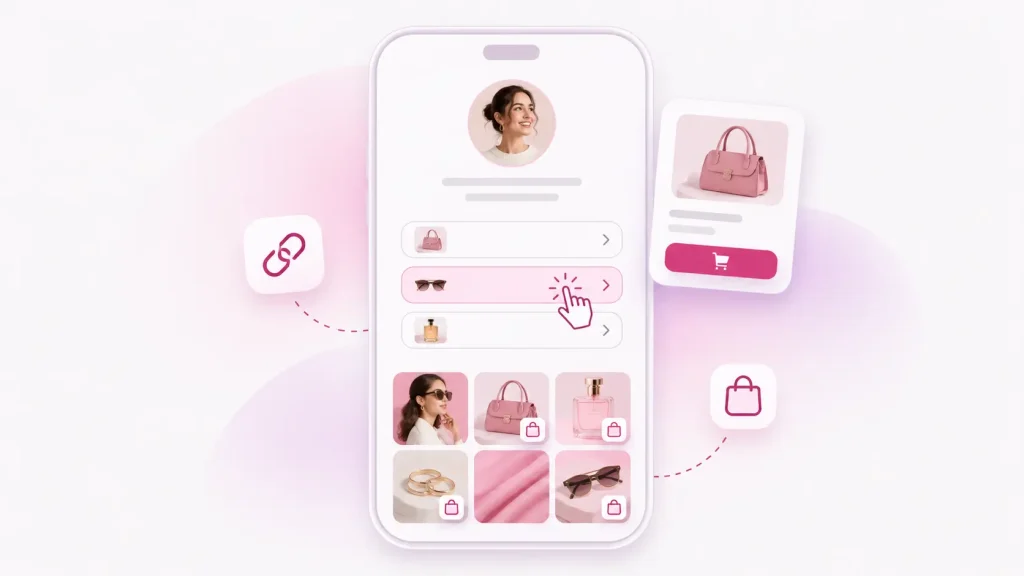
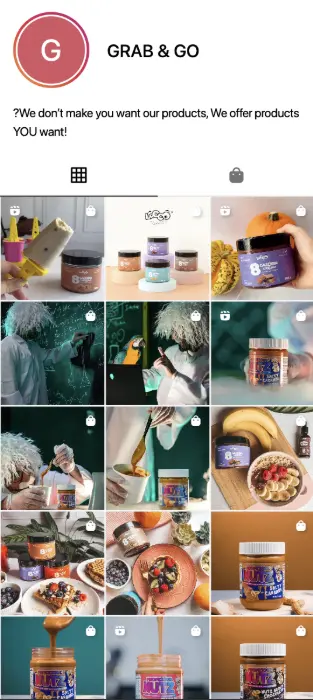
Here’s what a follower sees when they tap the link in your bio: your profile at the top, with two tabs underneath: Posts and Products. Shoppers can scroll your posts and tap the one they saw on Instagram, or open the Products tab to go straight to the full product list. Either way, the Shop Now button takes them to the matching product page on your website.
On the Grab & Go ShopOn.Bio page, tapping the Coffee Cake post and then Shop Now opens the Coffee Cake product page.
Start your shoppable link in bio with Taggbox
Empezar ahoraConclusión
Every follower who taps your bio link is already interested. The only question is whether they reach the product or give up halfway.
A comprable link in bio removes that gap by connecting each post to its exact product page.
Pick one Reel, tag its product, publish your page, and test it on your phone. If the journey works, you’ve turned a dead-end link into a path to purchase.
Ready to make your Instagram bio link shoppable? Comience con Taggbox.
¿Tienes preguntas? ¡Tenemos las respuestas!
1. Can I make my link in bio shoppable if my store isn’t on Shopify?
Yes, you can make your link in bio shoppable if your store isn’t on Shopify. ShopOn.Bio links each post to a product page URL, so it can work with any store that has product pages, including WooCommerce, BigCommerce or a custom site. Paste the exact product URL when you tag the post.
2. Can I tag more than one product in a single Reel on my shoppable bio page?
Yes, you can tag more than one product in a single Reel if your Reel features several products. Taggbox lets you tag products to a post, so that shoppers can open each one from the same Reel. Check the current tagging screen for how many products one post supports.
3. What should I do with a shoppable post when the featured product sells out?
When the featured products sell out, update or remove the tag in your Taggbox dashboard, or point it to a similar in-stock product. Don’t leave shoppers on a sold-out page. Then retest the link from your public profile on your phone.
4. Will the price on my shoppable bio page update when I change it on my store?
Shoppers land on your own product page, so they see your store’s live price there. Your ShopOn.Bio page doesn’t need a manual price edit. Confirm whether prices also display on the Products tab and how often they refresh.
5. How can I tell whether my shoppable bio link is generating sales?
To see if your shoppable bio link is generating sales, add UTM parameters to your product URLs, then check traffic and orders from those links in Google Analytics or your store dashboard. This shows which posts drive purchases.

Sanskriti es especialista en marketing de contenidos en TaggboxEspecializada en contenido generado por el usuario, marketing en redes sociales, experiencias web y confianza digital. Con más de 3.5 años de experiencia en marketing SaaS y B2B, combina investigación de mercado, conocimiento del cliente, estrategias de comercialización y ejemplos de marcas reales para ayudar a los profesionales del marketing a crear experiencias digitales más auténticas y de alto rendimiento.
Más de Sanskriti