Are you ready to embed your customers’ valuable content on your website?
In this post, we will be shedding light on the complete process using the Taggbox Widget.
All you have to do is simply follow the instructions. Let’s delve into the process right away!
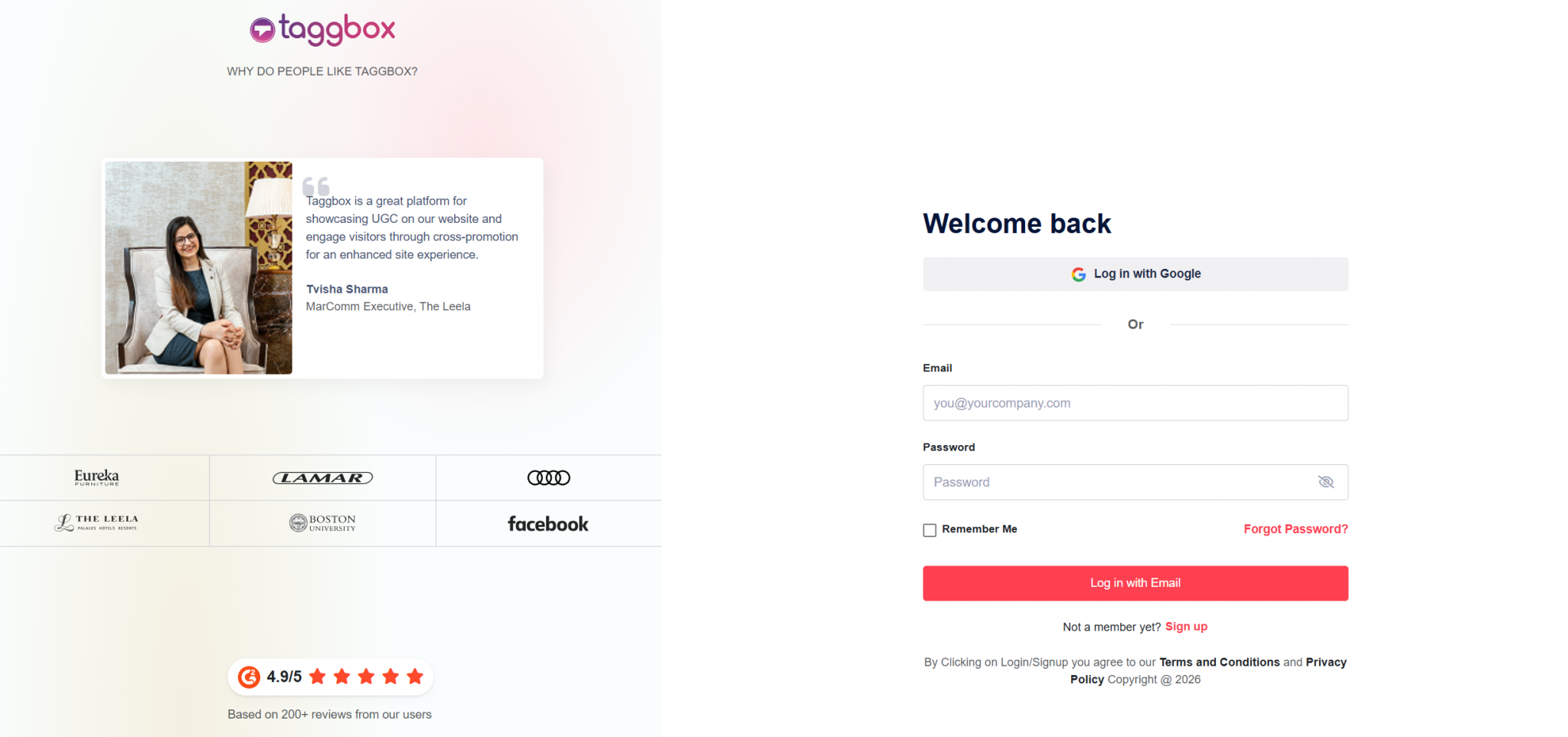
Step 1 – Start by Creating a Taggbox Account
- Begin the process by logging into your Taggbox Widget account. If you are a new user, you can sign up for Free.
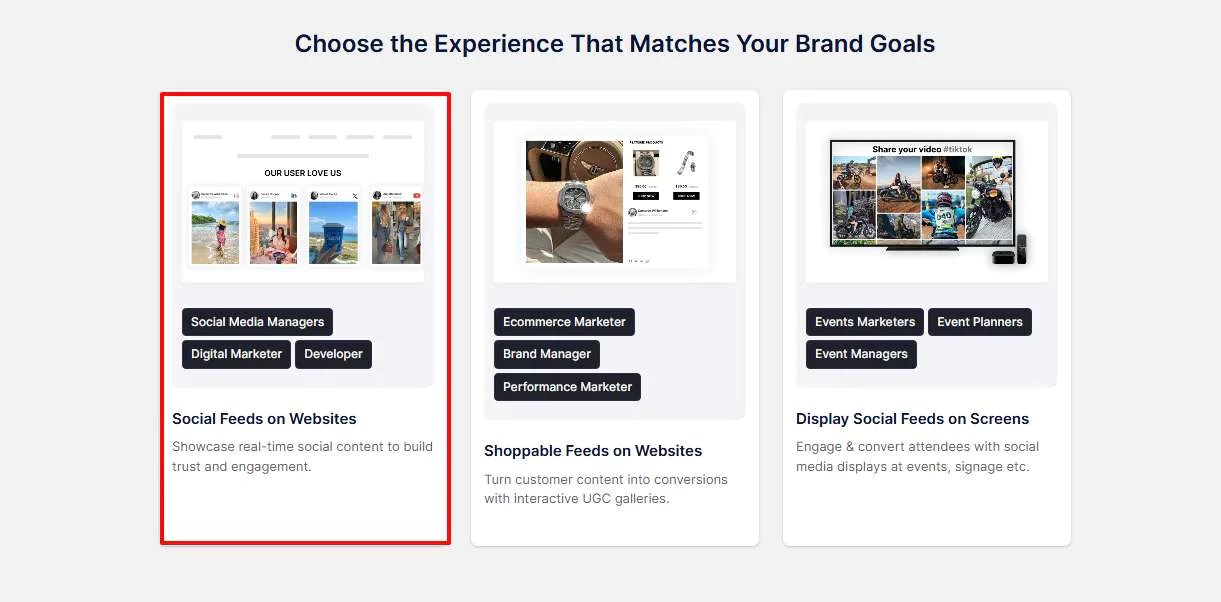
Step 2 – Get Your Dashboard Ready
- After logging in, the dashboard will display several options. Simply click on “Social Feeds on Website”.
- Next, select your industry, add your contact information, and provide the necessary details.
Step 3 – Create Your Google Reviews Feed
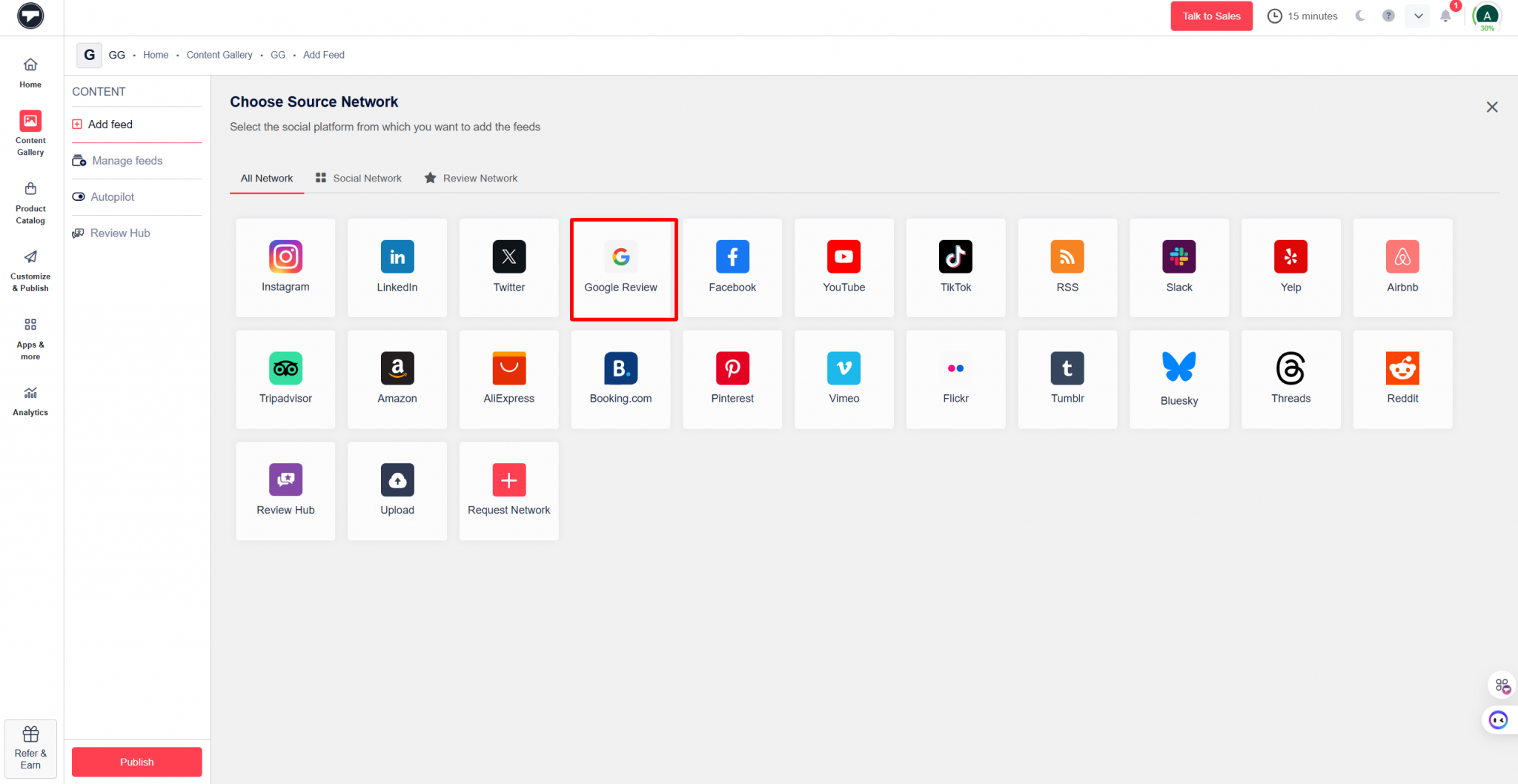
- Choose Google Review as the source network
- Now, you can choose your preferred connection type from the options mentioned below.
Places- Enter your business or any other business address to pull reviews.
My Places- Connect your Google Business account to bring in your reviews automatically.
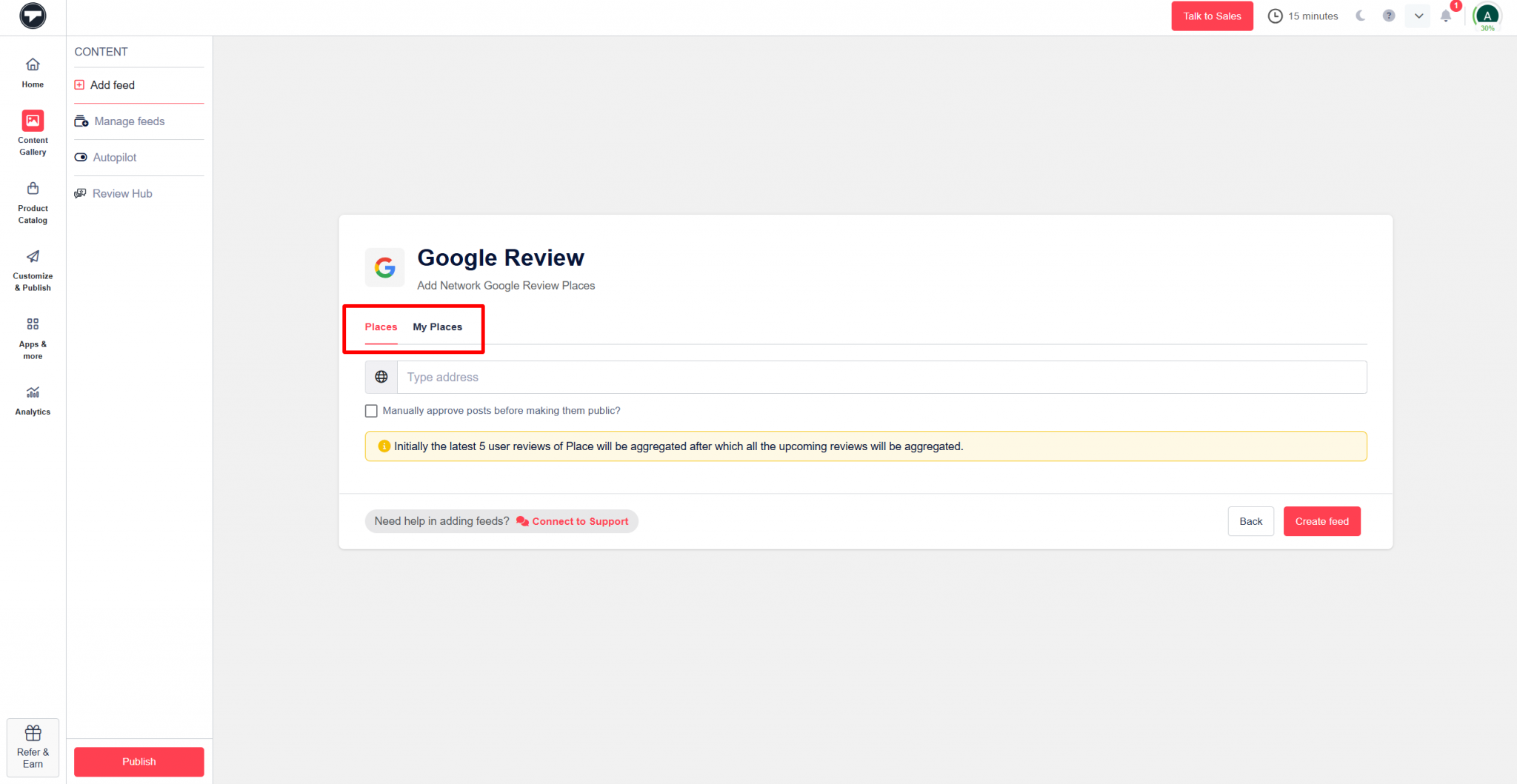
- Then click on Create Feed.
Step 4 – Now Moderate and Customise Your Feed
After creating your feed, you’ll land on the Content Gallery dashboard.
Here, you can:
- Remove irrelevant content manually or use the Autopilot feature for automatic moderation.
- Mark reviews as public or private based on what you want to show.
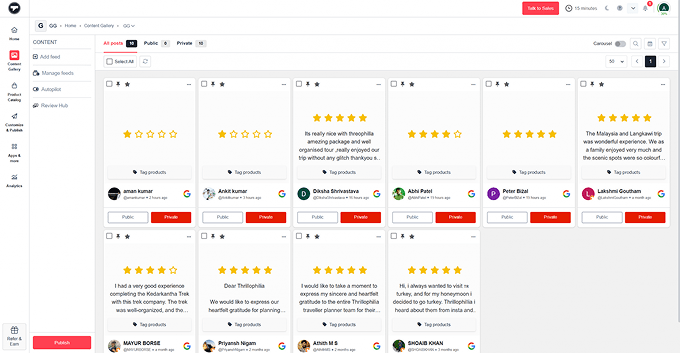
- Click on the Publish Button on the bottom left side.
- You can now personalize your Google review widget the way you want by choosing a theme, layout, CTA, fonts, and more.
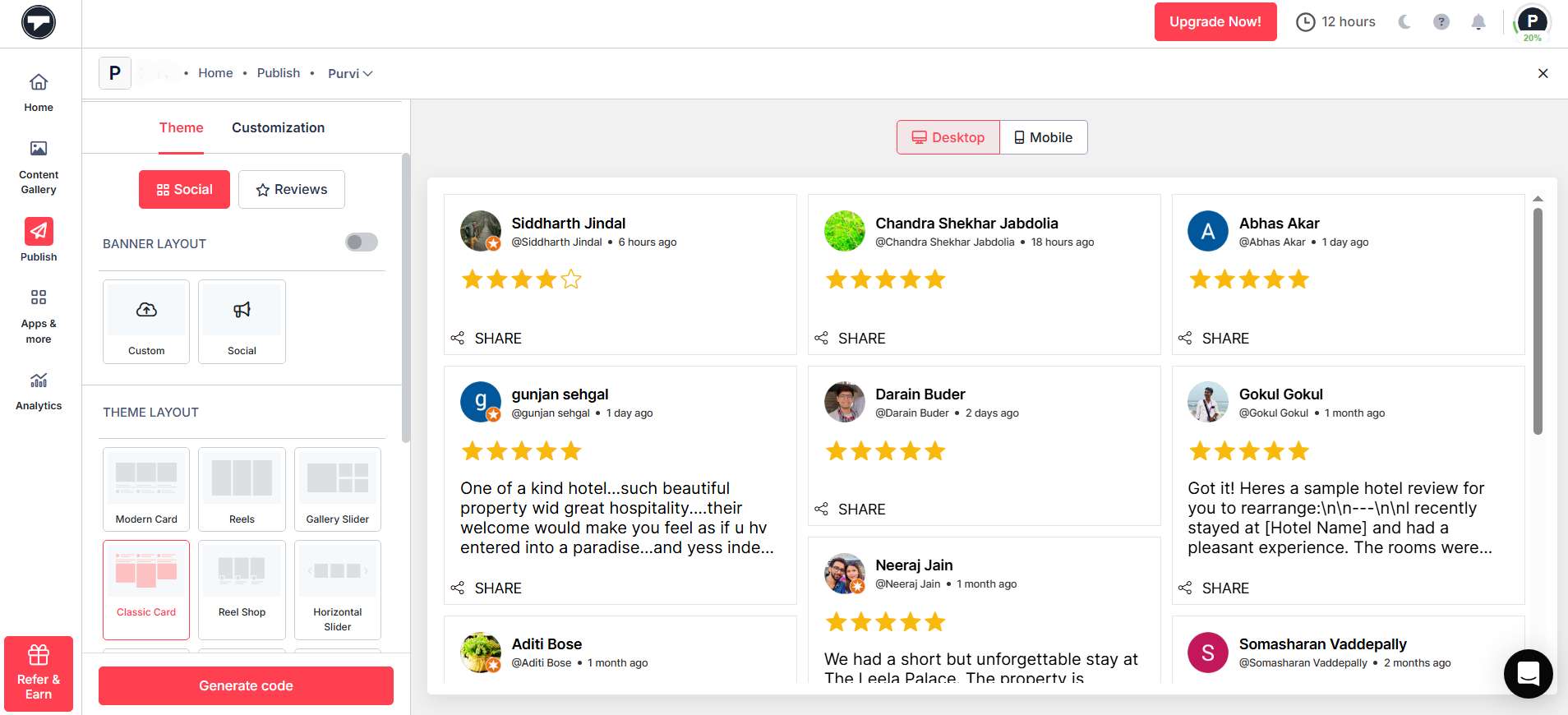
- Click on the Generate code button in the lower-left corner.
Step 5 – Generate Your Embed Code
- Choose from HTML, WordPress, Wix, Squarespace, Weebly, Shopify, and more CMS platforms
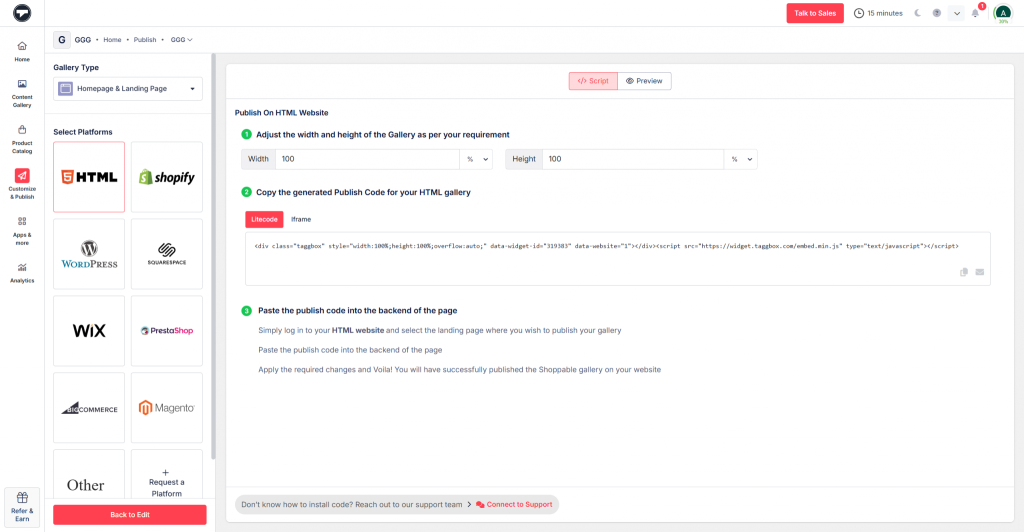
- Simply copy the generated code and paste it into your website’s backend to make changes.
- Kudos! You will have successfully embedded Google reviews on the website.
Easy Video Guide to Add Google Reviews to Your Website
In case of any support or queries, contact us or write to us at support@taggbox.com.
That’s all it takes to get Google reviews to show up on your website. Follow it right away to enjoy benefits like increased user engagement, building your prospects’ trust, and eventually boosting your sales and conversions!