Delete a Post
First, Login to your Taggbox Widget account. You will be redirected to your Widget Dashboard. Like This:
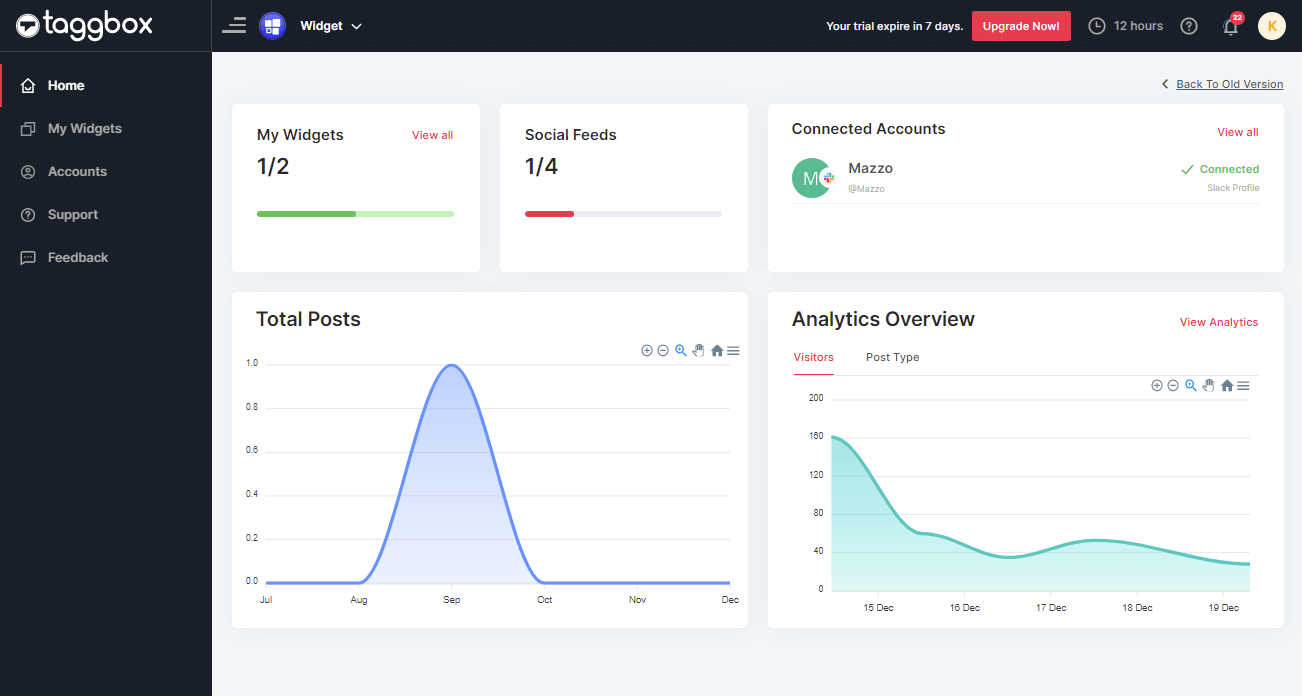
Follow the below steps to proceed:
Step 1
Now, on the left menu panel Click on My Widget. To open the list of widgets you’ve created.
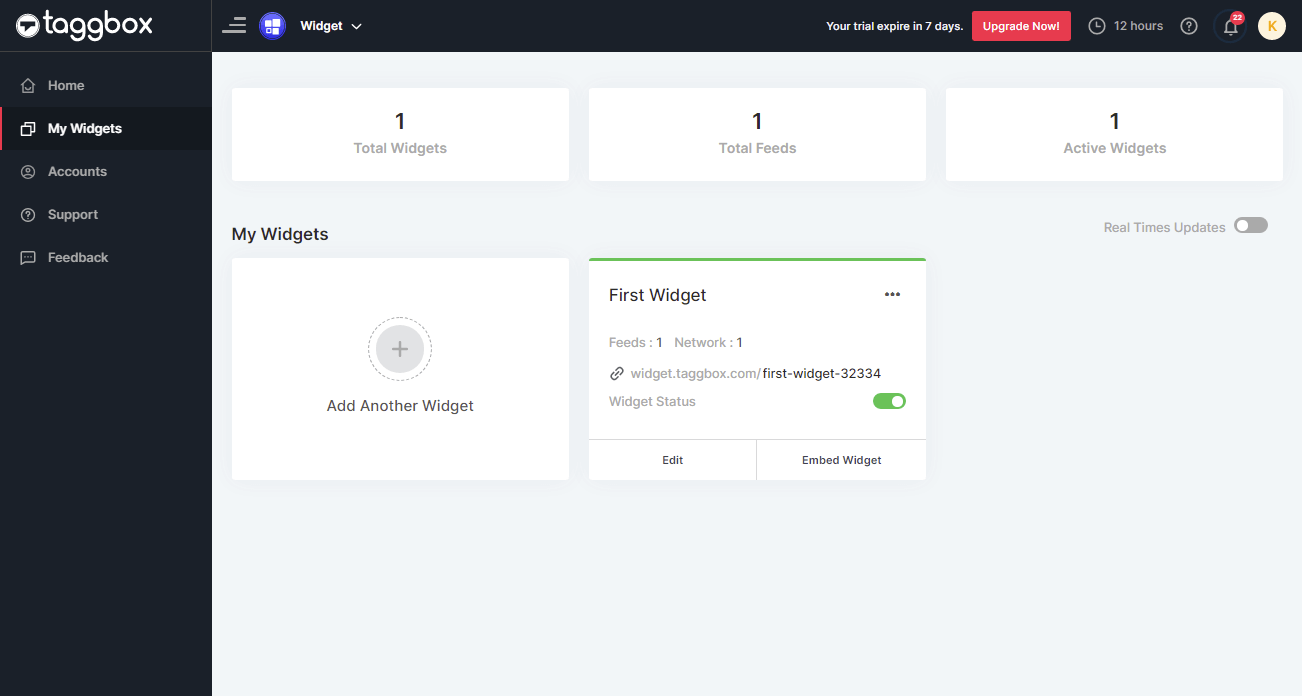
Step 2
Click on Edit button of your Widget you want to delete feeds for.
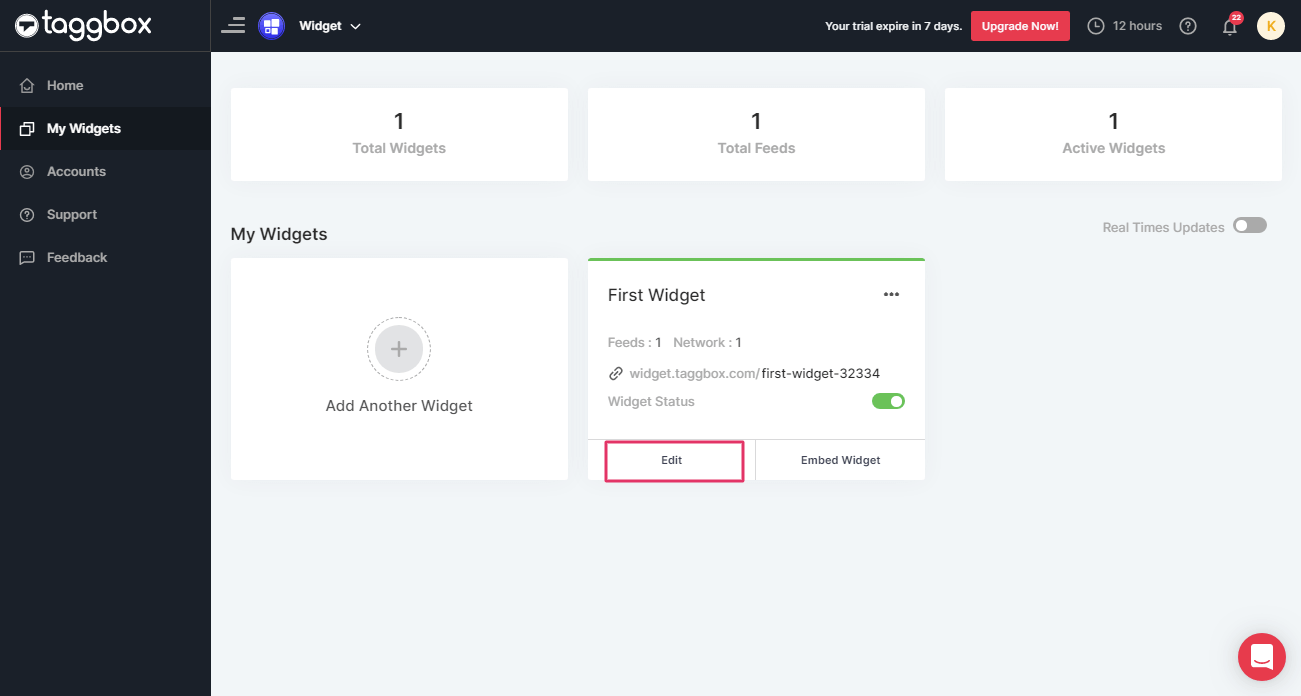
Step 3
Click on the “Moderation” on the left-hand side panel of your screen.
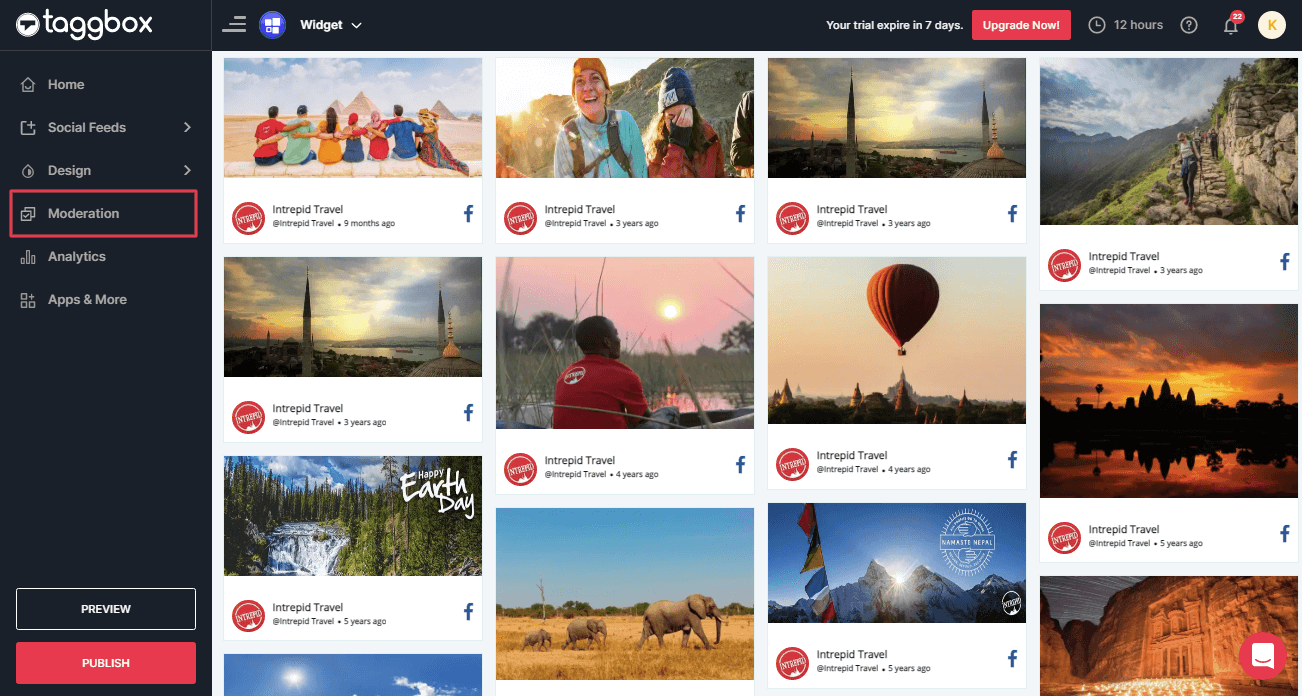
Step 4
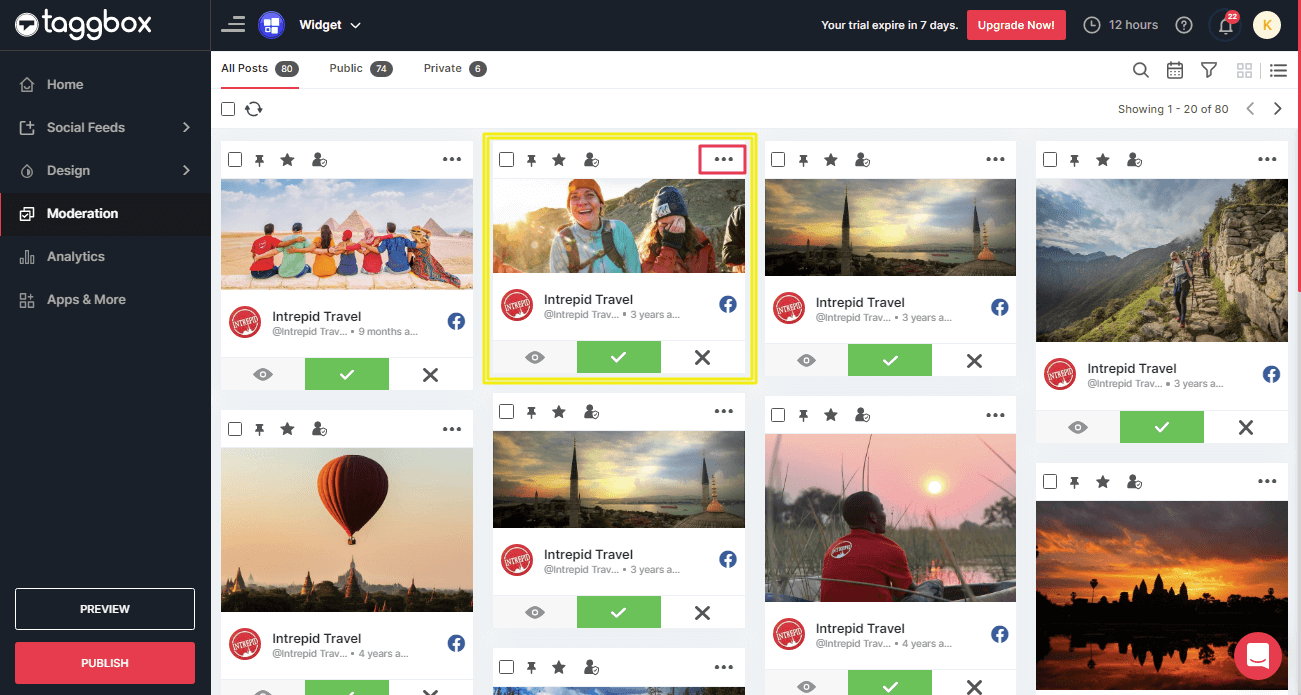
Now, identify the post you wish to delete (e.g. highlighted in the yellow box) and click on the 3 dots (…) highlighted in the pink box:
For example see the screenshot below:
Step 5
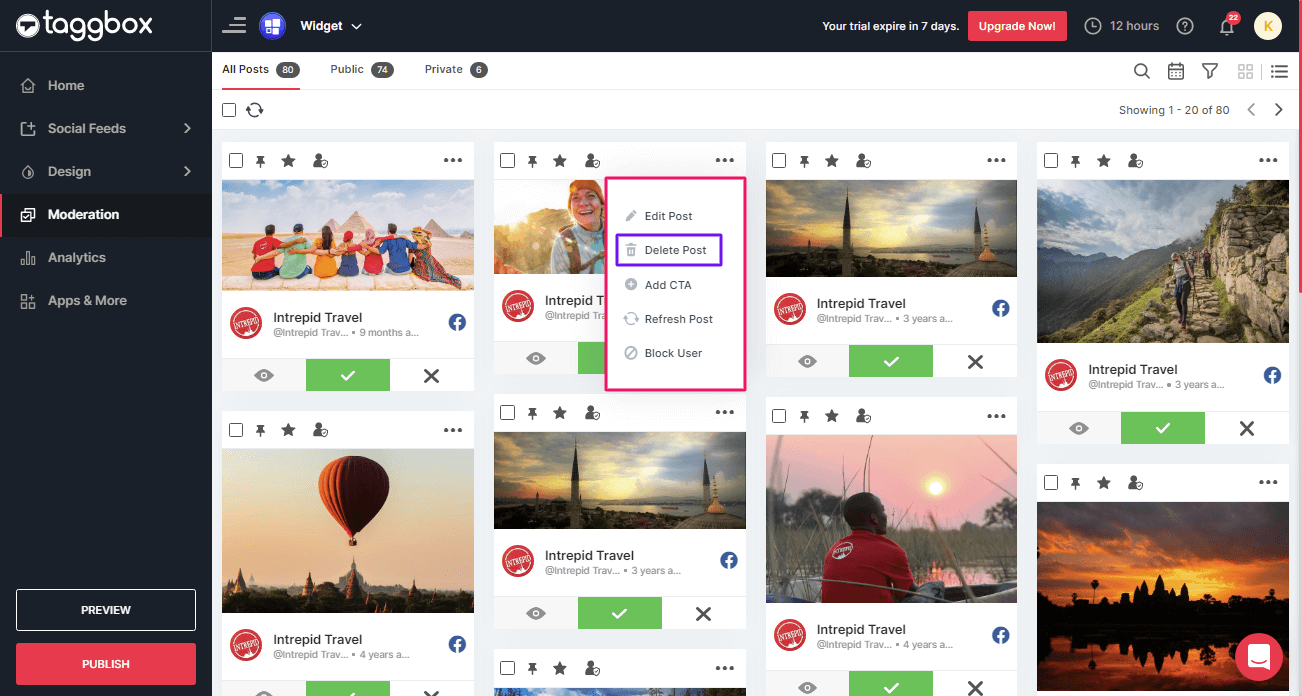
Now a list will appear as shown in the following picture:
Click the “Delete Post” button.
Step 6
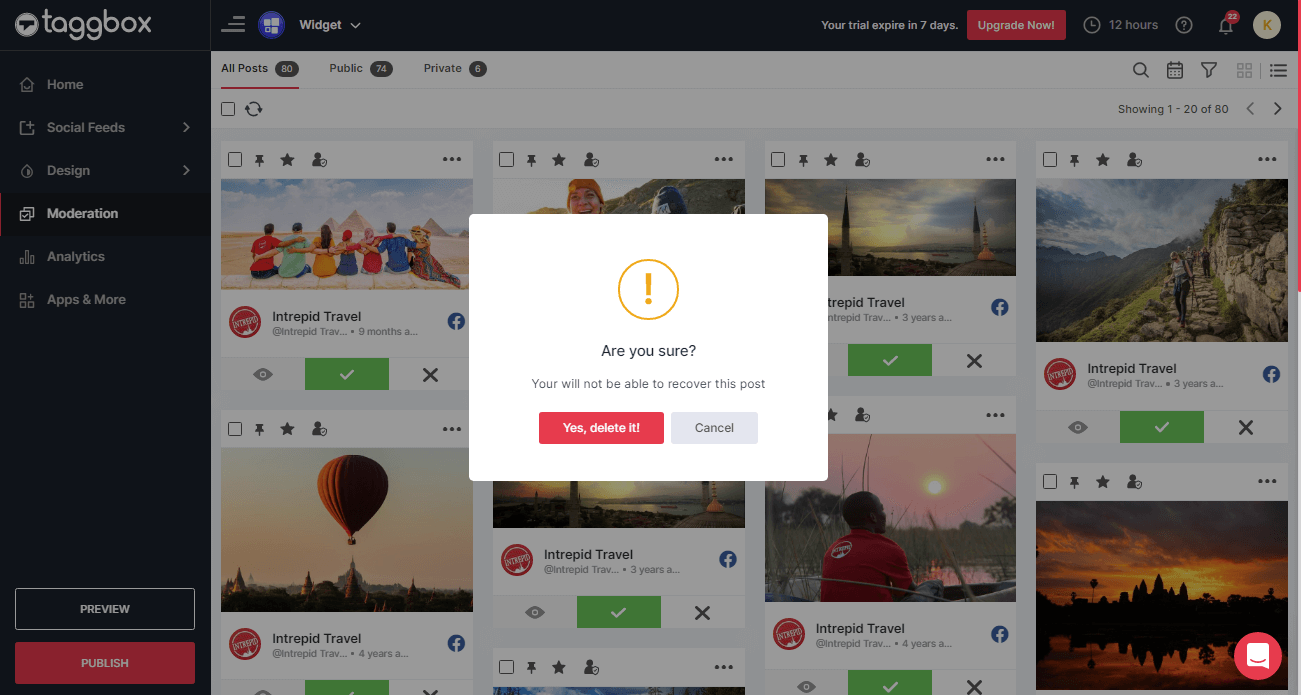
A dialog box for confirmation will appear. Click “Yes, delete it!” to finally delete the post.
Step 7
An acknowledgment dialog box will appear. Click “OK”.
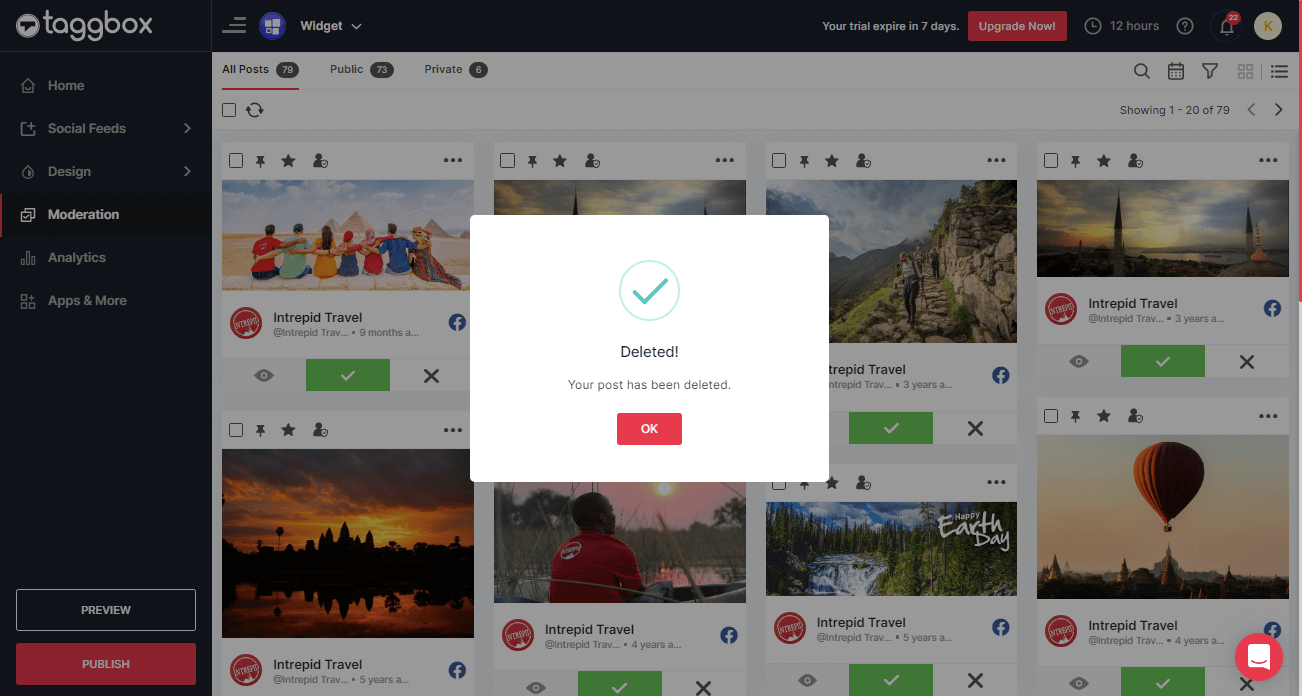
You have successfully deleted the post. The post will no longer be displayed on your social widget.
If you face any additional issue then please feel free to Contact us or write us at support@taggbox.com