The most effective LinkedIn post ideas for 2026 include text-only posts, videos, carousels, documents, events, celebrations, collaborative posts, polls, articles and newsletters. The best idea depends on the content type: use text for quick opinions and one-liners, carousels for step-by-step breakdowns, video for demos and testimonials, and documents for downloadable resources.
What’s the last LinkedIn post you actually stopped scrolling for?
Between doomscrolling habits and AI tools summarizing posts before anyone reads them, the old rule of “just post consistently” doesn’t cut it anymore. Let’s look at the LinkedIn post ideas and formats that can help capture attention, along with one often-overlooked idea that many brands miss.
11 LinkedIn Post Ideas & Formats
LinkedIn gives us many ways to post content, and each format works differently. Some are built for quick engagement, others for depth. And knowing which idea for LinkedIn post fits your content makes the difference between a post that gets skipped and one that gets read. Below, I’ve explained what each idea includes and an example for each to help you understand better.
1. Text only
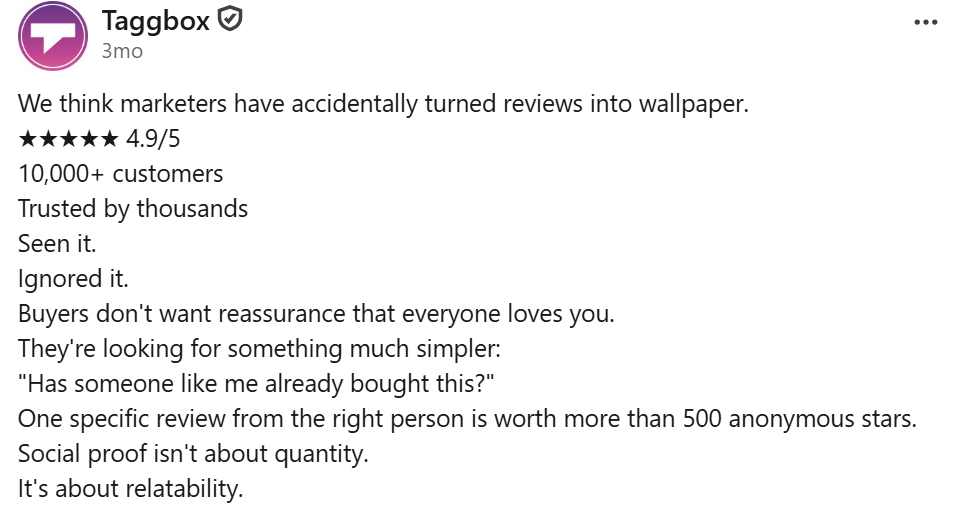
Text-only posts are the simplest format on LinkedIn, but often the most effective. With no image or video to lean on, the words have to do all the work, which makes this format great for sharp, quick, and honest content that people can read in seconds. It’s quick, easy-to-digest and relies on strong hook and clear point of view.
| Post Idea | What it is | Example |
| One-liners | A single, punchy sentence that captures an idea or observation. | “Your best content idea is probably sitting in your customer support tickets.” |
| Hot Takes/Unpopular Opinions | A bold, slightly contrarian statement that provokes discussion. | “Most companies don’t need a content calendar. They need a point of view.” |
| Quick & Short Checklists | A short, numbered list people can act on immediately. | “3 things to check before hitting publish: headline, hook, CTA.” |
| Jokes/Memes | A short, relatable line of humor about work or your industry. | “Nothing says ‘Monday’ like a client asking for ‘just one small change.” |
| Inspirational Quotes | A quote (yours or someone else’s, properly credited) with a short reflection. | Sharing a quote on persistence with a line on how it applies to your work. |
| Ask a Question | A direct, simple question to your audience. | “What’s one marketing tactic you stopped using in 2026?” |
| Personal Story | A short, honest account of something you experienced. | “I got rejected from 12 jobs before getting my first marketing role. This is what I learned.” |
| User-Generated Content | Sharing UGC posts, like what a customer said or wrote about you. | Displaying a video of a customer using your product. |
| Hiring | A simple, direct announcement about an open role. | “We’re hiring a content writer. Remote, full-time. Comment ‘interested’ and I’ll DM you.” |
Ideal for:
- Personal brands, founders, and solo creators building thought leadership
- B2B SaaS companies that want quick, low-effort engagement
- Recruiters and HR teams posting hiring updates
- Early-stage startups that don’t yet have design resources
2. Images
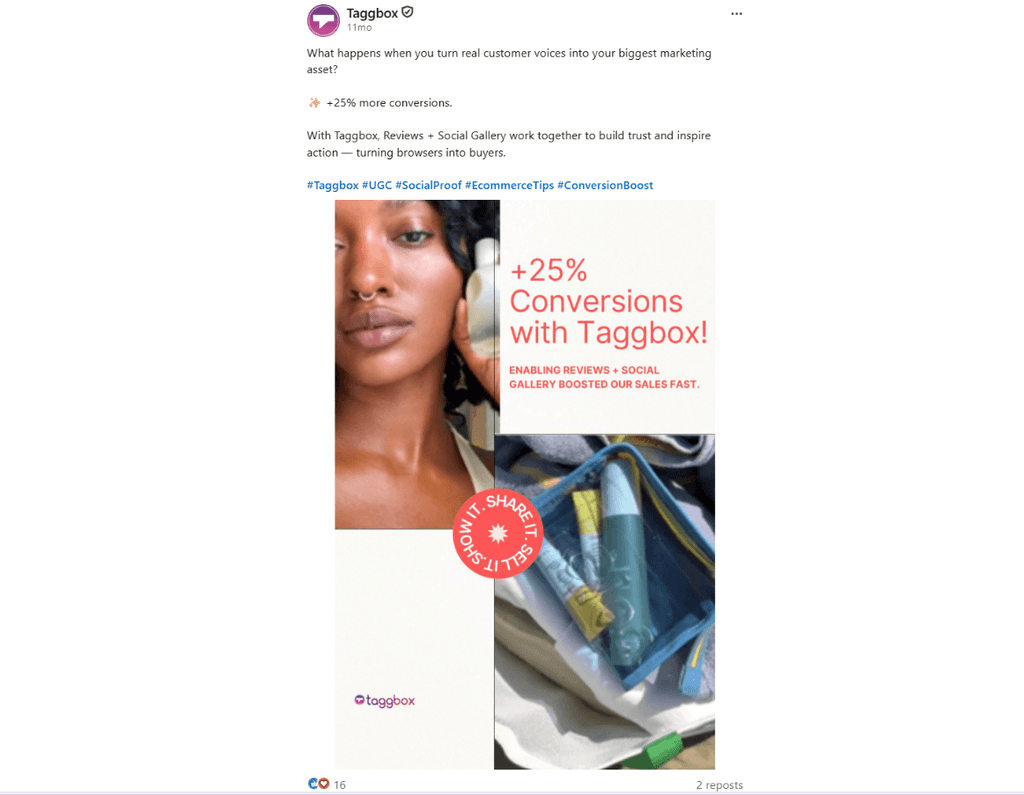
A single image can say more than a paragraph of text when it’s genuine and behind-the-scenes instead of stock photography. This format works best for moments you want people to see, and not just read about. It builds reliability and humanizes the brand via quick, visual storytelling.
| Post Idea | What it is | Example |
| Behind The Scenes | A candid look at your workspace, a brainstorming session, or a product in making. | Here’s what our design team’s whiteboard looked like right before we shipped this feature. |
| Company Culture | Team outings, office rituals, small wins. | A photo from a team lunch with a caption on what made the week fun. |
| Employee Stories | A photo of a team member with a short caption on their journey or role. | “Meet John, who joined as an intern and now leads our support team.” |
| Jokes/memes | A short, relatable line of humor about work or your industry. | “Nothing says ‘Monday’ like a client asking for ‘just one small change.” |
| Celebrations/Milestones | Visual proof of an achievement | A graphic marking “500 customers onboarded” or a team photo after achieving a target. |
| Highlight Company Leaders | A photo of a founder or leader with a quote or takeaway. | A headshot with a one-line insight from a recent talk. |
| Brand Origin Stories | An old photo of the founding team or first office | “This is the garage where it all started in 2010.” |
| Jokes/Memes | A relatable meme about work life or your industry. | A meme about Monday deadlines with your brand’s tone. |
| Inspirational Quotes | A styled quote card. | A quote from an industry leader, designed with your brand colors. |
Ideal for:
- D2C and ecommerce brands showing products and team culture
- Agencies and studios highlighting creative work
- HR and employer branding teams
- Small businesses that want authentic, low-production way to show their people and space
3. Videos
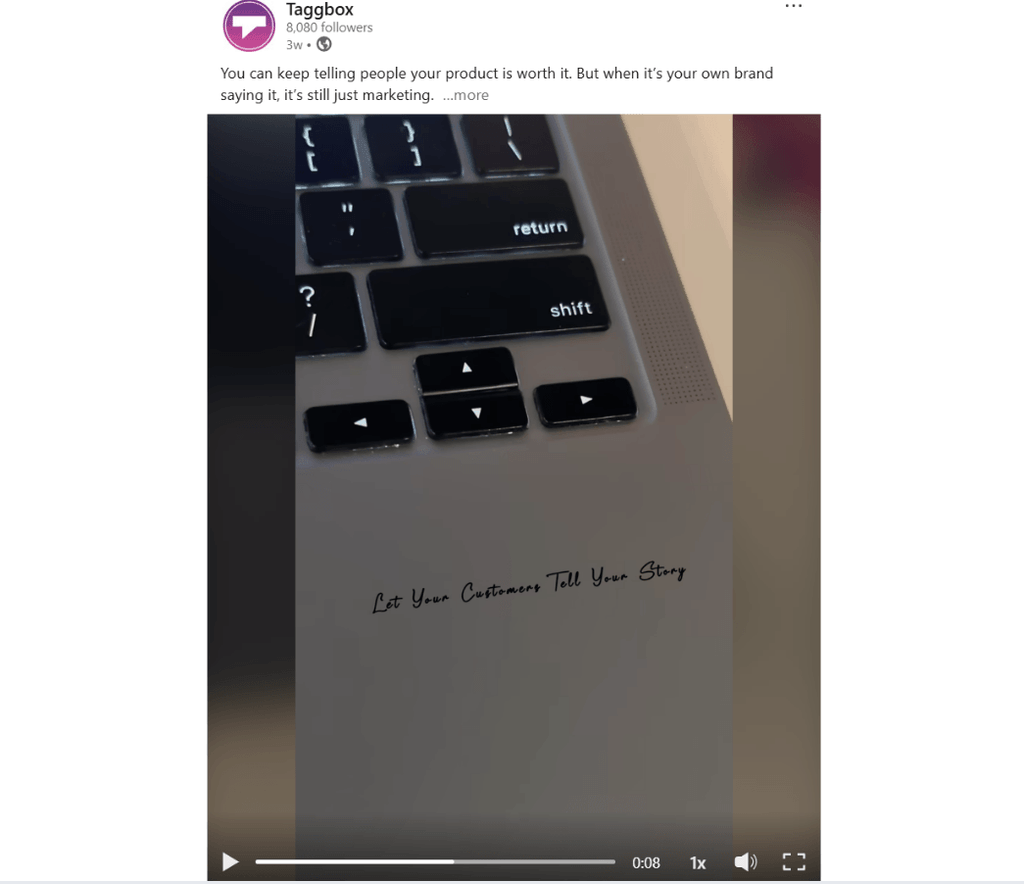
Video holds attention longer than any other format and works well when you want to show rather than tell. It’s the best format for anything that needs a face, a voice, or motion to land and it builds trust and engagement.
| Post Idea | What it is | Example |
| Product Launches | A short video demo of a new feature. | A 30-second walkthrough of a new dashboard. |
| Behind The Scenes | A time-lapse or clip of the team at work. | A quick video of a product photoshoot in progress. |
| Employee Stories | A short interview clip. | A 1-minute video of an employee talking about their growth at the company. |
| Customer Win Stories (Testimonials) | A customer talking about results they achieved with your product. | A client sharing how your product solved a specific problem. |
| Thought Leadership | A leader sharing an opinion directly to camera. | A 60-second take on where the industry is heading. |
| Your Story | A founder or employee narrating a personal journey. | “Here’s why I left my corporate job to build this.” |
| Company Culture | A day-in-the-life style video. | A walk-through of what a typical day looks like at the office. |
| User-Generated Content | Reposting a customer’s video review or unboxing. | A client’s video showing how they use your product day-to-day. |
Ideal for:
- SaaS and product-led companies doing demos and launches
- Ecommerce and D2C brands using customer testimonials
- Agencies showing behind-the-scenes work
- Companies focused on employer branding and recruitment marketing
- Coaches, consultants, and personal brands building authority through talking-head content
4. Carousel
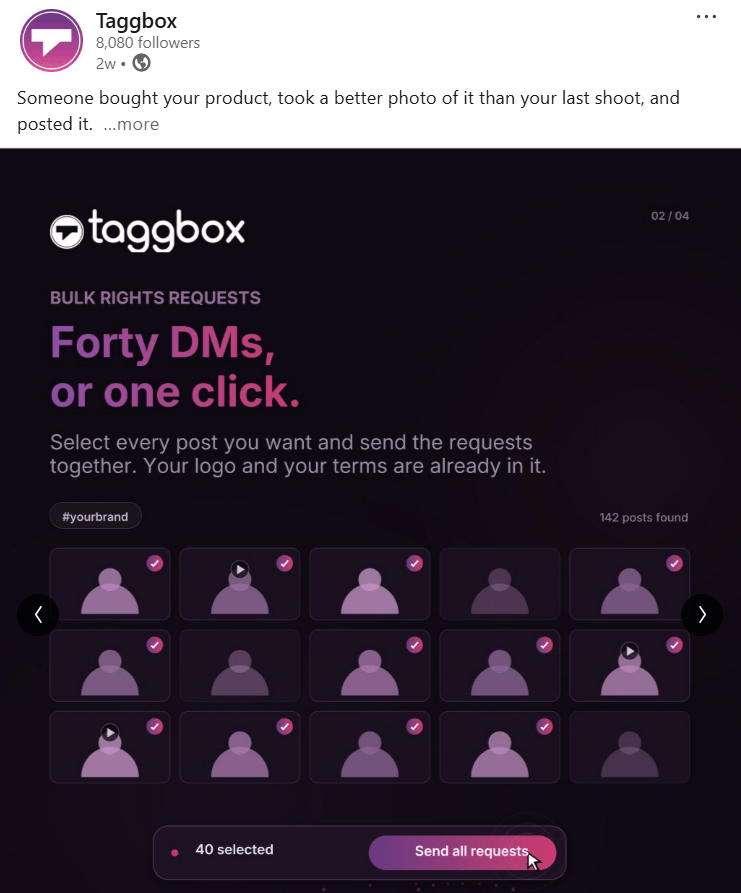
Carousels are built for anything that needs to be explained step by step or in-depth visually across multiple slides while keeping each idea visually digestible and easy to swipe through. They perform well because they encourage people to swipe, which signals engagement to the algorithm.
| Post Idea | What it is | Example |
| This or That | A comparison format across slides. | “Cold email vs LinkedIn outreach: which works better in 2026?” |
| Problem-Solution Analysis | Slide 1 states a problem; following slides walk through the solution. | “Your landing page isn’t converting. Here’s why, and how to fix it.” |
| Product/Service Feature Deep Dives | Each slide covers one feature. | A 6-slide carousel breaking down every feature of a new tool. |
| Quick Checklists | A checklist spread across slides for readability. | “7 things to check before publishing a blog post.” |
| Data Visualization/Infographics | Charts or stats broken into digestible slides. | A carousel showing survey results on remote work trends. |
| Industry Insights | A trend explained slide by slide. | “5 shifts in B2B marketing this year.” |
| Case Studies | Before-and-after results with data. | “How we helped a client grow organic traffic by 3x.” |
Ideal for:
- B2B SaaS and service companies explaining features or frameworks
- Marketing and content agencies breaking down strategies for prospects
- Consultants and educators teaching in digestible steps
- Brands with case studies or data they want to walk audiences through visually.
Embed your LinkedIn content on your website
Start Free
5. Document
The document format lets people download or scroll through a PDF directly on LinkedIn, making it ideal for anything that reads like a mini-resource rather than a quick post. It delivers detailed, resource-style content that people want to save or reference later.
| Post Idea | What it is | Example |
| Free Resource Giveaways | A short downloadable guide. | A 5-page guide to writing better meta descriptions. |
| Quick, Detailed Checklists | A more thorough, printable checklist. | A one-page SEO audit checklist. |
| Original Research Summaries | Key findings from a survey or study explained clearly. | A summary of survey results with charts. |
| Promote eBooks | A few pages from a larger eBook to drive downloads. | The first chapter of an eBook shared as a teaser. |
| Problem-Solution Frameworks | A structured breakdown of a common problem and how to solve it. | A one-pager on “The 3-step framework to reduce customer churn.” |
Ideal for:
- B2B companies and agencies offering lead magnets like guides or templates
- SaaS companies sharing research reports
- Consultants and coaches promoting eBooks or frameworks
- Anyone running content-led lead generation on LinkedIn.
Native documents and carousels lead all formats with an average engagement rate of 7%, based on Socialinsider’s analysis of 1.3 million posts across 16,645 business pages.
6. Event
The event format is built for anything with a specific date and time that you want people to register for or attend live. It helps you increase registrations and attendance for live events.
| Post Idea | What it is | Example |
| Webinars | An upcoming live session with sign-up details. | “Join our live session on SEO trends for 2026.” |
| Product Launches | A live walkthrough tied to a launch. | A live demo announcing a new feature. |
| AMAs with leaders | A live question-and-answer round with a founder or expert | “Ask our CEO anything about scaling a SaaS company.” |
Ideal for:
- SaaS companies hosting product webinars
- B2B brands running educational sessions for prospects
- Founders and leaders doing AMAs to build personal authority
- Companies launching new products with a live component
7. Celebration
LinkedIn’s celebration format comes with a badge and animation, making it the natural choice for milestones people should notice and react to. It marks moments that are worth publicly celebrating.
| Post Idea | What it is | Example |
| Company Wins/Milestones | Reaching a big number or achievement. | “We just crossed 10,000 customers.” |
| Employee Work Anniversaries | Marking someone’s years at the company. | “Celebrating 5 years of Tina at Taggbox.” |
| Award/Recognition | Highlight company leaders’ achievements. | “Our CMO was named a Top Marketing Voice this year.” |
| Hiring Announcements | Welcoming someone new or a big hiring milestone. | “Welcoming our 100th team member.” |
Ideal for:
- Startups and growing companies marking funding, revenue, or customer milestones
- HR teams celebrating work anniversaries
- Agencies and consultancies announcing awards or recognition
- Any company that wants to mark team or business growth visibly
8. Collaborative Posts
Collaborative posts let two or more people or pages co-author a single post, which naturally expands reach to both audiences. It extends reach by tapping into someone else’s network through shared authorship.
| Post Idea | What it is | Example |
| Industry Insights | A joint post with an industry peer. | Two marketers co-writing a post comparing their approaches to a trend. |
| Thought Leadership | A shared perspective post. | A joint take from your company and a partner brand on where the industry is headed. |
| UGC Amplification | Co-posting with a customer who created content about you. | A shared post with a customer’s review, posted jointly. |
| Customer Win Stories | A results-based post co-authored with the client. | A joint post where both your brand and customer talk about achieved results. |
Ideal for:
- B2B companies with partner or affiliate relationships
- Agencies co-creating content with clients
- SaaS brands amplifying customer success stories jointly with the customer
- Industry experts cross-posting with peers to expand reach
9. Poll
Polls are the fastest way to get people to interact with minimal effort, making them useful for quick engagement. It’s great for getting a pulse on your audience’s opinion.
| Post Idea | What it is | Example |
| Ask a Question | A simple opinion-based poll. | “Which content format do you find most engaging on LinkedIn?” |
| Surveys | A slightly more research-driven poll. | “How much time do you spend on content strategy weekly?” |
| This or That | A quick two-option choice. | “Long-form posts or short one-liners?” |
| Market Trends | A poll testing perception of a trend. | “Do you think AI will replace SEO writers by 2027?” |
Ideal for:
- Brands and marketers that want quick audience research
- Community-driven personal brands testing content ideas
- B2B companies assessing market sentiment before a campaign
- Anyone wanting low-effort, high-engagement posts
10. Article
LinkedIn’s native article format is built for long-form writing that needs more space and permanence than a regular post, and it lives on your profile indefinitely. It works well for in-depth content that benefits from more space and does not need to be scanned quickly.
| Post Idea | What it is | Example |
| Long-Form Thought Leadership | A detailed opinion piece | “Why most B2B content strategies fail before they start.” |
| Original Research | A detailed explanation of a study you conducted. | A full report on survey findings with analysis. |
| Industry Insights | A deep analysis look at a trend. | “The state of content marketing in 2026: what’s changing and why.” |
| Brand Origin Series | The full story behind how the company started. | A detailed account of the founding journey. |
| Problem-Solution Analysis | A deep dive into a common problem and its fix. | “Why your landing pages aren’t converting, and the complete fix.” |
Ideal for:
- Founders, executives, and industry experts publishing long-form opinion pieces
- B2B and SaaS companies sharing original research or in-depth industry analysis
- Consultants building topical authority
- Brands wanting evergreen, searchable content on their profile
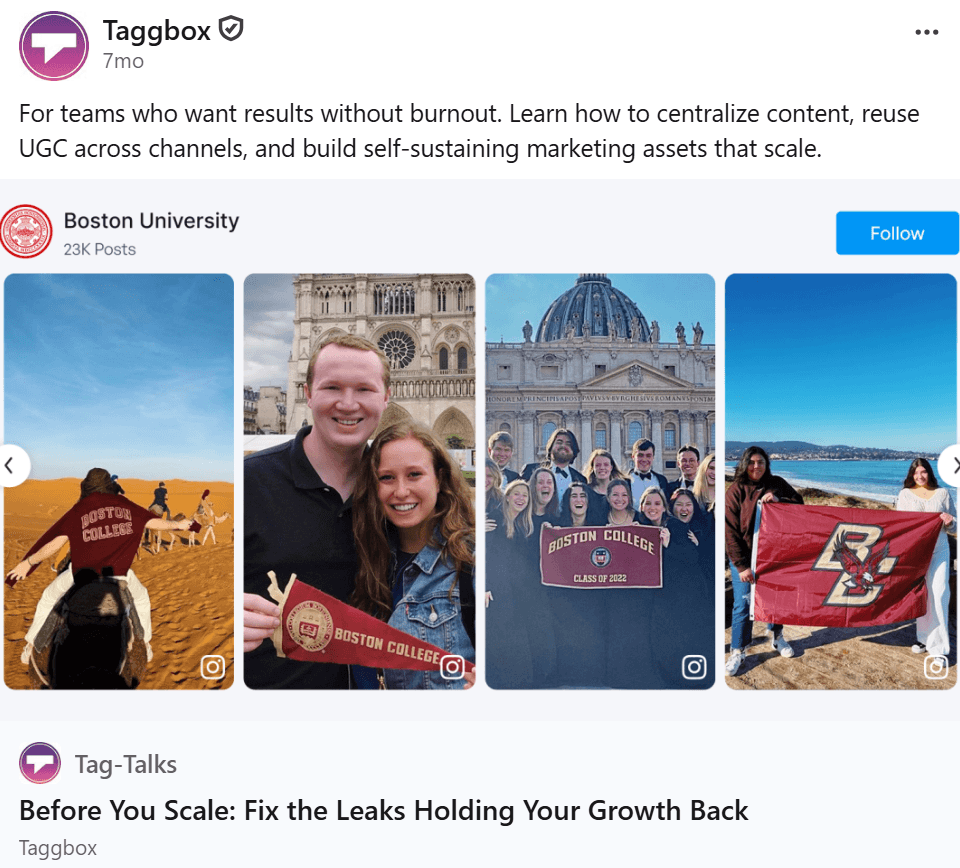
11. Newsletter
Newsletters build a subscriber base directly on LinkedIn and work best for content you plan to publish regularly rather than as one-off posts. You can also classify newsletters into categories if you want to write on different topics. Works great for building a loyal, recurring audience around a specific theme.
| Post Idea | What it is | Example |
| Recurring Market Trend Roundups | A regular update on what’s happening in your industry. | A monthly “What’s new in SEO” roundup. |
| Industry Insights Digests | A curated summary of key developments. | A biweekly digest of content marketing news. |
| Curated Third-Party Content | A roundup of useful external resources with your commentary. | “5 articles worth reading this week on AI in marketing.” |
| Ongoing Thought Leadership Series | A recurring column-style piece. | A monthly series titled “Lessons from the Trenches” written by your CMO. |
Ideal for:
- B2B and SaaS companies building a recurring content habit and subscriber base
- Industry analysts and consultants running regular digests
- Media-style personal brands and thought leaders publishing a consistent column
- Companies wanting to nurture an audience over time rather than through one-off posts.
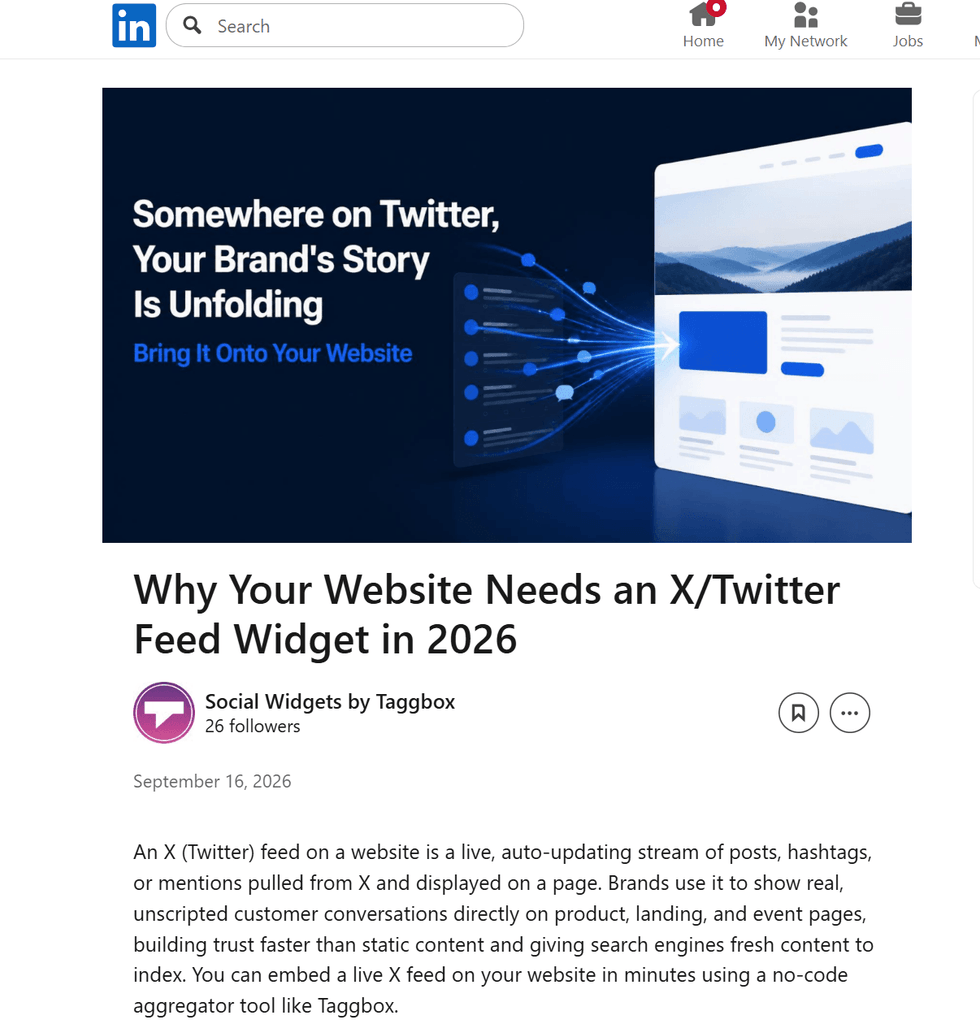
Get Advice On Which Format Works Best For You
Talk to our Experts
The Idea Most Brands Miss: Repurposing LinkedIn Content
Posting on LinkedIn is a great way to build engagement and drive traffic, but a post’s reach fades once it scrolls out of the feed. Bringing your LinkedIn content onto your website extends its life and puts it to work in a place you fully control.
Why This is Worth Adding to Your Content Strategy
- Keeps your website’s SEO fresh with auto-updating content taken directly from LinkedIn.
- The LinkedIn widget Auto-syncs new posts as soon as you publish them.
- Matches your website’s look with customizable layouts, colors, themes, and display options.
- Extracts posts using filters like Company Page, Post URL, Bulk URLs, Profile, or Hashtag.
- Converts website visitors into social followers instantly with a built-in “Follow” button.
- Uses AI features like sentiment scoring, AI recommendation scores, review summarization, and AI moderation to keep the feed relevant and on-brand.
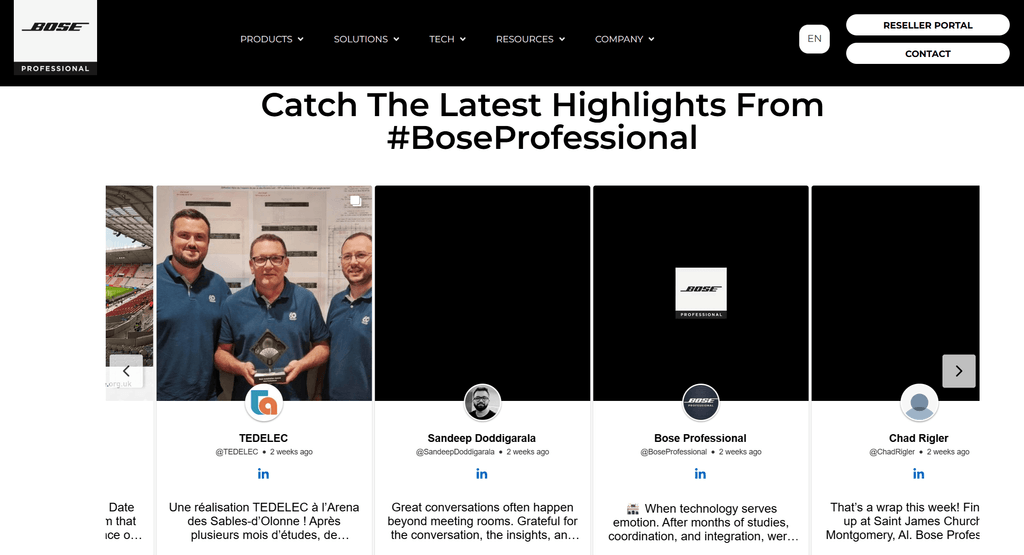
Bose Professional, a company delivering exceptional audio solutions, embedded social media content, including LinkedIn, across key pages. This helped them collect 4.6K+ posts and generate 4.1K+ widget views.
5 Steps to Get Your LinkedIn Feed Live on Your Website
1): Log in to Taggbox, go to the Content Gallery, and click “Add New Gallery.”
2) Select LinkedIn as your source network and build your feed from the source you want, whether that’s a company page, a profile or a hashtag.
3) Filter and manage your content so only relevant posts appear. Use Auto-Pilot with AI moderation to keep the feed clean automatically, define your own rules, or moderate manually.
4) Customize the layout, theme, colors, and fonts to match your brand. You can also add custom CSS for a design that fits your website exactly.
5) Generate the embed code and paste it anywhere on your website.
Also Read: How To Embed LinkedIn Feed On Website in 2026
Conclusion
So, what’s the post you’ll create next that makes someone stop scrolling? Three months is enough time to test a few new formats and see which post idea for LinkedIn works for your brand before 2026 wraps up. Start small, maybe a poll this week, a carousel next, and build from there.
The goal is to know which ones fit your voice and your goals. And however your LinkedIn strategy shapes up, remember that a post’s shelf life doesn’t have to end at the scroll. Embedding it on your website means the work you put into LinkedIn keeps paying off elsewhere too. You can always reach out to our team to see how embedding your LinkedIn feed will work for you.