Social media is the hub of all trendy and happening content, and the place where people discover new brands, products, and ideas every day. At the same time, your website is where you drive conversions, capture leads, and close sales. Social media widget tools help you connect these two worlds by bringing powerful social content and sharing experiences directly to your web pages.
Especially in today’s fast‑paced media ecosystem, social media has surpassed many traditional marketing channels for reach and engagement. The social media revolution is all about sharing valuable content dynamically and promoting it across networks, but without smart website integration you leave a lot of traffic and conversions on the table.
That’s where social media widget tools for websites come in. With the right tools, you can embed live social media feeds, add social sharing button widgets, show review widgets, and highlight social profile icons—all without heavy development work.
In this article, we’ll explore 10+ of the best social media widget tools for websites in 2026 and how they can help you improve engagement, social proof, and sales.
Boost Engagement With Social Media Widgets!

Twitter

Facebook

Youtube

Instagram

LinkedIn

TikTok
A social media widget is a tool that allows you to display content from social platforms like Instagram, TikTok, LinkedIn, YouTube, and X directly on your website.
These widgets can show:
- Live social media feeds
- Hashtag campaigns
- User-generated content (UGC)
- Reviews and testimonials
In simple terms, it turns your website into a dynamic, real-time content experience.
Before we dive into the list, it helps to understand the main types of social media widget tools you can use on your website:
- Social media feed widgets: Aggregate posts, photos, and videos from social networks and display them as a live social media feed widget on your website.
- Social media sharing button widgets: Let visitors share your content to their own social accounts using floating, inline, or pop‑up share buttons.
- Social media icon/profile widgets: Display icons that link to your social profiles so visitors can easily follow you.
Depending on your goals, you may use one or a mix of these social widget types on key pages such as your homepage, blog, landing pages, and product pages.
Social media widgets play a crucial role in turning passive website visitors into engaged users and potential customers. Instead of relying only on static content, these widgets bring real-time social media activity directly to your website, making it more dynamic, trustworthy, and conversion-focused.
1. Boost Engagement with Live Content
Social media widgets display fresh, real-time posts, videos, and updates that keep your website lively and interactive. Visitors are more likely to stay longer and explore when they see constantly updated content.
2. Build Trust Through Social Proof
By showcasing user-generated content, reviews, and real customer experiences, social media widgets help establish credibility. People trust content from other users more than branded messaging.
3. Increase Conversions and Sales
When visitors see authentic content—like product reviews or customer posts—it directly influences their buying decisions. Shoppable social widgets can even turn engagement into instant purchases.
4. Keep Your Website Updated Automatically
Instead of manually updating your website, social media widgets continuously pull in new content from your social platforms, saving time and effort.
5. Improve SEO and User Experience
Engaging content increases dwell time and reduces bounce rates, which are positive signals for search engines. A dynamic website experience also improves overall user satisfaction.
1. Taggbox
Taggbox is an amazing social media aggregator for websites that works excellently well with multiple website-building platforms. It allows you to curate & embed content from over 20 social media platforms.
You can showcase the content creatively with customizations like feed themes, design elements, post styles, widget layouts, banners, colors, fonts, etc.
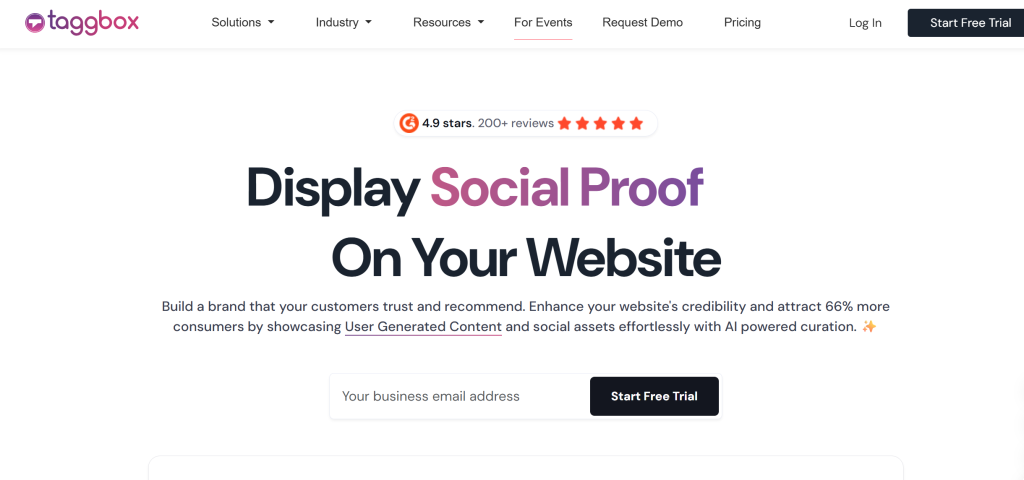
Also, display the premium quality, valuable content to your website with content moderation features. It enables automatic, real-time updates to your social media widget, displaying fresh, unique content on your website.
It also allows you to measure and record the insights of your social media widget performance with built-in advanced analytics features. You can also add custom posts, announcements & Pin-to-top posts, etc., along with a responsive design for a seamless browsing experience.
Along with all the above features, it also provides a user-friendly interface with smooth and robust customer support.
Also, Taggbox has introduced its new WordPress Plugin “Taggbox Widget Plugin“, which provides a seamless aggregation of social media channels for all the WordPress website users.
The highlight is that you can also turn your social media visual content into Shoppable content using the visual commerce platform offered by Taggbox.
This will help you build trust with user-generated content, which will further drive more conversions for the brand and generate higher revenue and improved sales.
Start Using Social Media Widget Tools for Your Website Today
Embed live social feeds and turn visitors into customers
Start Free Now
2. Tagembed
Tagembed is a popular social media widget platform that allows you to collect, moderate, and embed social media feeds from multiple platforms on your website without coding. It supports popular platforms like Instagram, Facebook, TikTok, YouTube, LinkedIn, X (Twitter), Google Reviews, and many more, making it easy to display engaging social proof on any webpage.

The platform offers multiple layouts, customization options, and advanced moderation filters to help you showcase only relevant content. With automatic feed updates and responsive widgets, businesses can keep their websites fresh while maintaining complete control over the content being displayed.
Tagembed works with major website builders, including WordPress, Shopify, Wix, Squarespace, Webflow, and HTML websites. It also provides analytics to measure widget performance and offers both free and paid plans for businesses of different sizes.
2. WP Social Ninja
WP Social Ninja is a fully feature-packed social media plugin for WordPress websites to enhance your small business, increase your brand’s presence, and generate sales. It has 29+ platforms with other diverse features.
WP Social Ninja’s social feed feature can do many different things. You can filter and manage social proof and show these feeds on your websites to boost your brand value. It has 4+ Social Feeds, 9+ Social Reviews, and over 15+ Chat Widgets.

With WP Social Ninja, you can easily make a template that customers can display top-notch testimonials, which you can then customize too on your website in different ways. This multi-purpose tool also has a Notification Popup option that can be changed to fit your needs. It lets you choose from multiple colors, formatting, and images to add to the styling of the webpage.
You can convert your Instagram business profile into an influential selling machine with WP Social Ninja’s Shoppable Instagram Feed! This cutting-edge tool lets you connect your webpage with your Instagram page hassle-free.
3. Get Social
GetSocial is a content analytics platform that gives access to various tools, share buttons, share bars, pop-ups, and follow buttons.
The social media tool effectively measures, automates, and amplifies your content’s traffic via social media. Additionally, this social media widget offers real-time social analytics and dark social tracking.
GetSocial is an exceptionally powerful tool for both large-scale businesses and small-scale businesses and additionally, for an e-commerce business as well.
The tool gives an insight into which of your articles, products, and content is popular with the customers and readers, and this makes it a great social media tool for websites.
4. ShareThis
ShareThis Share Buttons is a free plugin that allows your website’s visitors to effortlessly share your blogs, products, and web pages across more than 40 social platforms at the click of a button.
Moreover, they automatically incorporate text, links, and images into the shared content, making it a hassle-free experience for your visitors.
The tool is user-friendly and easily customizable to match your brand’s identity. It also offers over 15 language options and insightful performance analytics that provide valuable information about what resonates with your audience.
They can be implemented on your website in as little as 10 minutes through their integrations with WordPress, Shopify, and more.
5. ELEXtensions
ELEX WooCommerce Product Feed Social for Facebook & Instagram is a free plugin that enables you to create and optimize product feeds for social media platforms like Facebook and Instagram.
With this plugin, you can easily generate a feed containing your WooCommerce products, making it easier to showcase your inventory and reach a wider audience. The plugin provides various customization options, allowing you to include specific product attributes, exclude certain products, and set up schedules for automatic feed updates.
You can easily create dynamic feeds that include essential product information such as title, description, price, availability, images, and more. These feeds are specifically tailored to meet the requirements of Facebook and Instagram, ensuring that your products are displayed in the most effective way possible.
Once your product feeds are generated, you can submit them directly to Facebook and Instagram, making it easier for potential customers to discover and purchase your products. By utilizing the powerful advertising features of these platforms, you can target specific audiences, create engaging campaigns, and drive traffic directly to your WooCommerce store.
6. SmashBalloon
Smashballoon is a plugin on WordPress that lets the users curate social media content feeds and display them on the website as a social media feed plugin.
The tool is only available for the WordPress website, but it offers different plans and pricing options to choose the best suitable features. It gives you the option to customize your plugins with themes & layouts.
An easy-to-create and set up social media feeds on this tool, and it offers content from platforms like Instagram, Twitter, etc. It would align well with your website as it has a responsive & simple design.
While collecting engaging content from social media, you can even filter it using hashtags. Also, you have the option to choose what information about posts you want to show like author, date, etc.
7. Monarch
Monarch is a social media sharing plugin for WordPress that encourages visitors to share the best pieces of content from your social media networks to your website & increase your website’s traffic.
The tool offers unique & creative designs for social options that make it vibrant & interactive for users. It is extremely fast & responsive with more location options.
One of the best parts is that this tool offers social media integration with over 10 different social media platforms. An easily add social sharing bars on locations like images & videos, above or below content, floating sidebar, automatic pop-ups, etc.
You can time your pop-up delay to strategically place the social sharing buttons. You can choose different orientations & layouts or even check your statistics as well.
8. Juicer
Juicer io is a social media aggregator that lets you create a beautiful social media feed of content and display it on your website. The tool has different plans & pricing options based on premium features.
You get the option to integrate content from multiple social media platforms like Instagram, Tumblr, Facebook, etc. The setup is quite easy and simple, with no technical expertise requirements.
The tool offers features like creating multiple social media feeds, faster feed update time, access to analytics for performance measurement of your feeds, etc., in premium plans. You can customize your social media widget to make it more creative and engaging for the users. Also, the moderation option allows you to display the best possible content on the website and many more features.
9. Social Pug
Social Pug is also a social sharing tool for WordPress websites only with $24/year plans. In the free version, you get sharing options for Facebook, Pinterest, Twitter, & Google+.
You can also add sharing buttons for StumbleUpon, WhatsApp, Reddit, etc. Also, trigger the pop-up share buttons to grab the user’s attention & improve sharing possibilities.
Besides, the tool offers follow buttons for Soundcloud, Vimeo, Instagram, Behance, LinkedIn, etc. along with basic social media options.
The social sharing buttons are customizable and interactive. Besides, it also offers Google UTM tracking & Bitly link integration to magnify its impact & usability.
10. Social9
It is a free social sharing buttons widget, which can be practiced easily without the requirement of complex code. You need not be a senior web developer to put the tool into use.
This tool helps you to generate more traffic for your website by integrating it with social media.
It provides you with predefined buttons, which can be adjusted and customized according to the targeted audience and branding regulations.
It also allows you to select different widget styles and customization options for the widget to make it look even more attractive.
This tool also helps you gain full analytics of your overall website’s performance and track how well your social media feed on the website complements your growth and conversion rates.
11. Simple Social Icons
It is a smart choice for website creators to link social media profiles with the website. As suggested by the name, this WordPress Plugin displays social media icons to link the visitors to your social media profiles.
To link the profiles, you just need to add the URL of your social media account that you want to be displayed on the website.
It provides you with an option to link various social media channels like Facebook, Google+, Twitter, LinkedIn, Instagram, etc. You can customize the size and color of the icon and also can add or reorder the icon using a filter.
This helps you to increase the website’s traffic, boost engagement, and drive conversions and sales. It will also help you grow your social followers and generate more leads.
12. Social Warfare
Social Warfare is an exclusive WordPress social sharing plugin that provides you with attractive share buttons regardless of screen size and resolution.
It allows you to share content from social networking sites such as Facebook, Twitter, LinkedIn, Google+, etc. You can even choose the position of the button where you want to place it on the website.
It also provides you with the option of “Floating share Buttons” which gives the readers easy access to the share buttons no matter where they are scrolling on the website.
It even displays the count of the number of times the content has been shared, which helps you showcase the social proof of your products and services.
A side-by-side comparison to help you pick the best tool for engagement, social proof, and conversions.
| Tool | Best For | Type | Key Features | Platform Support | Analytics | Unique Advantage |
|---|
| Taggbox ⭐ (Best Overall) | eCommerce, brands | Feed aggregator + UGC + Widget | Social feeds, reviews, shoppable widgets, AI moderation | All CMS (WordPress, Shopify, HTML, etc.) | ✅ Advanced | Conversion-focused + shoppable social feeds |
| Tagembed | Businesses, Marketers, Agencies & Developers | Social Media Feeds & Review Widget | Embed social media feeds, Google reviews, LinkedIn posts, Instagram feeds, moderation, customization | WordPress, Webflow, Shopify, Wix, Squarespace, HTML & other CMS platforms | ✅ Advanced | Easy no-code setup with official API integrations (where supported) and support for 20+ social and review platforms |
| WP Social Ninja | WordPress users | Feed + Reviews + Chat | Social feeds, testimonials, chat widgets | WordPress | ✅ Basic | All-in-one WP solution |
| GetSocial | Content marketers | Sharing + Analytics | Share buttons, analytics, dark social tracking | All platforms | ✅ Advanced | Deep content performance insights |
| ShareThis | Bloggers, publishers | Sharing widgets | Share buttons across 40+ platforms | All platforms | ✅ Basic | Quick setup + wide platform support |
| ELEXtensions | WooCommerce stores | Product feed widget | Facebook & Instagram product feeds | WordPress (WooCommerce) | ❌ Limited | Social commerce feed integration |
| Smash Balloon | WordPress users | Feed widgets | Instagram, Facebook, Twitter feeds | WordPress | ❌ Limited | Native WP feed plugins |
| Monarch | Bloggers, marketers | Sharing widgets | Floating, pop-up, inline share buttons | WordPress | ✅ Basic | Advanced placement options |
| Juicer | Beginners | Feed aggregator | Multi-platform feeds, moderation | All platforms | ✅ Basic | Easy setup + free plan |
| Social Pug | Small websites | Sharing widget | Share buttons + tracking integrations | WordPress | ✅ Basic | Lightweight + customizable |
| Social9 | Beginners | Sharing widget | Pre-built share buttons | All platforms | ❌ Limited | Simple, no-code setup |
| Simple Social Icons | Website owners | Profile widget | Social icons linking to profiles | WordPress | ❌ No | Lightweight + minimal design |
| Social Warfare | Content creators | Sharing widget | Floating share buttons + share count | WordPress | ✅ Basic | Strong social proof display |
Choosing the right social media widget tool for your website is crucial because the wrong choice can slow down your site, limit customization, or fail to deliver results. The best tool should align with your goals—whether it’s boosting engagement, increasing traffic, or driving conversions.
Here are the key factors to consider before making your decision:
- Define your goal first: Decide whether you want engagement, traffic, or conversions.
- Check platform compatibility: Ensure the tool works with your website (WordPress, Shopify, etc.).
- Look for customization: Choose widgets that match your brand design (layouts, colors, themes).
- Ensure content moderation: Filter and display only high-quality, relevant content.
- Check performance: Pick lightweight tools that don’t slow down your website.
- Review analytics features: Track engagement and performance effectively.
- Consider advanced features: Look for options like feed widgets or shoppable features if needed.
- Prioritize ease of use: Choose a tool that is simple to set up without coding.
The right social media widget tool should not just display content—it should help you drive real engagement and conversions.
Conclusion
Social media is no longer just a discovery channel—it’s a powerful driver of engagement, trust, and conversions. By using the right social media widget tools for websites, you can bring that impact directly to your site and turn passive visitors into active customers.
Whether your goal is to showcase real-time content, build social proof, increase shares, or drive sales, there’s a tool designed for your needs. While many tools focus on specific functions like sharing buttons or feed displays, choosing a solution that aligns with your overall business goals is key.
If you’re looking for a complete solution that combines social feeds, user-generated content, and conversion-focused features, Taggbox stands out as one of the best social media widget tools.
Start leveraging your social content more effectively—and turn engagement into real results.