If you’re trying to figure out how to add link to Instagram Story, you’re in the right place. Instagram Stories are one of the easiest ways to get people to actually click through to your content, and the Link Sticker makes it simple for anyone to add link to Instagram Story without any extra steps or restrictions. Whether you’re sharing a product, blog, or video, you can drop a link straight into your Story and send people exactly where you want them to go, quick and hassle-free.
With over 500 million people using Stories every day, it’s easy to see why brands, creators, and even small businesses rely on them so much. In this guide, we’ll break down how to put a link on Instagram Story, why it matters for traffic, conversions, and engagement, and how you can make the most of it. Let’s get into it.
Why Instagram Stories Are Important?
Instagram Stories are like the internet’s favorite reality show: quick, colorful, and fleeting, which makes them addictive. Half a billion users tap through them every day, drooling over fashion hauls, foodie tutorials, or fitness inspiration. Brands love Stories because they’re perfect for grabbing attention in a split second.
Adding a link to your Instagram story is like handing out a VIP pass to a website, product page, or blog, driving traffic, and turning curious scrollers into buyers or subscribers. Whether it’s a small business pushing a new drop or a creator sharing their latest YouTube video, links in Stories boost engagement and make conversions happen faster than you can say “double-tap.” Pairing this strategy with a free Instagram feed widget can further amplify results by showcasing the engaging content directly on your website.
Who Can Use the Instagram Link Sticker?
With new updates on Instagram, now, everyone can add links to Instagram Stories! Back in the day, the “Swipe Up” feature was locked for verified accounts or those with 10,000+ followers, leaving small accounts stuck with the outdated “link in bio” option.
What is an Instagram Link Sticker?
An Instagram Link Sticker is a feature that allows users to add a clickable link directly to their Instagram Stories. Instead of the old “Swipe Up” feature (which was only available to accounts with 10K+ followers), the Link Sticker is available to all users, regardless of follower count.
By choosing to add a link to Instagram Story, you can guide your audience straight to your website, product page, blog, or any online content. This helps turn casual viewers into subscribers, customers, or engaged followers. You can even customize the sticker text with a strong call to action, such as “Shop Now,” “Learn More,” or “Watch Video,” to encourage clicks.
For small accounts and new creators, adding a link to Instagram Stories removes barriers to growth, driving traffic faster and more effectively. Combine the Link Sticker with engaging visuals or interactive elements to maximize clicks, boost engagement, and make your Stories work harder for you.
Steps to Add a Link To Your Instagram Story With Link Sticker:
Adding a link sticker to an Instagram Story is easier than picking the perfect filter. Here’s the no-sweat breakdown:
- Open Your Story: Open Instagram, swipe right from the home feed, or tap the “+” icon and pick “Story.” Snap a photo, record a video, or pick one from your gallery.
- Tap the Sticker Icon: Once you are happy with your story, tap the sticker icon at the top.
- Choose the Link Sticker: Scroll through the sticker menu, tap the “Link” option, then tap it again.
- Add your URL: Paste or type the link to a product page, blog, or YouTube video. Make sure you enter the exact URL.
- Customize the CTA: Edit the sticker text to something punchy like “Shop Now!” or “Tap for a Surprise!” Instagram’s got a few style options to match the vibe.
- Place and Post: Move the sticker to a clear spot in your Story and hit “Share.”
Tips to Get More Clicks on Your Story Link:
Slapping a link on a Story is step one, but getting those taps? That’s where the magic happens. Here’s how to make that Link Sticker impossible to ignore:
1. Craft a Compelling CTA
Ditch boring “Click Here” for something spicy like “Tap for 20% Off!” or “See the Recipe!” A punchy call-to-action (CTA) makes users curious, like waving a fresh-baked cookie under their nose. For example, a food blogger like @TastyBites might use “Tap for the Full Recipe!” to drive clicks to their site. Instagram Insights shows CTAs with action words (e.g., “Shop,” “Discover”) can boost click-through rates by 10-15%.
2. Make the Sticker Stand Out
Use bright colors, GIFs, or arrows to highlight the Link Sticker. Think of it like putting neon lights on a marquee. A fashion brand could add a sparkly “Shop Now” GIF to draw eyes to their new drop. Avoid sticking it too close to the edges. Nobody wants to accidentally swipe to the next Story.
3. Add Interactive Elements
Toss in polls, emojis, or sliders to keep users engaged. A fitness brand might drop a poll like “Ready to Crush Your Workout? Yes/No” with a link to their gym gear. According to reports, interactive elements can increase engagement by 20%, making users more likely to tap.
4. Keep It On-Brand
The Story’s vibe should match the destination of the link. If it’s a link to a chill blog post, don’t post a chaotic party video. A skincare brand linking to a soothing face mask tutorial should use glowy, calming visuals. Consistency builds trust and encourages users to keep clicking.
These tricks turn a plain Story into a click magnet, driving traffic like nobody’s business. Want to make those links work even harder? Enter Taggbox.
How Taggbox Instagram Widget Enhances Your Instagram Story Strategy?
Taggbox is a sleek tool that enables brands to embed Instagram Stories, posts, Reels, and more on their website, converting social buzz into genuine website engagement. It’s like a digital megaphone that amplifies Instagram Stories beyond their 24-hour lifespan. Here’s how Taggbox levels up the Instagram Story game:
- Embed Instagram Content: Taggbox makes it easy to add Instagram feed content, Stories, Reels, posts, or videos directly onto a website. Imagine a fashion brand showcasing a Story of their latest drop on their homepage, keeping the hype alive.
- Boost On-Site Engagement: Taggbox Instagram widget turns social traffic into website action, think more sign-ups, sales, or blog reads. It’s like rolling out a red carpet from Instagram to the site.
- Show Off Social Proof: Displaying Instagram Reels or stories on a website screams authenticity. Customers see real people rocking a product, which builds trust faster than a glossy ad.
- Boost Your Online Presence: Embedding Instagram Stories on your website provides a gateway for visitors to discover your brand. Once they become aware of your online presence and like your content, they may also follow you. It will help you in building a more substantial presence on the platform.
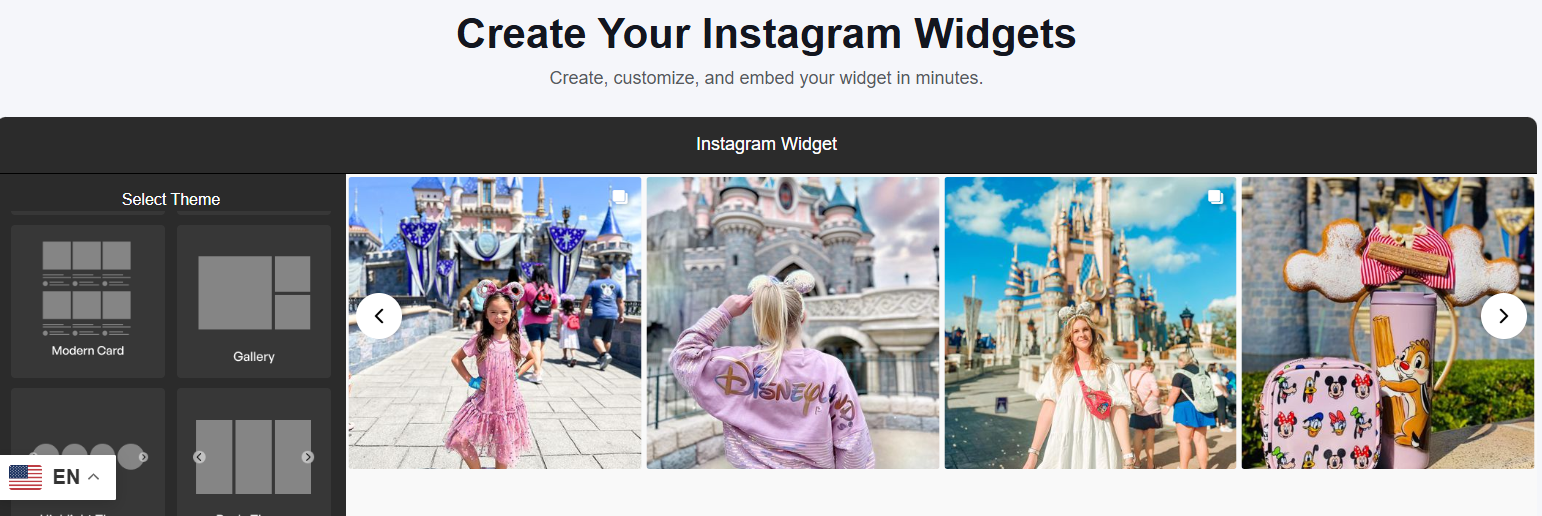
Taggbox transforms Instagram Stories into a traffic-driving machine, making every link click count. Check out how it works in action below.
Conclusion
Adding links to Instagram Stories is like tossing a lasso around your audience and pulling them straight to your website, blog, or shop. It’s a no-brainer for boosting traffic, engagement, and conversions. With the Link Sticker open to all accounts, anyone can get in on the action. Just follow the steps, enhance the CTA, and make that sticker stand out.
Taggbox takes it up a notch by allowing brands to embed Instagram feeds, Stories, Reels, and videos on their site, keeping social proof and clicks flowing long after the Story fades. So what are you waiting for? Follow the steps mentioned in the blog and start posting stories. While doing so, keep the precautions and tips in mind.