The best TikTok WordPress plugins in 2026 are Taggbox, Smash Balloon, QuadLayers, Elfsight, EmbedSocial, Feed Them Social and Custom Feed for TikTok. Choose based on whose videos you need to show: your own account only, or also hashtags and campaign content.
Most TikTok plugins look the same until you try to use one. Some only show videos from an account you own, or some charge more after the first year. These details decide whether a tool works for you, and this guide covers everything you need to know before choosing a WordPress plugin for TikTok.
In a couple of minutes you’ll know which type of TikTok widget for website you need and which tool fits your situation, with limits and pricing checked.
Quick Comparison: Best TikTok WordPress Plugins
All tools below are available directly in the WordPress plugin directory. Find each plugin on WordPress.org.
Let’s have a look at the best TikTok plugins for WordPress depending on your requirements.
| Tool | Best For | Key Advantage | Free Option | Starting Price | Ratings on
WordPress |
| Taggbox | Brands curating shoppable TikTok galleries from hashtags and mentions. | Get TikTok from profiles and hashtags, moderate and make them shoppable | No | $19/mo | 5/5 |
| Smash Balloon | Creators and small businesses showing their own account | Backup cache keeps the feed up if TikTok’s API goes down | Yes | $49/year | 4.9/5 |
| QuadLayers TikTok Feed | Small sites testing a feed before paying and want simple feeds with popup video | Free gallery and carousel layouts with a popup lightbox. | Yes | $49/year | 3.9/5 |
| Elfsight | Teams who don’t want plugin updates | Hashtag and keyword filters, follow button | Yes | $5/mo | 4/5 |
| EmbedSocial | Stores that want video and customer reviews on the same page | Share buttons so visitors can pass the content on | No | $24/mo | 4.2/5 |
| Feed Them Social | Existing Feed Them Social users adding TikTok | Large review base (about 600+) | Yes | $50/year | 4.7/5 |
| Custom Feed for TikTok (By WP Social Ninja) | Sites that want sorting by views or likes | Email alerts if a feed breaks | Yes | $62/year | 4/5 |
Note: All pricing and rating details have been checked from the official sites of all platforms (as of 29th October, 2026)
7 Best TikTok Plugins for WordPress in 2026
1. Taggbox
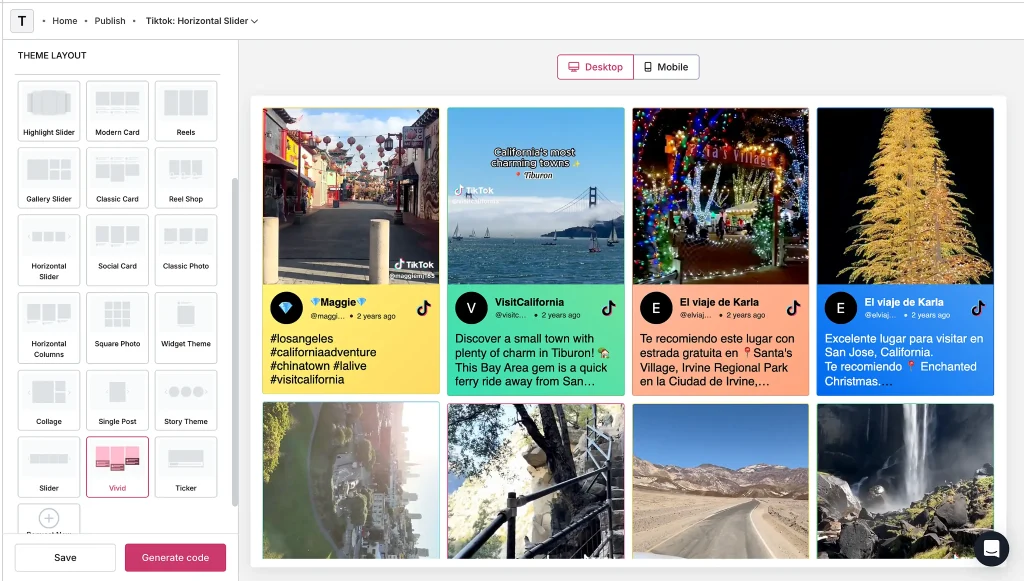
Taggbox is a good pick for brands that want to show TikTok videos on WordPress and choose exactly which ones visitors see. You add the TikTok widget to your page once, then manage the feed in Taggbox. For a product launch, you can collect customer videos under your campaign hashtag, approve the ones that show your product in use, and add them to the page without embedding each post separately.
For online stores, Shoppable TikTok gives your videos a second use. If a customer styles a jacket and bag in the same clip, you can tag both products. Shoppers can watch the video and open the product page for the item they like.
Key Features:
- Tag multiple products and add custom CTAs to shoppable TikTok videos.
- Collect videos by campaign hashtag, brand mention, or TikTok handle.
- Show a grid, carousel, or masonry gallery with a WordPress block or shortcode.
- Manual, keyword-based, and AI moderation
- Manage Instagram feeds, YouTube videos, and customer reviews in the same plugin.
| Pros | Cons |
| A dedicated shoppable TikTok option exists for stores. | Managing the feed requires a Taggbox account. |
| One plugin covers TikTok, other social networks and reviews, so you don’t add a plugin for each. | Some features, such as AI moderation, require higher plans. |
Also Read: How to embed TikTok video in WordPress
2. Smash Balloon Feeds for TikTok
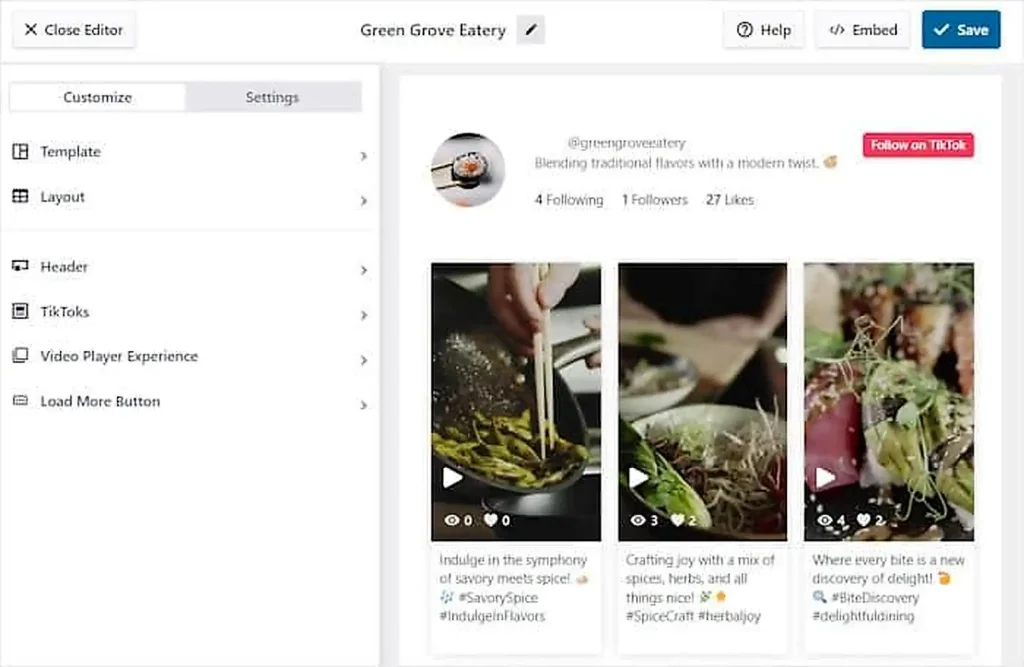
Smash Balloon suits creators and small businesses who want a polished feed of their own videos. It is a long-running family of WordPress social feed plugins, sold as separate plugins per network. It connects to your own TikTok account and displays your videos in a grid with a pop-up player. If you need hashtag content or multiple networks in one place, a tool like Taggbox is a better fit because Smash Balloon can only play videos from an account you authorize due to TikTok API limits.
Key Features:
- Free grid layout with a pop-up video player.
- Pro adds multiple accounts, mp4 playback, sorting, and masonry and carousel layouts.
- Backup cache shows the feed if the API is unavailable.
- Feed refreshes at least once a day, with shortcode and block placement.
| Pros | Cons |
| Caching keeps your feed showing when the API has trouble. | A reviewer complained about renewal costs, so check pricing carefully. |
| 60,000+ active installs. | Only videos from accounts you can authorize. |
3. QuadLayers TikTok Feed
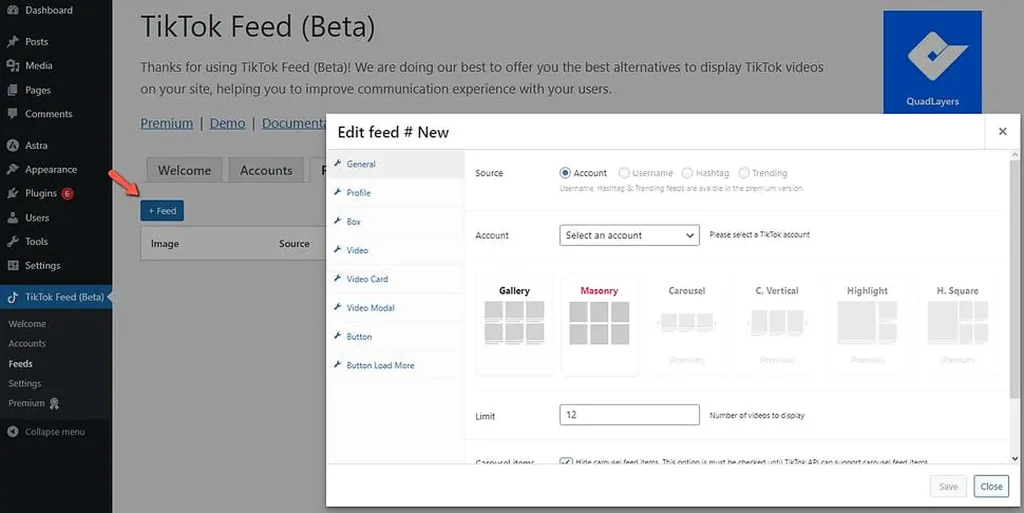
QuadLayers is a WordPress plugin developer, and its TikTok plugin is listed in the directory as “WP TikTok Feed.” Its description says it integrates a feed from @ids or #tags, with one-click setup and a block. It suits bloggers and small sites who want a simple, TikTok-only plugin. QuadLayers stays focused on one job, so if you also want moderation, multiple networks and reviews, you’ll need a multi-network tool like Taggbox.
Key Features:
- Feeds from usernames or hashtags
- One-click setup and a block.
- Pop-up lightbox for watching videos on the page.
- Caching and token renewal for steadier feeds.
| Pros | Cons |
| Simple setup and a free version. | Single-network, so no reviews or other social feeds. |
| Works with most themes. | Hashtag support should be tested, because other plugins describe API limits. |
4. Elfsight TikTok Feed
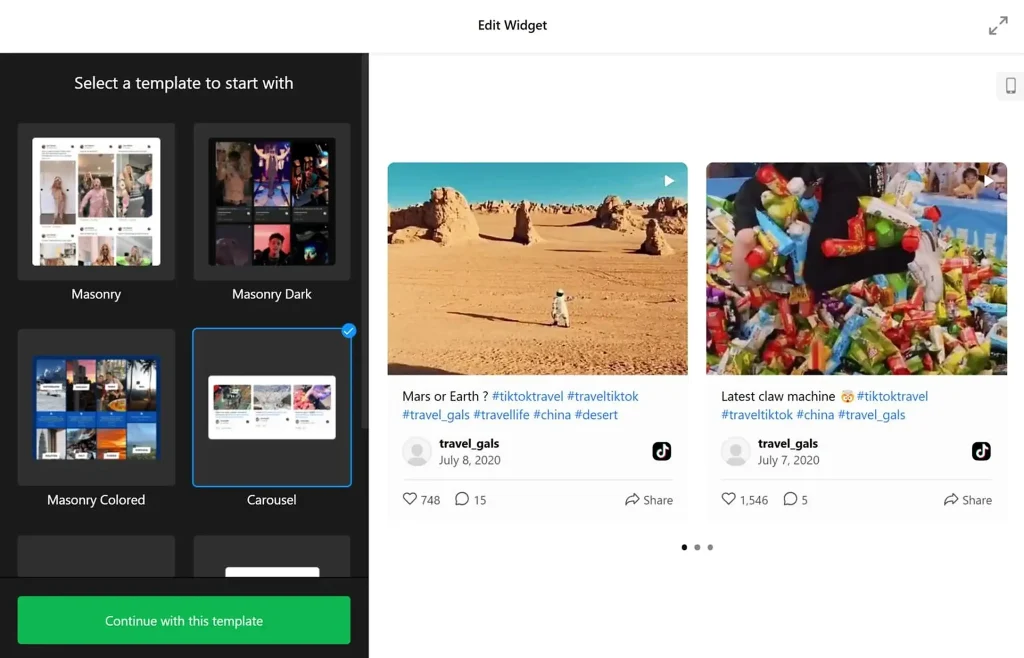
Elfsight is a cloud-based widget platform with a large library of no-code website widgets. Its TikTok widget is built in an online editor, then added to WordPress with an installation code. It works the same way on Wix, Webflow and plain HTML. It suits agencies and marketers managing sites across multiple platforms.
Key Features:
- Profile and hashtag sources combined in one feed.
- Option to show specific video URLs.
- Hashtag and keyword filters, plus manual moderation.
- Follow button and controls to show or hide likes, views and author details.
| Pros | Cons |
| Visual builder, with a free plan available. | New posts usually appear within 12 to 36 hours. |
| Flexible sources and filtering. | Cloud dependency, with plans that scale with usage |
5. EmbedSocial
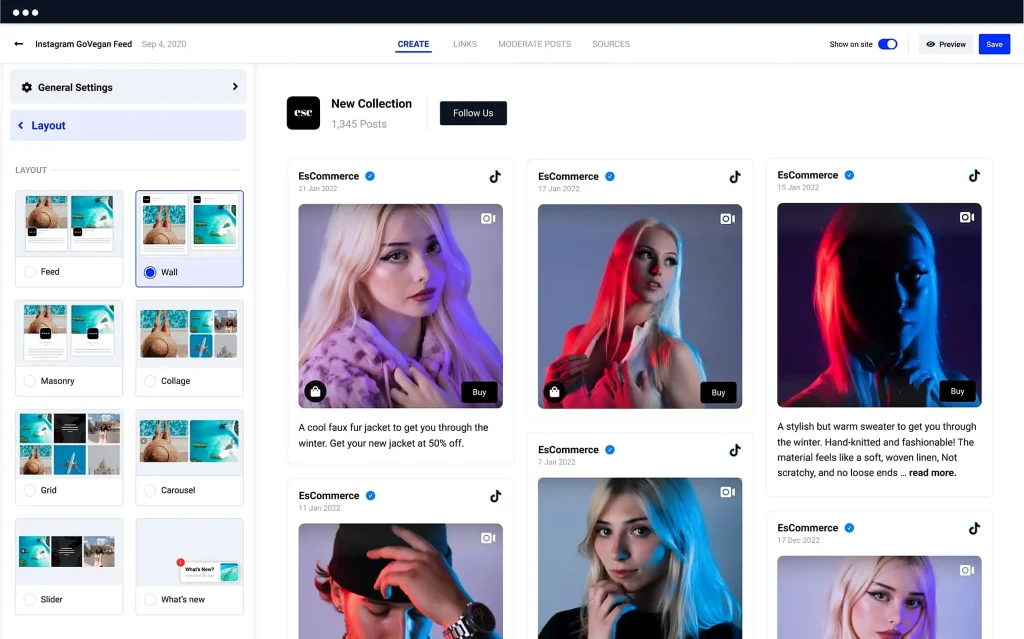
EmbedSocial is a social proof platform that collects social posts, reviews and galleries, with one official WordPress plugin for all its tools. Its video feed handles TikTok, YouTube and Vimeo with auto-sync, and its shoppable ugc feed lets you tag products. It suits stores that want video next to reviews.
Key Features:
- TikTok in a video feed with auto-sync.
- Multi-platform walls mixing TikTok, reviews and photos.
- Shoppable feed with product tags and CTA buttons.
- Moderation tools
| Pros | Cons |
| One plugin covers all its tools. | TikTok is one feature among many, so TikTok-specific options are less central |
| Shoppable options for ecommerce. | Requires an EmbedSocial account. |
6. Feed Them Social
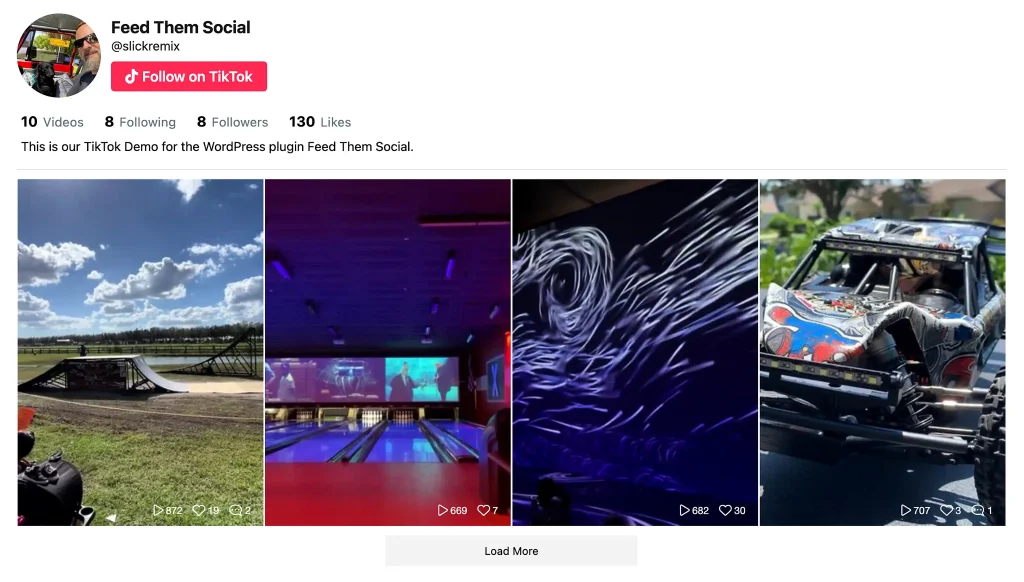
Feed Them Social is a long-standing plugin from SlickRemix. It handles Instagram, Facebook, YouTube and TikTok feeds, and TikTok was added in January 2024. It connects with an access token and shows your own videos. It suits site owners who already use it for other feeds and want TikTok alongside them. People who want hashtag content and reviews alongside TikTok can opt for Taggbox since Feed Them Social is mainly account-based.
Key Features:
- Saved feeds with live preview while editing.
- Profile header with followers and likes, and share buttons.
- Multiple TikTok feeds on one page with different display options.
- Gutenberg block, plus Elementor and Beaver Builder modules.
| Pros | Cons |
| Strong reviews and active updates. | Account-based, so it doesn’t fetch other people’s content. |
| You can control cache settings. | TikTok features are split across paid extensions. |
7. Custom Feed for TikTok
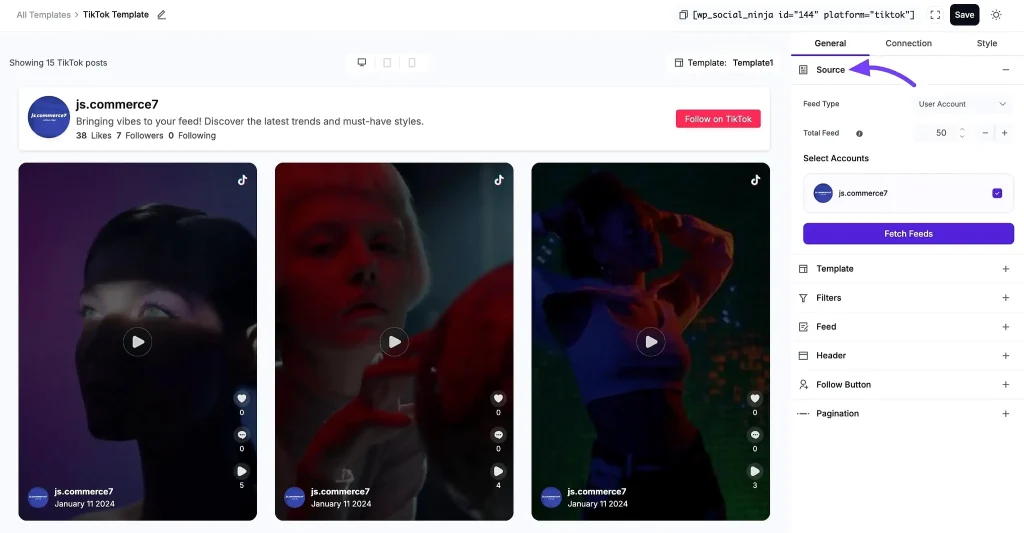
Custom Feed for TikTok is made by the WP Social Ninja team. It connects to your TikTok account through WP Social Ninja’s dashboard, and you place it with a shortcode. It suits agencies and small businesses who already use WP Social Ninja or want TikTok next to their reviews and other feeds.
Key Features:
- Works with Elementor, Oxygen and Beaver Builder, with no coding required.
- Follow button and advanced styling controls.
- Free grid layout, with options for number of videos, order, header and pagination.
| Pros | Cons |
| Multiple accounts, masonry and carousel layouts. | Layout choice is limited in the free version |
| Sorting by views or likes, plus hashtag and keyword filtering. | It needs WordPress 6.2 or higher, so older sites can’t use it. |
Also Read: Best WordPress Social Media Plugins
How to Choose the Best TikTok Feed WordPress Plugin
The best TikTok feed plugin for WordPress shows the videos you actually want, fits your site’s design, and costs what you can afford. Most buying mistakes come from skipping the first of those.
Source support: whose videos can it show?
Start here, because it decides everything else. TikTok’s API limits what plugins can fetch. Smash Balloon’s own plugin page says it plays videos only from an account you can log into and authorize. Custom Feed for TikTok and Feed Them Social also connect through an account token, so they’re built around your own videos.
Other tools describe wider sources. A TikTok aggregator like Taggbox lists TikTok videos from profiles and hashtags, and Elfsight says you can combine profiles and hashtags and pick specific video URLs. QuadLayers’ listing mentions @ids and #tags. Test any hashtag claim with an account you don’t own before you rely on it.
Integration: plugin, shortcode, block or embed code
Native plugins such as Smash Balloon and Custom Feed for TikTok let you build the feed inside WordPress and place it with a shortcode or block. Feed Them Social also has Elementor and Beaver Builder modules. Cloud-based tools work differently. Taggbox builds the widget in its dashboard and places it with a shortcode or block, while Elfsight gives you an installation code to paste in. The code route also works on Wix or Webflow, which helps if you run more than WordPress. A WordPress social media widget can also bring TikTok, Instagram and reviews together if you need more than one network. For other site builders, you can embed TikTok videos on website pages using embed code.
Customization and mobile responsiveness
Check which layouts are free. If you want a TikTok video gallery on your WordPress site, Smash Balloon’s free version gives a grid with a popup player, and carousel and masonry need Pro. Custom Feed for TikTok’s free version is grid only. Feed Them Social offers responsive columns for desktop, tablet and mobile. Whatever you choose, view the demo on a phone, since a video grid that looks good on desktop can feel heavy on mobile.
Automatic updates and content moderation
Refresh speed varies a lot. Smash Balloon refreshes at least once a day, Feed Them Social’s cache runs every 1 to 12 hours, and Elfsight says new videos can take 12 to 36 hours. Taggbox’s speed depends on your plan, from one day on the free plan to every 15 minutes on its top plan. For moderation, Taggbox offers manual, automatic and AI moderation on different plans, Elfsight offers keyword and hashtag filters plus manual moderation, and Smash Balloon’s Pro lets you include or exclude videos by hashtag or phrase.
Pricing limits and WordPress compatibility
Layouts, multiple accounts, popups or extra posts are often Pro features, and some tools charge introductory prices that rise at renewal. EmbedSocial’s free plan reportedly excludes TikTok. Then compare “tested up to” and last updated on the plugin’s WordPress.org page. Custom Feed for TikTok needs WordPress 6.2 or higher, and a plugin that hasn’t been tested with recent WordPress releases is a risk.
Which TikTok Feed Plugin Should You Choose?
| You are | Prioritize | Consider |
| Blogger | Free tier, simple setup, your own account | Smash Balloon, QuadLayers, Custom Feed for TikTok |
| Marketer | Hashtag and campaign content, moderation, TikTok next to other networks | Taggbox, Elfsight |
| Agency | Multiple accounts, client authorization, one tool across several platforms | Taggbox, Elfsight |
| WooCommerce store owner | Product tagging or shoppable feeds, WooCommerce support, mobile speed | EmbedSocial, Taggbox |
Final Thoughts
No single TikTok plugin is best for everyone.
The real choice is between showing only your own account’s videos and fetching in campaign content, between a free tier and the layouts, accounts and moderation that come with paid plans.
Match those to how you work, and the shortlist will narrow quickly. If you want TikTok content curated and displayed alongside your other social feeds, create a TikTok Feed for your WordPress website with Taggbox.
_______________________________________________________________________________________________