Embedding Instagram photos on your website helps display real Instagram content directly on your web pages. Brands often use embedded Instagram posts to showcase customer photos, creator collaborations, product visuals, and social proof without re-uploading the content manually.
Today, businesses use Instagram embeds to make their websites feel more interactive and visually engaging. Whether visitors are exploring products, reading blogs, or browsing landing pages, embedded Instagram content helps keep websites fresh and authentic.
Whether you want to add Instagram photos on website pages, showcase UGC, or learn how to embed an Instagram photo in WordPress or HTML, this guide covers the different methods and tools you can use, including scalable solutions like Taggbox.
What Does it Mean to Embed Instagram Photos on a Website?
When you embed Instagram photos on your website, you display Instagram posts directly on your web pages without downloading or re-uploading the content manually. The posts are pulled directly from Instagram and shown live on your website.
It simply means displaying Instagram content on another platform, like your website or blog. When you embed Instagram photos on your website, the posts usually appear with their original captions, usernames, likes, and links. This helps keep the content authentic, makes your website feel more interactive, and allows visitors to engage with real Instagram content directly from your site.
Here’s why it matters:
- Your website gets visual, scroll-stopping content
- Visitors see real engagement (likes & captions)
- It helps improve time on page and overall engagement
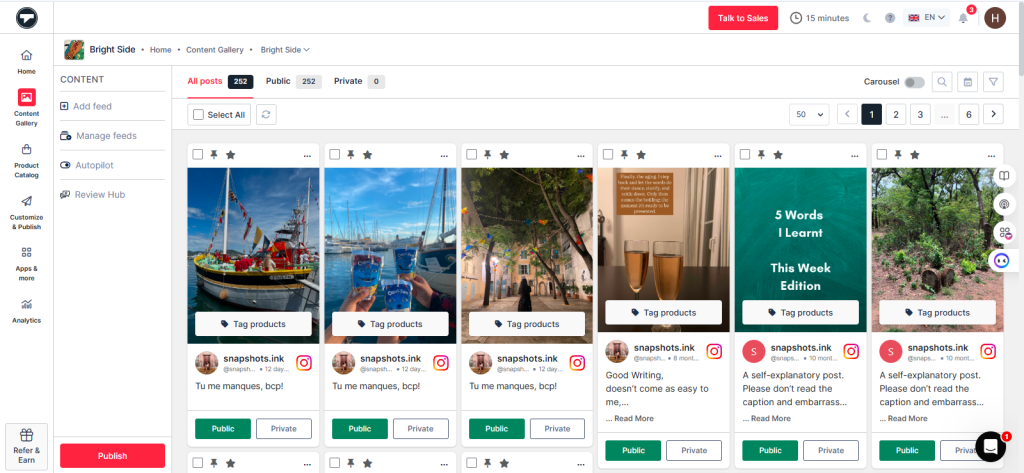
If you still haven’t gotten it, here’s a UGC glimpse of what it looks like:
Methods to Embed Instagram Photos on Your Website
There are two ways to embed Instagram photos on website pages depending on your needs, design preferences, and the number of posts you want to display. Whether you want to embed Instagram photo content manually or create a live feed, each method offers different benefits.
- Native Instagram Embed: The simplest way to add Instagram photos on website pages is by using Instagram’s official embed option. It helps you embed Instagram pictures on website pages one post at a time using an embed code.
- Instagram Widgets & Feed Tools: If you want to display multiple Instagram photos on your website in a more professional and visually engaging way, using Instagram widgets tools is a better option.
The right method depends on whether you want a simple single-post embed or a fully customizable Instagram feed on your website.
How to Embed Instagram Photos Using Instagram’s Native Embed Feature
If you’re looking for the easiest way to embed Instagram feed on your website for free, Instagram’s native embed feature is your best bet.
Step 1: Open Instagram on your desktop browser
Step 2: Go to the Instagram photo or post you want to embed
Step 3: Click the three dots (⋯) on the post
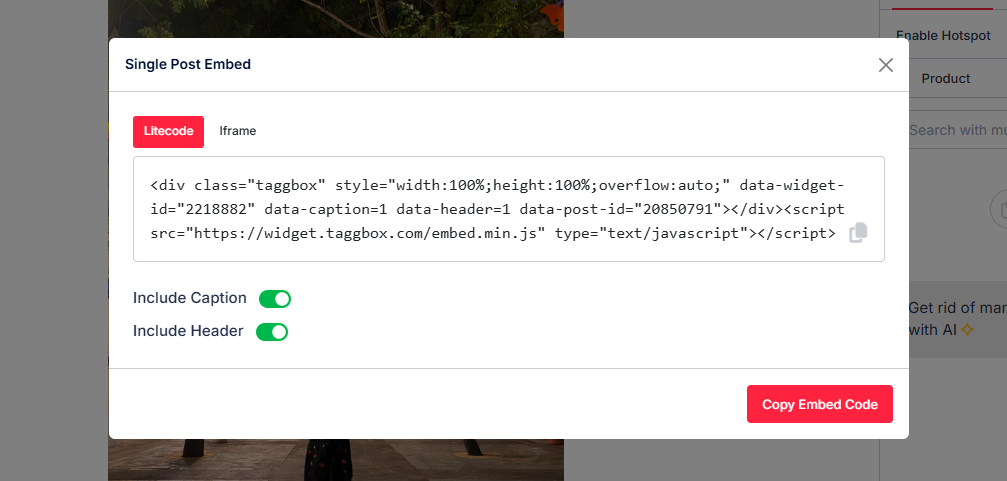
Step 4: Select Embed and copy the embed code
Step 5: Paste the code into the HTML section of your website, blog, or WordPress editor
Step 6: Save and preview your page
Best For:
- Embedding a single Instagram photo or post
- Users who want a quick, no-cost solution
- Anyone learning how to embed Instagram photos on a website with minimal setup
Pros:
- Completely free and official Instagram feature
- Displays Instagram photos with captions, likes, and links
Cons:
- You can embed only one Instagram photo at a time
- Very limited customization options
- Adding multiple embeds can slow down your website’s speed
This method works great if you just want to embed a photo from Instagram quickly. But if you’re looking to embed multiple Instagram photos on your website or display a full feed, you might need a more advanced solution (we’ll get to that next).
Display Instagram Photos on Your Website Effortlessly
Use Taggbox to collect, customize, and embed Instagram photo feeds on your website without coding.
If you want more than just a single post, using a tool like Taggbox is the best way to embed Instagram photos on your website automatically. Instead of manually adding posts one by one, you can embed Instagram feed that updates in real time; perfect for brands that want fresh, engaging content on their site.
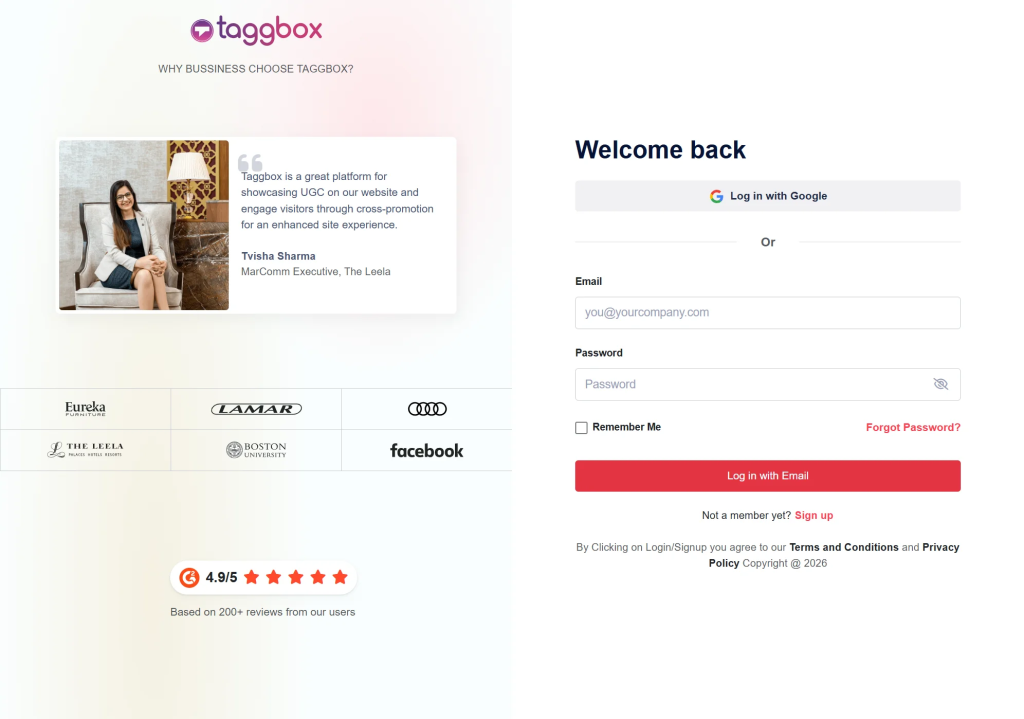
Step 1: Create Taggbox Account
Sign up on Taggbox and log in to your dashboard to start creating your Instagram feed.
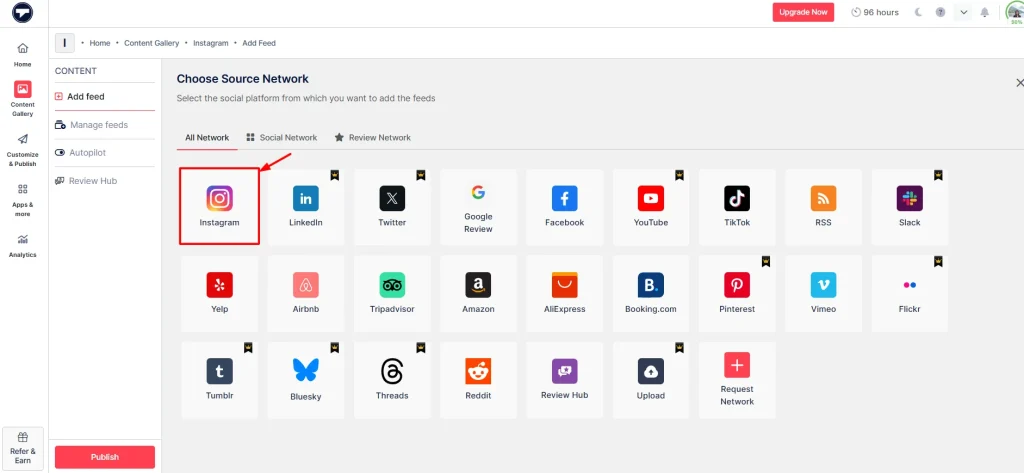
Step 2: Select Instagram as Your Content Source
Choose Instagram as your content source to start collecting posts for your website.
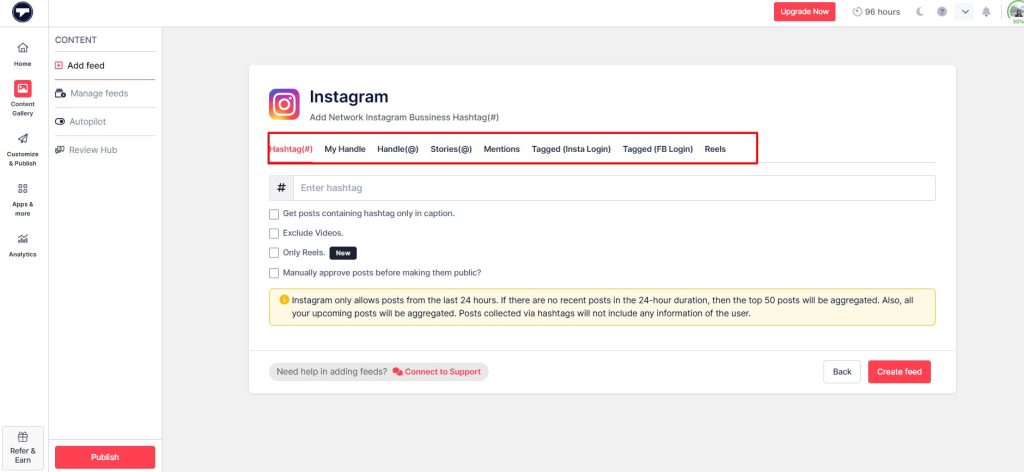
Step 3: Collect Instagram Content
Select how you want to pull content using Hashtags, handle, Mentions or Tagged posts.
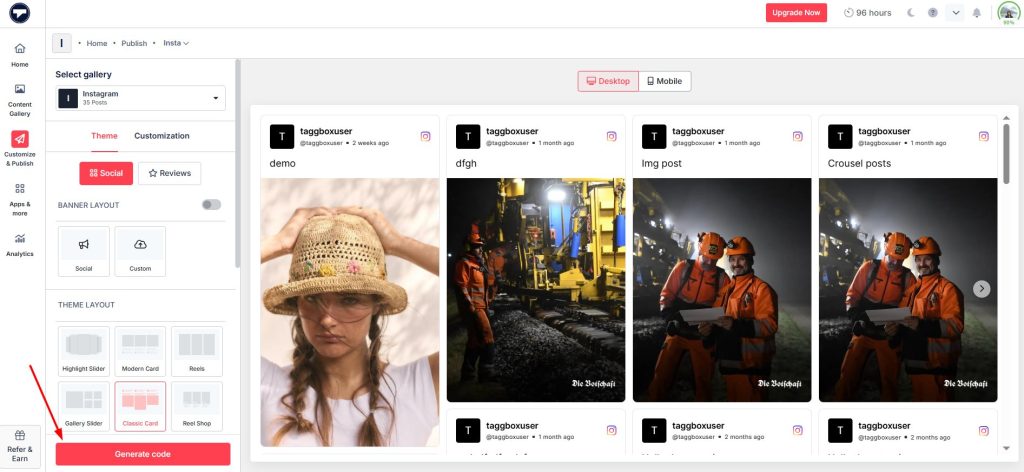
Step 4: Customize Your Instagram Feed
Choose a layout that matches your website style, such as Grid, Carousel, Slider or Gallery. You can also adjust colors, spacing, and overall design to match your branding.
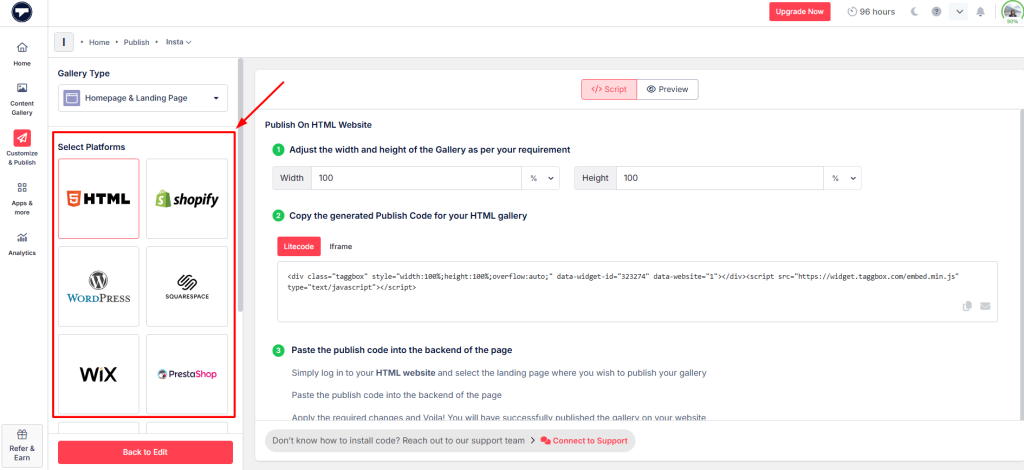
Step 5: Embed Instagram Photos
Click Publish and copy the embed code. Paste it into your website’s HTML section, CMS, or website builder to display the Instagram feed on your site.
Reasons to Use Taggbox to Embed Instagram Photos:
- Display multiple Instagram photos on your website at once
- Show your latest Instagram posts automatically
- Choose from customizable layouts like grid, carousel, or slider
- Keep your website updated with a live Instagram feed
Pros:
- Automatically embed Instagram photos and feeds on your website
- Highly visual and customizable layouts that are so eye-catchy that they captrure attention right away.
- Keeps your site dynamic with fresh Instagram content and can also be turned in various languages.
Cons:
- Advanced features may require a paid plan, as all tools do.
Comparison of methods to embed Instagram photos on website
When deciding how to embed Instagram photos on your website, you’ve got two main options: native embed, and widgets like Taggbox. Each method helps you add Instagram photos to your website, but the experience, flexibility, and scalability are very different.
| Feature | Native Instagram Embed | Taggbox Instagram Widget |
| Best for | Embed a single Instagram photo | Dynamic Instagram feed & multiple photos |
| Auto-Updates | ❌ | ✔️ |
| Embed multiple Instagram photos on website |
❌ |
✔️ |
Customization | ❌ | ✔️ |
Setup | ⭐⭐ | ⭐⭐⭐⭐⭐ |
| Site Speed | Slow, if overused | Optimized |
Works without Code | ✔️ | ✔️ |
| Best for scaling content | ❌ | ✔️ |
| Cost | Free | Free/Paid |
In Brief:
- Native Embed → Best if you want to embed a single Instagram photo quickly with no setup.
- Taggbox Widget → Ideal and a must-pick option if you want to embed an Instagram feed, display multiple Instagram images on your website, and keep it automatically updated
Want to Add Instagram Photos to Your Website?
Easily embed Instagram photos, reels, and galleries on your website using Taggbox.
Conclusion
Embedding Instagram photos on your website is one of the easiest ways to make your site more engaging, interactive, and visually appealing. Whether you choose Instagram’s native embed option for single posts or a dynamic Instagram widget like Taggbox for live feeds, both methods help you showcase authentic social content directly on your website.
If you only want to display a single Instagram post, the native embed method works perfectly. But if your goal is to showcase multiple posts, highlight UGC, keep your website updated automatically, and create a more professional visual experience, using an Instagram feed widget is the better long-term solution.
The best part is that you don’t need advanced coding skills to get started. With the right method, you can easily turn your Instagram content into a powerful website experience that builds trust, increases engagement, and keeps visitors exploring your site for longer.