Still speculating about how to display your social media wall on TV using Amazon Firetv stick?
Well, we are pleased to announce the launch of our new Amazon Digital Signage Firetv Stick app “Taggbox Display App”, which can make your social wall integration with TV simpler and effortless.
Here is a quick overview of the steps that are to be performed.
- Select the Display option from the Taggbox display dashboard.
- Collect the Display Code.
- Search “Taggbox Display” from the Amazon Firestick library.
- Enter the Display code.
Let us understand the entire process in detail to help you with the hassle-free integration of social wall on TV using Amazon Firetv Stick app.
Why Display Social Wall On TV?
For the past few years, people have been utilizing the power of social media to penetrate deep into the sphere of the audience’s ecosystem.
Right from capturing their attention to transforming their thoughts, social media has been the most powerful tool to grip the actions of the audiences. There are many ways of turning to account the potential of social media, and “Displaying Social wall On TV” is one of them.
A social wall is the creative composition of social media content that is well-curated from diverse social platforms. It will help you boost audience engagement by showcasing your social presence in an attractive and appealing way.
It can easily be displayed on TV using the Amazon DIgital Signage Firetv Stick app “Taggbox Display App”.
Steps To Display Social Wall On Tv Using Amazon Fire TV Stick
Follow the steps mentioned below to display Social Wall on TV using Amazon Firetv Stick in just a few steps.
Step 1. Log-in to your Taggbox Display account; you will land on the dashboard.
Step 2. Click on the “Display” option in the lower-right corner of the preferred social wall.
Step 3. From the display pop-up that appears, choose “Firetv Stick” as your platform.
Step 4. On this Screen, you will find the Display code for your social wall.
Step 5. Now, go to the Amazon Firetv Stick home and download the Taggbox Display app on your TV.
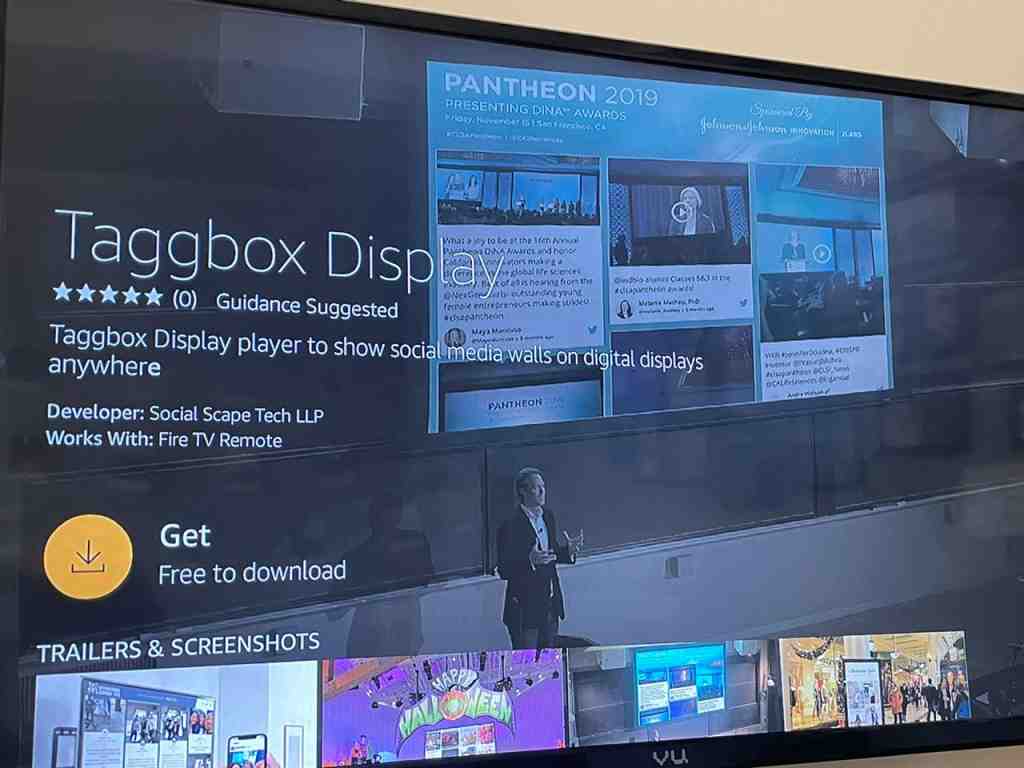
Step 6. Once the download is complete, you will be asked to enter the display code.
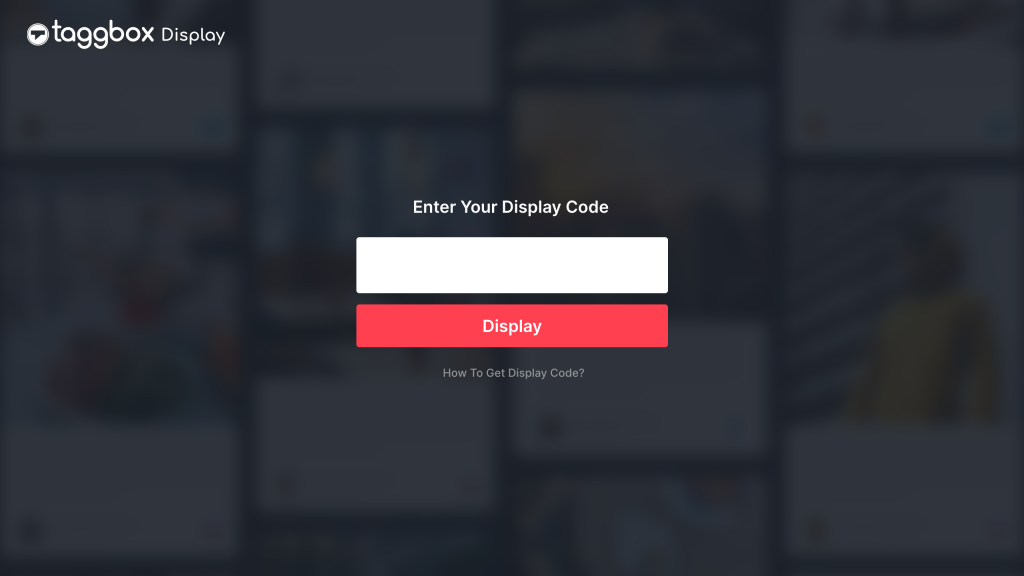
Step 7. Insert display code and click on “Display”.

Kudos, you have successfully displayed the social wall on TV with a firestick.

[BONUS] Other Options Offered By The Taggbox Display App
Once your social wall gets displayed on TV, you will see 4 options on the app sidebar of the TV screen. These include
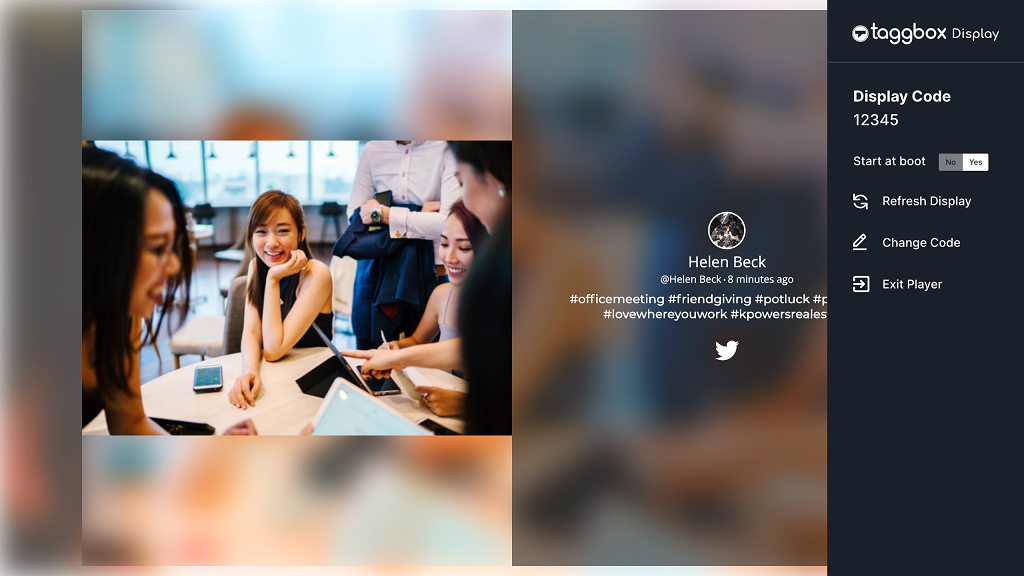
Display Code– It displays the display code of your present social wall.
Start At Boot– On enabling, this option makes the display of your social wall go in the same flow even after switching off-on the TV again, without entering the display code again.
Change Code– It allows you to display another social wall on the TV screen. All you need is to create a new social wall and generate its Display code from Taggbox Display and copy it.

Exit Player– As the name suggests, it lets you exit the App and stop showing your social wall on TV screens.

Benefits Of Using Taggbox Display App
Taggbox display app is an app that allows you to display your social wall on TV in minutes. This easy-to-use app is the perfect solution if you want to connect a wide range of audiences with your social presence at a single time.
With seamless integration, this app allows you to connect your TV and laptop with wireless connectivity and display social wall smoothly. You do not require a URL every time you connect, all you need is a small Display Code.
Also, the reduced load time makes your display process as fast as a blink.
(Your audience need not wait much for the exciting and captivating display)
Apart from this, the Taggbox Display app is easy to set-up and much easier to access. All these benefits make this app the most appropriate choice for the users.
Display Your Social Wall On TV Now!
Use cases of displaying social wall on TV with Amazon Firetv Stick
With a social wall, you can attract more audiences and engage them with the social presence of your business, and the Taggbox Display app lets you display social walls in a more appealing and exquisite than ever before.
In case of any queries or technical issues, feel free to contact us at any time.
Start Your Taggbox Display Experience
Create TikTok Wall For Free