We recently launched an amazing display app for Amazon Firetv stick, and yes, yet again we have crossed all the rocks and have launched an engaging Display App for Android TV.
Integrating your social media on the Android TV is just effortless now with the “Taggbox Display App”. Give this blog a 5 mins read to know everything about this app and how to use it for the creative display.
Social Wall On Tv- The New Age Entertainment
Social media has been ruling the game of entertainment for years now and has penetrated deep into the layers of audience engagement.
Not just limited to trapping the thoughts of the audiences, social media is the stepping stone towards entertaining them and making them feel socially connected.
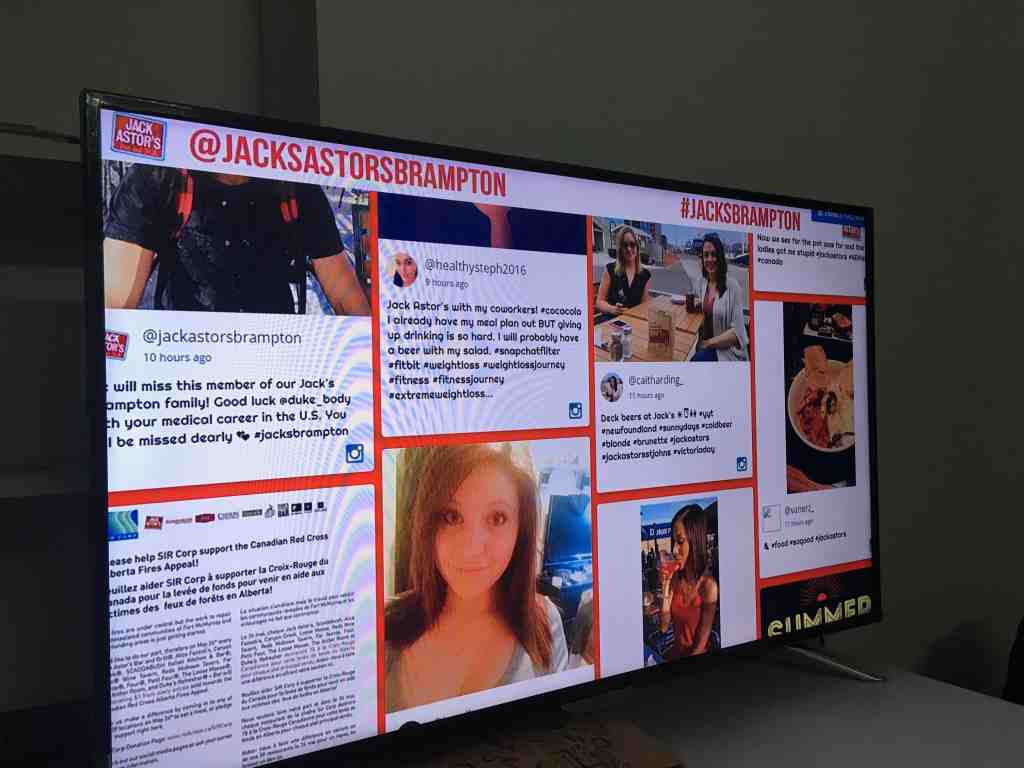
Casting your social profile on TV is one way of audience engagement, but displaying social walls on Tv has turned out to be the most effective one. This well-curated and well-customized wall is a perfect way to boost audience engagement and grip their attention towards the TV screen.
The “Taggbox Display App” is an easy solution to display Social media wall on your Android TV.
3 Simple Steps to Display Social Wall On Android TV Using Taggbox Display App
Here is the run-down of the simple and easy steps that you need to follow to display social walls on Android TV using the Taggbox Display App.
Step 1. On your Android TV’s Google play store, download the “Taggbox Display App”.
Step 2. Once the download is completed, open the app. You will be asked to enter the display code.
Follow the steps below to get the display code.
Steps to Get the Display Code
Step 2(a). Login to your Taggbox Display account if you are an existing user, or else create a new account. You will land on the dashboard.
Step 2(b). You will see the display code for all the social walls that you have created. Get the display code for the preferred social wall that you want to display on your Android TV.
Step 3. Enter the display code and click on ‘Display’. You will see your social wall on the Android TV in just a few seconds.

Easy, Right?
Why Choose Taggbox Display App?
You might think that what makes this app so special that you should consider using it. Well, we are here with the answer.
Here are some of the additional features of the Taggbox Display app which can be seen on the sidebar of the app.
- Display Code that displays the code of the current social wall that is being displayed presently.
- Start At Boot to make the social wall catch the same flow even if the TV is switched off for some time.
- Change Code to enter another display code without exiting the app.
- Exit Player to exit the app whenever you wish to.
Apart from these features, there exist few benefits that this app has to offer.
- The easy to use interface provides a comfortable experience to the app users.
- Smooth integration possibilities help the users with the hassle-free display process.
- Connects anywhere with wireless connectivity.
- Scales down the load time to supercharge the display time of the social wall on Android TV.
- No URL required for creating connections.
- Easy access.
Possibilities With Taggbox Display App!
Taggbox Display App is the perfect solution to engage your audience by displaying your user-generated content and Social content on Android Tv.
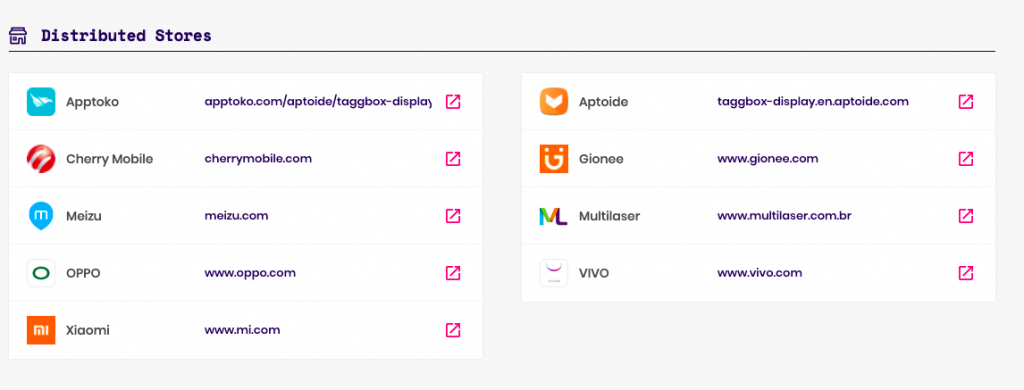
And to your surprise, Taggbox Display App is not just limited to the google play store but is also available on multiple marketplaces such as Oppo, Xiaomi, Vivo, Meizu, Gionee, Aptoide, Apptoko, Cherrymobile, and Multilaser.
With this app, you can display social walls in an attractive and exciting way and can make the experience of your audiences memorable.
In case of any technical issues, feel free to contact our support team anytime.